

Upgrade Your Drupal Skills
We trained 1,000+ Drupal Developers over the last decade.
See Advanced Courses NAH, I know Enough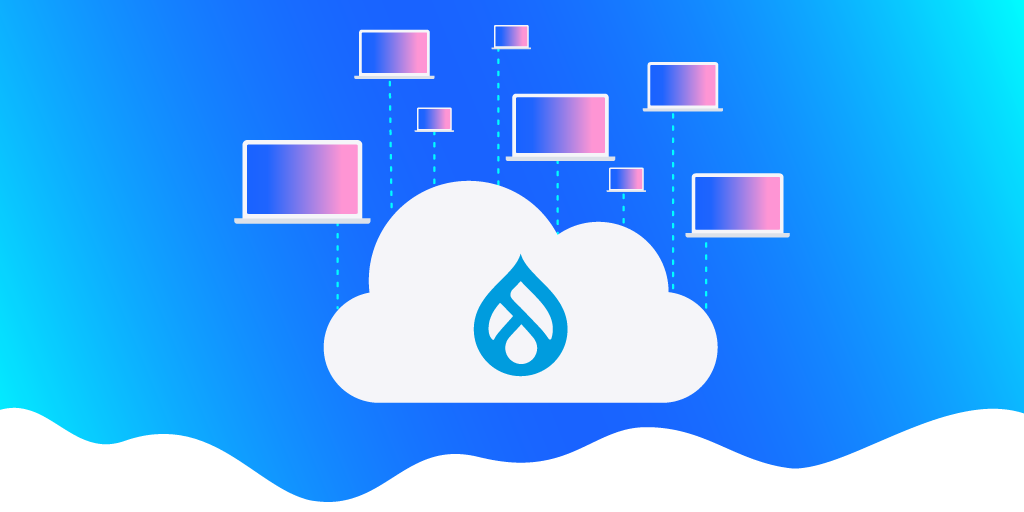
Hosting web applications presents a lot of challenges. Designing and building a valuable experience for your users is difficult enough, why should you increase the effort by managing a complicated technical stack? Acquia offers a purpose-built Drupal hosting solution that lets you focus on the most important part–your users.
Three Types of Service Models
Before we examine the benefits of Acquia as a Drupal host, we need to understand what hosting models are available for Drupal. Generally speaking, there are three categories of hosting service models, each offering a different level of sophistication and requiring the technical knowledge to match1. Selecting one of these models depends significantly on the project’s requirements. Let’s compare these models and examine the separation of responsibility for managing each aspect of the technical stack.
Management Responsibility Across Hosting Models
X = You Manage
On-Premises
On-Premises covers self-hosted and self-managed hardware–no cloud involved. In this model, you manage the entire stack from the bare hardware and networking through the web application and its data. Often this model requires a team of expert technicians, administrators, and developers to manage safely and securely at scale. It provides a high degree of flexibility and customization but requires significant resources to match.
Infrastructure-as-a-Service
Infrastructure-as-a-Service (IaaS) begins to remove some of this complexity by taking over management of the lower levels of the technology stack. In most cases, IaaS services will handle the management of physical hardware, allowing administrators and developers to focus on the software systems required to manage their web applications.
Creating and destroying machines can be done relatively easily, allowing hardware to scale based on traffic or change based on new requirements. However, this still requires a certain level of expertise to keep running services up-to-date with the latest security and bug patches. Usually, the team must have knowledge specific to the IaaS provider in addition to sysadmin level IT skills.
Examples
Google Cloud Platform, AWS, Azure
Platform-as-a-Service
Platform-as-a-Service (PaaS) further removes complexity, allowing developers and site administrators to focus directly on the web application. PaaS providers handle the management of the entire technical stack while the site owner is still managing the web application and its data. This provides an excellent balance of customization in the web application without requiring a large, knowledgeable team to manage infrastructure.
PaaS providers such as Acquia provide purpose-built solutions for deploying custom, scalable web applications like Drupal. These are carefully tuned environments based on years of experience that may not exist in smaller IT teams.
Examples
Acquia, Google App Engine, AWS Elastic Beanstalk, Azure Marketplace
Selecting a Service Model
Platform-as-a-Service is the Default
For most web applications, a PaaS model will provide a strong value proposition. By providing cloud solutions maintained by experts, they can offer economies of scale that smaller IT teams cannot attain on their own. Expensive hardware no longer needs to be purchased.
In turn, this removes the maintenance overhead for cooling, power, and other support systems. In the PaaS hosting model, software maintenance is handled by the provider, allowing your internal support personnel to focus on other tasks. Any maintenance tasks that remain can usually be run directly by developers or other project team members.
Additionally, the costs associated with a PaaS model like Acquia’s are more spread out, increasing the business' agility in managing costs. By removing the need for hardware purchase and setup, the initial cost is reduced significantly and capital expenditures can be made elsewhere. This also makes the application team more Agile in how it responds to changes and new opportunities by providing additional flexibility in the hosting costs. As needs scale or new opportunities appear, it can be much easier to grow or alter hosting needs.
When to Choose IaaS or On-Premises
There are some circumstances where taking on additional maintenance responsibilities may be required, driving your application toward an IaaS or On-Premises model. Most importantly, legal concerns and other policies may prevent you from selecting a cloud solution. Special privacy concerns might require an on-premises model to maintain strict control over personally identifiable information or other sensitive data. It’s also possible that existing agreements and contracts require the use of a particular service. In these cases, it might be valuable to assess when a switch might be made or if a PaaS service can be worked into existing infrastructure while following applicable policies.
It’s also possible you have a strong technical reason to select another service model. If the application has very specific technical requirements, it may be necessary to host it in an IaaS solution or even On-Prem to allow customization of the stack in ways Acquia doesn’t allow. These would generally be exceptionally unique circumstances driven by heavily customized features or specific networking needs.
Why Acquia?
If you’ve decided that a PaaS solution is right for you, Acquia is a PaaS provider specializing in Drupal. Dries Buytaert, Drupal creator, is both the co-founder and CTO of Acquia. Buytaert along with Jay Batson founded Acquia to provide infrastructure, support, and services to enterprise organizations using Drupal. In addition, Acquia was created to help Drupal scale, make Drupal easier, and to empower a thriving network of Drupalists around the world. Today, Drupal is about one of every 40 websites used.
Acquia gives Drupal development teams access to targeted solutions offering features that smaller IT teams can’t reasonably support. This provides a compelling value proposition, often letting site owners run services that are more complex than their team would otherwise be able to maintain. The technical stack can be more robust, improving value, reducing time-to-market, and reducing costs.
Fully-tuned Stack
Acquia is able to apply an immense amount of time and resources towards carefully tuning its stack to provide optimal hosting for Drupal and related technologies. This lets them provide situation-specific efficiencies and support that are simply not reasonable to expect from self-managed solutions. Acquia has spent many years refining the hosting environments for hundreds of clients. This level of sophistication is not achievable for smaller IT teams.
Improved Access and Support
Sites hosted with Acquia are generally faster and more reliable than sites hosted internally. Acquia operates at a large, global scale and has the networking and storage locations to support such an operation. Some of these technologies that are required at scale are difficult to maintain.
Acquia provides these technologies for teams that would otherwise be unable to support them. For example, Content Delivery Networks and robust caching tools provide fast, global access to your site through local access nodes, reducing load times and improving the user's experience.
In addition to faster access, Acquia also offers additional support for your site. This reduces or removes the need for an on-call rotation of technicians to maintain the site. Acquia hosting comes with a defined Service-Level Agreement (SLA) setting contractual obligations for reliability of the site. In other words, Acquia takes on the burden of maintaining the servers 24 hours a day.
Additionally, Acquia provides added reliability features and tools such as New Relic, recording important diagnostic information for problems on the site. Features like these can drastically improve the user's experience with your brand without placing a heavy burden on support teams.
More Robust Security and Recovery
Along with the added support features, sites hosted with Acquia are more secure and better equipped to recover from incidents. Because the technology stack is managed by Acquia support professionals, security patches, and bug fixes are applied regularly and the stack supporting the application is constantly monitored.
Acquia also offers edge protection solutions, defending against Denial of Service and other HTTP attacks. Acquia will even support Drupal in some situations. For example, Acquia has provided additional protections on occasions when vulnerabilities in Drupal have been found. These sort of specialized benefits offer great protection for your users and your business.
In the event an incident does occur and recovery is necessary, it is easy to restore the application to a prior state. Data backups are taken daily and databases can be quickly and easily rolled back through a simple, drag-and-drop admin user interface (UI). The same UI can be used to rollback code to match. These features let development teams react very quickly to incidents and quickly get the application running again.
Delivery Tooling
Because Acquia is already managing the technical stack beneath the application, they must support delivery and deployments. This makes deployments much easier. Acquia’s simple drag-and-drop interface makes it easy to move code across environments. Acquia’s Cloud Hooks and Pipelines features provide a complete Continuous Integration/Continuous Deployment solution, out of the box. These pipelines are tailor-made for Acquia and Drupal and are generally much easier to set up, drastically reducing time-to-market for new features.
The Benefits of Acquia
Each application and team has unique needs that will naturally push a project towards a given hosting model. For exceptionally complex or custom applications, an IaaS or On-Premise solution may be required. However, these models lose the benefits Acquia provides. For most Drupal projects, the additional security, support, and tooling, as well as performance improvements, make Acquia the right choice.
1Commonly, a fourth category called Software-as-a-Service is included but this model doesn’t fit Drupal’s customizability well and has been intentionally excluded from this article.
In a modern DevOps world, a large part of the deployment pipeline is automated across multiple tools. Most DevOps pipelines validate, test, build, and deploy code, all automatically. It can be tempting to trust the system to just handle these steps. When something goes wrong, how long does it take you to find out? Does your QA team often wonder why a ticket that is marked for them to test doesn’t seem to actually be available? This is where ChatOps comes in. ChatOps turns your chat messenger into a communication hub for the team and the automated DevOps pipeline. Acquia’s Build & Launch Tool comes with Slack messaging built in. This guide will walk you through a basic ChatOps set up with BLT and Slack.
Getting Slack Ready
To use Slack as your hub for automated messaging, you’ll need a channel that can receive messages via a webhook. There are two schools of thought: some prefer using a separate channel, dedicated to devops messaging; other teams prefer having the devops messages right in with the rest of the team chat. Which is right for your team is largely a matter of preference.
Teams that prefer to have devops messaging in a separate channel usually do so because devops messaging can get repetitive and clutter the general chat with messages, obscuring real discussion between developers. Placing devops messages in their own, dedicated channel allows team members to set appropriate levels of notifications without interfering with the team's normal discussions.
On the other hand, some teams prefer to have devops right in the middle of everything. It’s important to know when things are happening in the repository and when deployments are under way. Having devops messages appear in the main team chat forces everyone to be aware of what’s happening in case.
Regardless of your decision, you’ll need to setup a webhook to receive messages. Slack makes this very easy.
- Create a new Slack app or open the settings for an existing one.
- Select the Incoming Webhooks in the left navigation and click Activate Incoming Webhooks if it is not already enabled.
- Click Add New Webhook to Workspace. Pick the channel you want to send devops messages to and click Authorize.
- You’ll receive a unique webhook URL; hold on to this for later.
Connecting Slack to Acquia BLT
BLT is a wonderful way to automate a large part of your Drupal maintenance on Acquia. It is easy to configure via YAML files and has a large number of built-in scripts that require little to no setup and provide great benefit. Even better, Acquia BLT has a Slack connection built-in, you just have to provide your webhook URL in the configuration file!
Adding Slack communication to your BLT operations is as simple as editing the blt.yml file. Just add this configuration to your blt.yml and push the code to Acquia. Make sure you use your unique webhook URL from the previous section.
slack:
  webhook-url: “https://my.slack.webhook.url/########”
Once this configuration is deployed to Acquia you should start seeing messages in your Slack channel like the message below.

Bonus: Connecting Your Code Repository
Acquia BLT provides chatops for an important part of your devops pipeline. It helps cover that “last mile” where code is actually deployed to Acquia. What about the rest of your pipeline? Chatops can bring in the rest of your code operations as well, truly making Slack the hub for your team's devops pipeline.
Git is the most commonly used version control system and most of the major Git remote providers already have Slack apps. This list includes Bitbucket, GitHub, and GitLab. Connecting each of these apps is generally very simple!
Bitbucket
Bitbucket makes this wonderfully simple. First, install the Bitbucket Cloud Slack app. With the app installed, you can subscribe any channel to any repository with a simple slash command.
/bitbucket connect
This will connect the channel to your repository and open a browser tab where you can select the relevant events in Bitbucket. By default nearly everything is selected, providing a robust view of your repository activity.
GitHub
GitHub also provides a helpful Slack app. Installing the GitHub for Slack app will provide a slash command, subscribing the channel to repository activity.
/github subscribe [repository name]
The GitHub for Slack app will post in the subscribed Slack channel with any repository activity. This will keep your development team aware of any changes or actions required.
GitLab
GitLab doesn’t provide an app integration for notifications but it can use the webhook you generated earlier! To set up the Slack notifications service, follow these steps:
- Go to your project settings and select Integrations.
- Select Slack notifications.
- Select the Active checkbox in the Enable integration section.
- Select the triggers you would like notifications for.
- Enter the webhook URL you created earlier.
- Select Save Changes.
GitLab should now send notifications to the same channel that Acquia BLT notifies!
That’s How It’s Done!
Setting up ChatOps with Acquia BLT is that easy. This messaging will appear for database copies and backups, deployments, and code switches. If you also connected your code repository, you should have a complete picture of your code and deployment activity. Now your team will have a consistently up-to-date awareness of your Acquia application status!
Drupal code reviews are an important part of the software development process. If you've recently started working with Drupal or you are looking to improve your codebase and processes, you may be wondering what you should consider when reviewing changes to your Drupal codebase. We'll describe how to get the most out of your Drupal code reviews by providing a checklist of important steps and criteria for you to return to and reference as you open and review new pull requests.
Creating A Pull Request
A well-formatted and qualified pull request helps streamline the code review process. It's also a good point for an author to pause and consider the change they've made. Before submitting a pull request, the author should consider the change from the perspective of other team members, such as the designer, the reviewer, and the QA team. Reflecting on the change can offer additional insight into the problem as well as reduce cycle time as the change moves through different stages in the development process. Consider if the change meets the requirements in the most efficient manner.
Before Opening A Pull Request
The code review process begins before the pull request is even opened. The author should review the requirements and ensure the change appropriately addresses them. A developer doesn't need to be as thorough as the QA team members but a basic level of testing should be applied, including verification in multiple browsers to catch inconsistencies.
Additionally, this is a good time to help out future developers on the project. Make sure the change meets any coding standards that have been established, is well commented on, and the commits show a clear story. The Coder project provides a set of rules for PHP_CodeSniffer to check and apply Drupal coding standards automatically.
▢ Sync the latest changes from the develop branch
▢ Make sure the change meets the documented requirements
▢ Perform appropriate testing and review in multiple browsers
▢ Run a test build to make sure the project builds correctly
▢ Run any linting or standards tools set up for the project
▢ Ensure that commits have useful messages
Opening A Pull Request
The pull request will set the stage for the reviewer. When opening a new pull request, set the reviewer up for success. Provide any relevant information to establish the context of the change. You don't need to copy and paste the ticket description but provide enough information for the reviewer to understand the change (and maybe a link to the full description). If your commit messages are clear and your repository automatically includes commits in the description, this will help provide a starting point.
Additionally, review the diff before opening the pull request. It's important to make sure no unexpected or unintended changes were included in the change. Formatting differences between IDEs are a common issue. These should be resolved before opening the pull request. When making changes to Drupal's configuration, make sure you didn't accidentally capture incorrect values. If you're using config splits, double-check that split config has been applied to the default and vice-versa.
▢ Review the diff to make sure only intended changes were included
▢ Write a useful pull request description including context, questions, or discussion points
Reviewing With Empathy
First and foremost, a code review is about feedback. It's a learning opportunity for both the author and the reviewer. When it goes well, we all become better developers and the codebase becomes stronger as a result. Keep this in mind when reviewing code and review with empathy. In general, assume good intentions.
The advice included in the section is applicable to all code reviews, not just Drupal reviews. For a deeper dive into positive code reviews, check out these resources:
For The Author
Authors should approach the review as a discussion. Pull requests are an opportunity to discuss your change with other developers on the team. Explain why your approach was used and reference edge cases or other considerations that were factors in the solution. In turn, listen to the reviewer's comments and consider how they might alter your approach.
Remember, you are not your code. Suggestions are meant to be constructive and helpful. Try not to take comments personally. Code reviews are a great way to grow your knowledge and learn new patterns and considerations when developing software.
For The Reviewer
Reviewers should approach the review as a discussion. Code reviews are an opportunity to discuss a solution among peers. Many developers assume the reviewer has absolute authority over the change—try to avoid this trap. Instead, ask open questions to facilitate discussion. Offer explanations for your suggestions and include examples. If you disagree with the approach, pause and consider if your solution is better or just different. Remember you can learn as much from the author as they can learn from you.
Remember, your words have power. Try to stay humble and keep your ego in check while reviewing code. Consider how your comments might be taken, particularly if they are only offered in impersonal text on a pull request. Don't request changes directly unless there is a convincing argument for a different approach. Give kudos as well as critiques.
Ultimately, stay humble and take your time. Make sure you understand the goal of the change and the approach the author chose to take. Consider the change from multiple directions. Acknowledge your shortcomings and note when an author has done something interesting or clever (plus, this can also help fight imposter syndrome on the team!).
Performing A Review
Code review is also a technical discussion of the change. It's important to understand the common pitfalls in order to keep the codebase in good shape. Performing a technical review of the code helps address architecture issues and may reduce bugs before they become a problem.
General Approach
In general, the goal of a code review is to facilitate discussion of changes and make sure the development team is creating the best solution possible. As such, there are a lot of components to consider when reviewing a change. During the code review, we want to understand what the change is accomplishing, verify that the change is doing what it's intended to do, and fits in with the overall architecture.
▢ Do you understand the solution (does the solution "make sense")?
▢ Does the solution accomplish the goal?
▢ Does the change include any unrelated functionality?
▢ Does the solution support the overall project strategy?
▢ Do commits contain appropriate information (ticket number, description of change, additional context)?
Drupal Way
Drupal provides a toolkit for content-based website development. Each tool has an intended usage and sometimes more than one tool may be used to solve a problem. Some of these solutions will be better than others and the best solution may not always be obvious.
Consider the requirements and the intended use of a given system API, configuration, or application layer. The solution should make use of the correct APIs and occur in the correct part of the application. For example, is any front-end work implemented within the theme? Is shared business logic created as a service? Make sure the solution makes use of existing functionality where possible, usually in order by priority: Drupal core, contrib modules, custom code.
▢ Does the solution make use of existing functionality?
▢ Does the solution make the best use of Drupal's tools?
▢ Is the solution implemented in the appropriate application layer?
▢ Does the solution support a content management strategy?
Security
Drupal is a generally secure CMS and extensive efforts have been made by the community to support out-of-the-box security. However, any time custom code or community-contributed features may be involved, the security of the customizations should be considered. The change should make use of the appropriate features provided by Drupal to maintain the security of your application. Reference Writing Secure Code on Drupal.org for more information.
▢ Are Drupal's APIs being used correctly?
▢ Do SQL queries use the Database API?
▢ Are the text APIs such as t() applied to safely escape text and other scripting attacks?
▢ Is content rendered through Twig whenever possible? (Twig automatically escapes rendered content)
▢ Are permissions and access controls implemented properly?
▢ If a new entity or feature is implemented, does it have appropriate permissions applied?
▢ If a new permission is created, is it checked correctly?
▢ If JSON:API or other APIs are implemented, do API endpoints have appropriate access control and data filters in place?
API-first
Code should be written in a composable way using Drupal's API-first approach. Use services, plugins, etc. to create reusable functions that can be repurposed and edited easily. Drupal offers a powerful but complex dependency injection system. Make sure that functionality is accessed correctly to help keep the codebase DRY.
▢ Are the components of the solution appropriately (de-)coupled?
▢ Is dependency injection used correctly and are all dependencies necessary?
▢ Are new components abstracted to an interface, supporting dependency injection?
▢ Is the legacy hook system used when a more modern approach is available?
Documentation
Documentation is important for both future developers working on the project and existing developers who may need to reference a dependency while developing a separate feature. For architecture level changes, make sure patterns, strategies, and other important aspects are documented in an appropriate README. They may also be documented elsewhere but the codebase should at least contain a reference to external documentation.
Comments are also a key aspect of documentation. In particular, PHPDoc comments should be added to files, classes, functions, and properties to support IDEs that may automatically make this information available to developers. Make sure that complex code blocks have appropriate documentation to clarify the processes the code is following.
For example, complex algorithms or code flow conditions should include enough information that a new developer can understand the logic that was implemented. If the change applies a workaround or specific logic changed, reference appropriate documentation, such as a task ticket or external documentation link.
Drupal offers some specific opportunities to document functionality. For changes that don't include custom code, help text and README files should be included to document the functionality. When creating new content types and other entity bundles, include a useful description documenting the purpose of the new bundle. Any custom code should have appropriate descriptions, grouping, and dependencies listed in the module's info file.
▢ Are PHPDoc comments added to each file, class, method, and property?
▢ Are PHPDoc comments correctly formatted and complete (include all necessary properties)?
▢ Are complex code blocks explained with appropriate comments?
▢ Do workarounds or specific logic changes reference appropriate documentation?
▢ Are new variables or configuration values documented in the Drupal UI via help text and descriptions or in a README file included with the module?
▢ Do new modules have appropriate values in the .info.yml file?
▢ Do new modules include a README, if necessary, describing aspects of the module?
Code Style and Standards
Code should follow PHP and Drupal coding standards as well as any team- or project-specific standards the team has agreed upon. Following code standards help with code readability and integration. Code style and standards should generally be enforceable via automated analysis tools such as PHP_CodeSniffer.
Drupal.org provides a helpful guide for configuring this tool under Installing Code Sniffer. Usually, these should be run via Git hooks as well as validated by the CI/CD pipeline at appropriate stages but it's important to make sure that these tools were run correctly. Additionally, confirm that no unexpected but valid formatting changes have accidentally been applied. Examples include a change in indentation or quote style through an entire file.
▢ Does the code generally follow code style conventions established by the team?
▢ Are variables, functions, classes, etc. named appropriately?
▢ Did the automated validation tools run correctly? Did they note any errors?
▢ Does the change include any unexpected formatting changes?
Improve Your Codebase & Processes
For those working with Drupal and looking to improve their codebase and processes, this technical guide is the perfect starting point for your team. Whether you were wondering what you should consider when reviewing changes to your Drupal codebase or how you can make the most out of your Drupal code reviews, this guide provides you with an understanding of how to create useful pull requests and perform code reviews in a way that improves your team, as well as your codebase.
Please feel free to return to this guide as a reference for important review points as you review changes to your Drupal project. Try integrating these guidelines into your code review process to facilitate healthy conversations amongst your development team. By following these important checkpoints, your Drupal codebase will be more secure, more efficient, and easier to work with.
About Drupal Sun
Drupal Sun is an Evolving Web project. It allows you to:
- Do full-text search on all the articles in Drupal Planet (thanks to Apache Solr)
- Facet based on tags, author, or feed
- Flip through articles quickly (with j/k or arrow keys) to find what you're interested in
- View the entire article text inline, or in the context of the site where it was created
See the blog post at Evolving Web
