

Upgrade Your Drupal Skills
We trained 1,000+ Drupal Developers over the last decade.
See Advanced Courses NAH, I know Enough
Headless websites have taken the industry by storm, promising to deliver unique brand experiences that enable customer loyalty. Using a headless approach for your project allows you to combine technologies that would normally be siloed due to language or server constraints.
Typically when we talk about a headless Drupal architecture, we are referring to using Drupal for its strength as a content management system (CMS), but using a framework like React or Vue to drive the frontend. This separation of concerns allows your teams to focus on using the tools they know best—ultimately delivering a better product.
The single most important metric in commerce implementations is response time. A website’s overall responsiveness can directly affect the conversion rate and the bottom line. According to a study by Porent in 2019, "The highest e-commerce conversion rates occur between 0 and 2 seconds, spanning an average of 8.11% e-commerce conversion rate at less than 1 second, down to a 2.20% e-commerce conversion rate at a 5 second load time." Let's explore why traditional commerce implementations are so slow and why headless might just be the solution.
Why Use Drupal as a Commerce Platform?
Before we consider the frontend, we need a robust, secure backend platform to deliver our data and business logic. One of the many reasons Drupal is a great candidate for headless, or really any CMS build, is its inherent flexibility and security. Drupal's fieldable entities mean you can structure your CMS to fit your data. Drupal is regularly screened for vulnerabilities and has a robust process to identify and fix security issues. This is especially important in commerce implementations where proprietary data is often pulled from a Product Information Management (PIM) system like Akeneo.
Drupal's true power comes in the form of a massive library of community-contributed and maintained modules. A great example of this is the Drupal Commerce suite maintained by Centarro. Drupal Commerce out-of-the-box provides a robust set of entities and plugins that provide a complete commerce experience. Commerce can be further customized by Contrib modules that provide everything from payment processors (like Stripe or Paypal) to shipping integrations (like UPS or FedEx). Community-contributed modules are the cornerstone of the Drupal platform, and the projects we build make them possible.
Customizing Your Drupal Commerce Forms
Why Is Traditional Commerce Slow?
In a traditional Magento or Drupal Commerce implementation, we often create frontend markup on the backend before delivering the page to the user. As we generate this markup, we make calls to various APIs like shipping rate calculators. Once we have this complete HTML document, we send it to the browser. The browser then parses this markup and scans it for additional documents like CSS, Javascript, and images. Once it gathers all of this data, it turns it into an interactable web page. All of these things make the average page load speed roughly 7 seconds on desktop. That's quite the gap between our target of <2 seconds.
To alleviate the work the backend has to do to render a page, we've come up with some pretty clever tricks. One example is using Edge Side Includes (ESIs). ESIs work by loading the majority of page content from cache, then replacing specific placeholders with dynamic calls to the server. Since the server doesn't need to render the complete markup, we can often achieve faster load times. Drupal Core offers BigPipe, a module that similarly renders the majority of a page from cache, then replaces placeholders with dynamic content. Oftentimes these solutions come at a high complexity and frequently cause problems related to caching. They also don't work for content that is highly dynamic like category pages with facets and filters.
How Does Headless Help?
When we implement a headless website, we can think of the frontend as less like a web page and more as an application. A properly designed React (or other JS frontend framework) app can be lightweight and heavily cacheable. On initial page load, we load our entire application into working memory. This means that as a user navigates through the site, they are actually interacting with a single-page application that does not require a page reload to show new content.
The reason we can get away with not reloading the page is that data can be asynchronously fed to the frontend. This means that as a user is browsing the site we can preload resources like images and linked pages. When we can run expensive operations independently of a user's browsing experience, we can make website response times appear to be instantaneous—or more within our targeted 0-2 second range.
How Do We Get There?
On the backend, you still need a robust, secure CMS to feed data to the frontend and handle complex or session actions (add to cart/checkout validation). This is where Drupal is an easy choice. One of the easiest ways to feed data to a frontend is via JSON data. Drupal Core provides the JSON:API module which allows you to easily expose your content as filterable JSON objects. This means you can leverage the strength of the Drupal Community while giving your frontend room to prefetch and asynchronously validate data.
Building a world-class commerce website necessitates a world-class toolset, but even more so a world-class team. Drupal has proven to be a reliable CMS capable of delivering highly custom experiences. When this is paired with a well-built frontend, load times become instantaneous, and conversion rates increase!
Well, that was exciting! Releasing an enterprise-level Drupal Commerce solution into the wild is a great opportunity to take a moment to reflect: How on earth did we pull that off? This client had multiple stores, multiple product offerings, each with its own requirements for shopping, ordering, payment, and fulfillment flow. And some pretty specific ideas about how the User Experience (UX) was to unfold.
Drupal Commerce offers many possible avenues into the world of customization; here are a few we followed.
Can't I Just Config My Way Out of This?
Yes! But no, probably not. Yes, you should absolutely set up a Proof-of-Concept build using just the tools and configurations at your disposal in the admin user interface (UI). How close did you get? Does your implementation need just a couple of custom fields and a theming, or will it need a ground-up approach? This will help you make more informed estimations of the level of effort and number of story points.
Bundle Up
The Drupal Commerce ecosystem, much like Drupal as a whole, is populated by Entities—fieldable and categorizable into types, or bundles. Think about your particular situation and make use of these categorizations if you can.
Separate your physical and digital products, or your hard goods and textiles. Distinct bundles give you independent fieldsets that you can group with view_displays.
Order Types (admin/commerce/config/order-types/default/edit/fields) are the main organizing principle here: if you have a category of unpaid reservations vs. fully paid orders—that sounds like two separate order_types and two separate checkout flows. Softgoods and hardgoods are tracked for fulfillment in two separate third-party systems? Separate bundles. Keep in mind, though, that a Drupal order is an entity and is a single bundle. An order can have multiple order_item types, but only a single order_type.
Order Item Types (admin/commerce/config/order-item-types/default/edit/fields) bridge the gap between products and orders. Order Item bundles include Purchased Entity, Quantity, and Unit Price by default, but different product categories may need different extra fields on the Add to Cart form.
Adding to Cart
Drupal Commerce offers a path to add Add-to-Cart forms to Product views through the Admin UI.
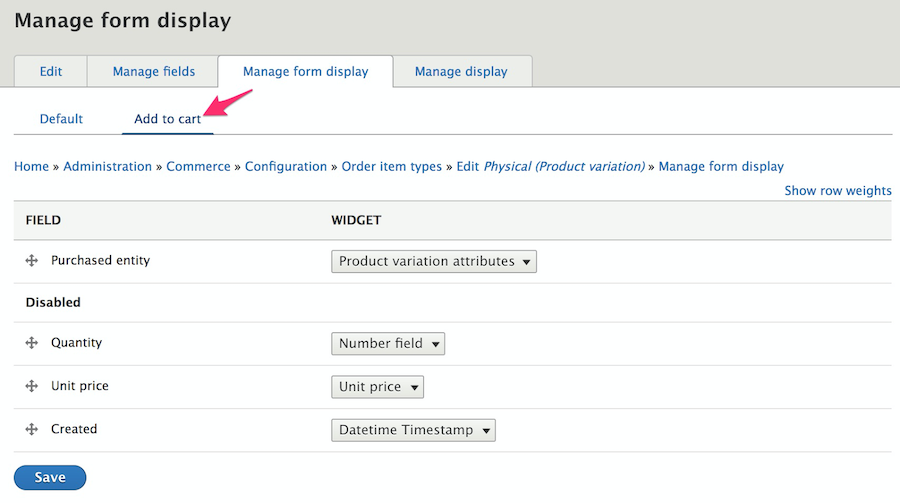
You could alter the form through the field handler, the formatted, or template of course, but we wanted more direct control and flexibility. We created a route with parameters for product and variation IDs—now we could put the form in a modal and reach it from a CTA placed anywhere. The route's controller, given the product variation, other route parameters, and the page context, decided which order_item_type form to present in the modal.
class PurchasableTextileModalForm extends ModalFormBase {
 use AjaxHelperTrait;
 /**
  * {@inheritdoc}
  */
public function buildForm(array $form, FormStateInterface $form_state, Product $product = NULL, ProductVariation $variation = NULL, $order_type = 'textile', $is_edit_form = FALSE) {
  $form = parent::buildForm($form, $form_state, $product, $variation);
  ...
We extended the form from FormBase, incorporated some custom Traits, and used \Drupal\commerce_cart\Form\AddToCartForm as a model. We learned some fun lessons on the way:
- Don't be shy when loading services—who knows what you'll wind up needing.
- Keep in mind that the
form_state'sorder_itemis not the same as thePurchasedEntity. Fields associated with an Order Type are assigned at theform_statelevel, fields on an Order Item bundle are properties of thePurchasedEntity. - Want to check your cart to see if this particular product variation is already a line-item?
\Drupal::service('commerce_cart.order_item_matcher')->match()is your friend. - When validating, recall again that
PurchasedEntityis an Entity, which means it uses the Entity Validation API. TheAvailabilityCheckercomes for free, you may add custom ones simply by registering them inyour_module.services.yml. Or you may want to create a custom Constraint.
Our add-to-cart modal forms (which we reused on the cart view page for editing existing line-items) turned out to be works of art. We had vanilla javascript calculating totals in real-time, we had a service calculating complex allocation data also in real-time, triggered by ajax. Custom widgets saved values to order_item fields which triggered custom Addon OrderProcessors.
class AddonOrderProcessor implements OrderProcessorInterface {
 /**
  * {@inheritdoc}
  */
 public function process(OrderInterface $order) {
   foreach ($order->getItems() as $order_item) {
...
Recognizing how intricate and interconnected this functionality was going to be, we committed ourselves early on to the necessity of building the forms from scratch.
Wait, What Am I Getting?
The second step of the experience: seeing how full your cart has become after an exuberant shopping session.
Out-of-the-box, Commerce offers a View display at "/cart" of a user's every order item, grouped by order_type.
We wanted separate pages for each order_type, so first we overrode the routing established by commerce_cart and pointed to our own controller which took the order_type as a route parameter.
class RouteSubscriber extends RouteSubscriberBase {
 /**
  * {@inheritdoc}
  */
 protected function alterRoutes(RouteCollection $collection){
   // Override "/cart" routing.
   if ($route = $collection->get('commerce_cart.page')) {
     $route->setDefaults(array(
       '_controller' => ...
That controller passed the order_type as the display_id argument to the commerce_cart_form view, where we had built out multiple displays.
We had a lot of information to show on the cart page that was not available to the View UI. We had the results of our custom allocation service that we wanted to show in a column with other Purchased Entity information. We had add-on fees we wanted to show in the line item's subtotal column. This stuff wasn't registered as fields associated with an entity in Drupal, these were custom calculations.
We registered custom field handlers that we could select in the Views UI, placing them into columns of the table display and styling them with custom field templates. The render function of these field plugins had access to all the values returned in its ResultRow by the view for our custom calculations:
$values->_relationship_entities['commerce_product_variation']->get('product_id')Let's Transact!
The checkout flow has little customization available off-the-shelf through admin pages. You can reorder the sections on the pages and the Shipping and Tax modules will automatically create panes and sections for you, but otherwise, you get what you get, unless you roll your own.
A custom Checkout Flow starts with a Plugin (so watch your Annotations!) which need not do too much more than define the array of steps. On the other hand, we extended the buildForm() and tucked in a fair amount of alterations, both globally and to specific checkout steps.
Each checkout step can have multiple panes (also plugins: @CommerceCheckoutPane) each with its own form -build, -validate, and -submit functions.
We built custom panes for each step, using shared Traits, extending and reusing existing functionality wherever we could. With a cache clear, our custom panes were available for ordering and placement in the Checkout flow UI.

We managed the order_type-specific fields and collected them in the field_displays tab in the admin UI. We could then easily call for those fields by form_mode in a buildPaneForm() function and render them. We used a similar technique in the validate and submit functions.
$form_display = EntityFormDisplay::collectRenderDisplay($this->order, 'order_reference_detail_checkout');
$form_display->extractFormValues($this->order, $pane_form, $form_state);
$form_display->validateFormValues($this->order, $pane_form, $form_state);
Integration Station
This project had a half-dozen in-coming and out-going integration points with outside systems, including customer info, tax and shipping calculator services, the payment gateway, and an order processing service to which the completed order was finally submitted.
Each integration was a separate and idiosyncratic adventure; it would not be terribly enlightening to relate them here. But we are quite sure that, rather than having custom functionality shoe-horned here and there in a number of hook_alters spread over the whole codebase, keeping our checkout forms tidily in individual files and classes helped the development process immeasurably.
And Finally, Ka-ching
The commerce platform space is a landscape crowded with lumbering giants. It was awfully satisfying to see Team Drupal put together a great-looking, custom solution as robust as the big boys, in likely less time and certainly far more tightly integrated with the content, marketing, and SEO side of things. The depth and flexibility that make Drupal such a powerful platform for content management and presentation can also be used to deeply and efficiently customize all aspects of the shopping and checkout experience with Drupal Commerce.
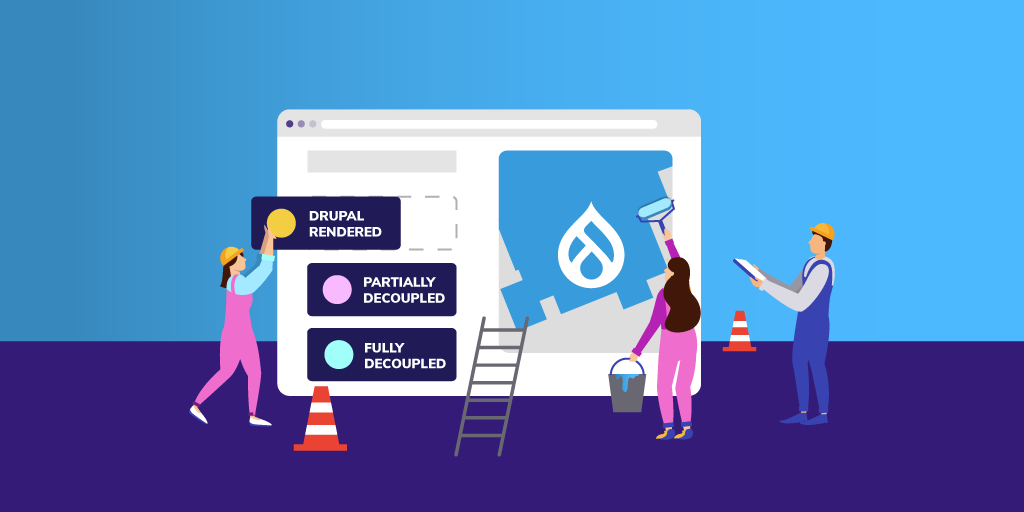
Enterprise organizations are increasingly looking at Drupal as a reliable, open source option for developing their online presence—contributing and benefiting from the active community base and potentially taking advantage of cutting-edge, decoupled capabilities.
With over 10 years of Drupal experience and implementations ranging from small to complex, we are often asked to recommend the best approach for building a Drupal site. The answer, as with many questions is, it depends. For some clients, the best choice is to build a traditional, coupled Drupal website. For other clients, it makes sense to build a completely decoupled solution using Drupal as the backend. And for others, the best solution is somewhere in between. Many factors determine which is the best approach for a particular client and their situation.
One important factor in deciding what approach to take is to understand the needs and skills of the people that will use and maintain the system. The two main users to consider are the content creators and others that will work in the system daily and the developers that will build and maintain the system.
View Webinar Recording: Building Enterprise Websites with Drupal: Unleash Your Full Potential
Considering the Content Manager
For the content creators and content managers that work directly in the content management system (CMS), having an easy-to-use content admin system is key. Drupal has increasingly focused on this experience and has provided many features with this in mind. With traditional Drupal, content editors can quickly create pages leveraging the drag-and-drop capabilities of Layout Builder. Inline editing allows content editors to make quick changes to the content without diving deep into the content admin UI. And, content preview is available to review before publishing the content to the website.
All of this is also possible in a decoupled solution, but the developers must build and maintain this functionality or cobble a solution together from existing technologies. If the project requirements already require changes to Drupal's out-of-the-box functionality, building from scratch may be easier.
Considering the Development Team
The development team's skills are also an important consideration. If you have a team that has deep technical knowledge of a technology (or a desire to develop that knowledge), that can have an impact on the recommended approach. For instance, if your team has never themed a Drupal site before, but has experience with React, using a decoupled approach would fit nicely with the team's skills.
Like any framework, it takes time to learn how to theme Drupal sites. If you have a small team that is spread thin or maybe you don't have a team, a coupled approach using Layout Builder or Acquia's Site Studio could give your content editing team the flexibility it needs without requiring much help from a development team.
Considering the Digital Strategy
The overall digital strategy is an important factor to consider as well. Will the platform support a single site or is this a key piece to a multisite, multi-brand digital platform? Is Drupal the only platform involved, or is Drupal a part of a broader digital experience platform (DXP) that includes CRMs, Commerce platforms, a CDP, and other platforms? Whether working with Acquia, the open digital experience platform built on top of Drupal, or connecting into other tools—Drupal is designed to make these connections easy.
Drupal is a great platform to integrate with other platforms. Many integrations are easy to implement by installing a community module. Drupal provides a robust migration system that makes pulling data into Drupal easy to do. Drupal also makes it easy to pull data out of Drupal using REST APIs or GraphQL.
If you are only building one website with the platform and it is primarily for marketing your organization, a traditional Drupal build probably makes sense. The more systems you are integrating and the more channels you want to use the content in, the more sense it makes to build using a decoupled approach.
Considering the Requirements
The requirements are another important factor to consider. Requirements help us define the solution. Just as important as the requirements are how flexible the requirements are. Drupal provides lots of functionality out of the box. When you add the availability of more than 40,000 free community-contributed modules, Drupal can meet many requirements with very little effort.
As you define the requirements, you should compare them to what Drupal can do. And where there is a module that meets most, but not all, of the requirements, decide whether it is possible to change the requirements. The more Drupal satisfies the requirements that you would need to build yourself in a decoupled approach, the better the coupled Drupal approach makes sense. If you find that your requirements will require a lot of customization to Drupal, a progressively decoupled or even fully decoupled approach may make sense.
Considering the Budget and Timeline
Every project has budget and timeline constraints. If you are on a tight timeline (and budget), building a coupled Drupal platform is often a solid choice. Drupal provides so many out-of-the-box features that, with flexible requirements, you can build a website in a very short period of time. For instance, we were able to build a small Drupal site using Site Studio in just a few days. The more expansive your budget and timeline, the more options you have in approach.
The Versatility of Drupal
After you've done the analysis and come up with the best approach, understand that circumstances may change. And, regardless of the approach, because Drupal can handle any of the approaches in the spectrum, you can evolve your approach over time. Because Drupal has been built with an API-first approach, it allows you to change your approach from a coupled Drupal approach to a fully decoupled approach over time.
Here at Bounteous, our website was originally built with a coupled approach. However, we recently decided to refresh the site. Drupal has allowed us to decouple parts of the site that make sense to decouple but keep the other parts coupled. As needs dictate, we can continue to decouple only the parts that we need to.
Drupal is a versatile system that can be the centerpiece of your DXP. How you use it will depend on the factors above and others that you find important. Regardless of the approach you take, Drupal is versatile enough to change as your needs change in the future.
Contributing to Drupal is one of the most important things we can do as a part of the Drupal community. Considering that the platform is open source, contributions are essential to keep Drupal advancing. When it comes to contributions, there are a number of ways to get involved—and they don't all involve coding. I recently had the opportunity to contribute in the form of speaking at DrupalCon about a module our team rescued.
The Origins of Our DrupalCon Session
Our Drupal team has been working with the TB Mega Menu module since 2017. As we worked on various projects and tried to meet each client's different needs, we ended up making many updates and changes to the module. We eventually realized this module was no longer being maintained, so we applied for ownership and, ultimately, ended up rescuing the abandoned project.
We saw first-hand the community benefit that came from this project going from abandoned to rescued. Once we added our fixes and started updating the module, the community began using it again. Seeing the community jump right back in helped us to understand the value of contributing back to Drupal.
Encouraged by this new understanding of the importance of this contribution, we looked for a way to share that with the greater community. In a way, us sharing our story about contributing back to Drupal is another way to contribute to the Drupal community.
The Speaker Application Process
Since we wanted to share our experience of community contribution and demonstrate there are many different ways one can contribute, we decided to share our story at Drupal camps and DrupalCon. We first applied to Florida DrupalCamp and we did not get in. If something similar happens to you, it's important to not get discouraged. We took that "no" and let it drive us—we only worked harder when we applied to DrupalCon.
We spent a lot of time updating our proposal to DrupalCon. Our hard work and proposal revisions paid off, and we were rewarded with a "yes!" Some tips to keep in mind when working on your proposal.
Pick a Topic that Excites You
Pick a topic that you're excited about. If you're passionate about your topic, that will shine through in your proposal (and later on in your presentation). We were very excited about our topic and held it close to our hearts, which fueled our proposal development.
For our DrupalCon proposal, we took a step back and thought about how we could share this experience we were so passionate about, and how we could have our audience understand the importance of this contribution and get excited themselves.
Keep Your Proposal Direct and Concise
Make sure your proposal is direct and concise. It's always helpful to have other people take a look at your proposal and provide a fresh perspective. If you're able to, it's also beneficial to have someone with speaker proposal experience review.
Select a Catchy Title
Choose a title that's eye-catching and true to the content of your session. Of course, you want your title to create interest, but it's also important to make sure that your session's attendees are getting the content they expected when they chose to attend.
My Experience as a First-Time Speaker
Contributing to TB Mega Menu and presenting at DrupalCon were my first major experiences within the Drupal community. This year, DrupalCon was virtual, and it was a cool experience presenting online. As a first-time presenter, there were a few things I found comforting about presenting virtually. Personally, I felt less nervous because I didn't have to stand on stage and present to a crowd. I felt a bit more casual and comfortable in my own home. There was a chat and Q&A feature so I could see if the audience was engaged in my presentation. Overall, I enjoyed presenting virtually for my first speaker experience.
Co-presenting with my colleague Wade Stewart was another important element of this experience. I had never presented before at any conference, so having a co-presenter for my session helped to alleviate some of the nerves I experienced.
We did a lot of individual practice to get familiar with our own pieces of the story, and we also practiced frequently together to ensure we both felt comfortable and that we had a good flow. For anyone who is interested in speaking at a conference like DrupalCon but who might be hesitant or nervous to do it alone, I definitely recommend finding someone to co-present with. In my experience, it removed a lot of pressure and made the experience more fun.
Giving Back to the Drupal Community
It has been great as a relatively new member of both the Drupal community and Bounteous to be able to speak at DrupalCon and participate in TB Mega Menu. Both of these experiences have really helped me to appreciate and understand how important the community is around Drupal.
I am thankful that I was able to contribute via our module rescue and then contribute again in a non-code way by sharing the experience and speaking at DrupalCon. I encourage everyone to explore the ways that you can give back to the Drupal community! Contributors can earn credits for identifying or fixing problems, contributing code, or a host of other non-technical options like speaking at conferences.
In the latest version of Site Studio, Acquia has introduced a game-changing feature that is sure to challenge Drupal Core's Layout Builder as the premier go-to tool for site builders. Site Studio already has a superb component building and editing experience, but now users can add and edit components live on the page.
In this post, we'll go in-depth on this new feature, plus other recent updates to Site Studio.
Visual Page Builder in Acquia Site Studio
On previous iterations of Site Studio, users could edit existing components on the page live via the Page Editor, but the components had to already exist in the layout canvas field. This operated in a similar fashion to other Drupal page builder elements such as panels, layout builder, paragraphs, etc., and only is accessible through contextual links. If a user wanted to add a brand new component to the page, they had to add it via the node edit form. But now, all of that changes.
While the layout canvas is still accessible via the node edit form, content editors can completely assemble a page from the front end, providing an entirely new meaning to the layout canvas field concept. Other than page creation or administrative settings, content editors may have little need to open the node edit form when adding page content. Of course, this all depends on how your site's content types have been architected. Here is a brief tour of the new page builder experience:
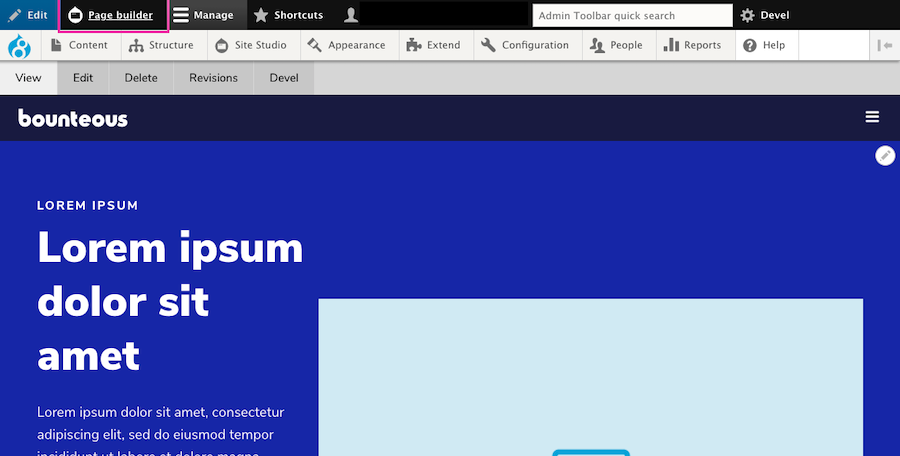
When a user is logged in and on a page that utilizes Site Studio and a layout canvas, they will see a new Page Builder button on the admin toolbar.
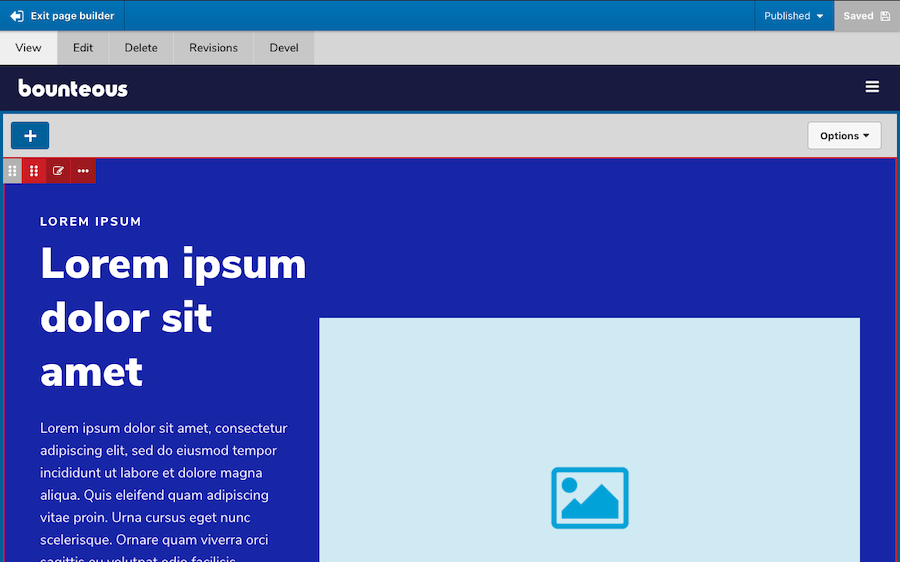
Enabling page builder mode will allow users to add, edit, move, delete, duplicate, and/or save as component content. Users can also save the entire page layout.
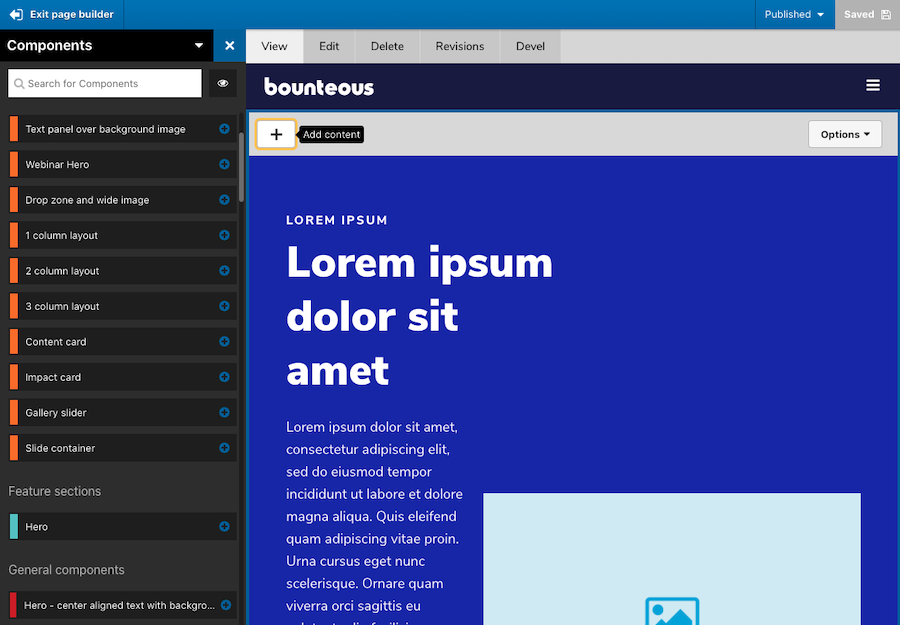
As great as this new experience is, it's also helpful to see consistency in how new components or elements can be added via the left side, off-canvas components drawer, making it seamless. Users don't have to re-learn how to add components, but rather get an improved page building experience.
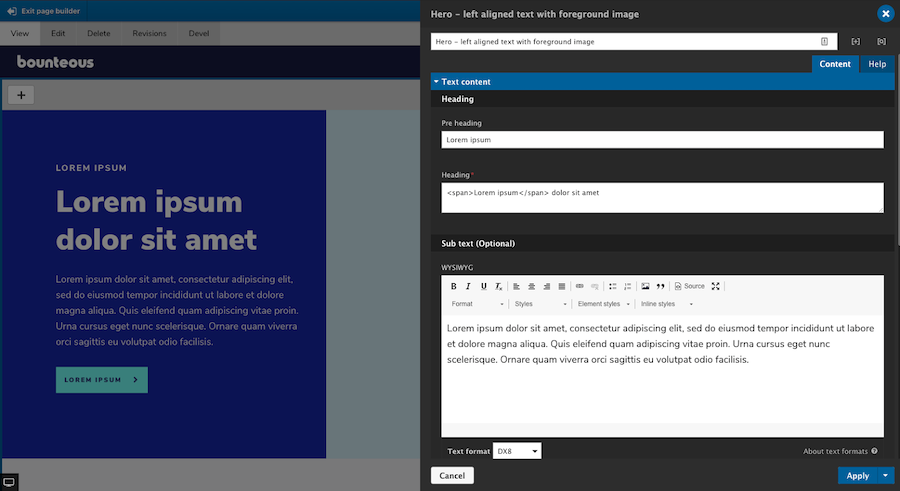
The component editor itself also behaves the same way whether users are using the page editor, visual page builder, or the layout canvas on the node edit form.
The visual page builder is included as a new submodule within Site Studio and has to be enabled before it can be used.
Pro Tip: Developers should also be aware that anytime you update Site Studio, enable new submodules, and/or create or alter components, it's important that you run the import and rebuild functions. This can be done from the Site Studio UI or via Drush commands. For additional information on how the visual page builder works, visit Acquia's Site Studio documentation.
Site Studio's new visual page builder provides a whole new meaning to "what you see is what you get." The page building experience for content editors has never been better or easier, and this new feature alone should be enough to convince you to use Site Studio on your next project.
Other Site Studio Highlights
While the addition of the Visual Page Builder is kind of a game-changer for Site Studio, the latest release also includes some other smaller but no less important features, including some accessibility enhancements, rel attribute support, and more.
Sync Batch Limit Overrides
On previous builds of Site Studio, admins were limited to importing 10 configuration items at a time via Site Studio Sync to reduce the amount of memory required. Acquia has now exposed a method allowing admins to override the default setting. By adding the following to a Drupal settings file, you can increase the number of configuration items that process per import batch:
$settings['sync_max_entity'] = 20;This is one of the few items of Site Studio that is controlled by a developer and must be updated in code. Users should also be aware that by increasing this value, more memory will be required and can lead to issues.
Rel Attribute Support
Acquia has also added support for the Rel attribute on the link element. This attribute defines the relationship between the linked resource and the current document. Previously, if users wanted to have Rel attribute options on links, they had to be added by a component builder. Now, when a link uses the type "URL" and the target is set to "New window," a group of checkboxes will automatically appear for the following options:
nofollow- prevents backlink endorsement, so that search engines don't pass page rank to the linked resource.noopener- prevents linked resources from getting partial access to the linking page, something that is otherwise exploitable by malicious websites.noreferrer- similar tonoopener(especially for older browsers), but also prevents the browser from sending the referring webpage's address.
The new Rel attribute can be found on the Link, container, slide item, and column elements. It should be noted for the SEO conscious, that the use of nofollow will stop search engines from passing page rank endorsements to the linked resource. This is often used in blog comments or forums, as these can be a source of spam or low-quality links.
Google and other search engines require nofollow to be added to sponsored links and advertisements. Additionally, the use of the No referrer toggle can affect analytics because it will report traffic as direct instead of as referred.
Nolink Token Support
One under-the-radar update from Acquia is the ability to use the token on Site Studio menu templates. For any experienced site builders, you probably know about the ability to use the token on menu links to render them as a heading, etc., and without a link attached. It's a great way to add sub-level menu headings.
On previous builds of Site Studio, users were unable to use the token as it would still render as an anchor tag with an empty href. In 6.5, using will result in the menu item rendering with a tag instead. Nothing needs to be done to start using the token, though, your menu styles may need to be updated to account for the usage of tags. Also to note, if a different HTML element has been specified in your Menu Template, that setting will take priority.
Accordion Accessibility Enhancements
Accessibility is a moving target. Keeping a site up-to-date with accessibility enhancements is one of the more important responsibilities we have and Site Studio is no exception.
In this version, Acquia has added some accessibility improvements to the Accordion element for the end-user. The header links will now have an aria-expanded attribute, which toggles between true and false when expanded and collapsed, respectively.
Accordion header links will now use aria-disabled="true" if the parent Accordion tabs container has the Collapsible setting toggled OFF. This is only applied when the item is expanded, to indicate to a screen reader that the panel cannot be collapsed manually.
When the panel is collapsed because a sibling accordion item is expanded, the aria-disabled attribute is removed. Accordion header links now have aria-disabled="true" permanently set if the accordion item has been disabled through Navigation link settings.
Bug Fixes and Other Improvements
The latest build of Site Studio also includes a bug fix that is related to sync package entity dependencies not being removed if they were no longer being used on the entity. Essentially, when a sync package contained entities that have had their dependencies updated, the sync package would contain both the original and the new dependency.
For example, if your component exists in a package, you then update that component's default image, both image files would be included in the sync package rather than just the latest one. Now the old dependencies should no longer appear in that sync package. This could also potentially reduce the size of sync packages in the case where multiple, deprecated dependencies were present.
Font Display Property Options
And last but not least, Acquia has now added a font-display property option to the Font library settings page. This CSS property, when used, will determine how a font face is displayed based on whether and when it is downloaded and ready to use. It is a very small feature update but a useful one; although, only developers really need to worry about implementing it.
Summary
As with any Drupal updates, it's recommended to fully test these new features and fixes (as applicable) on your site's development environment before deploying to production. You should also have a backup of any code or databases before upgrading. Version 6.5 of Site Studio is not backwards compatible.
With the addition of Visual Page Builder, Site Studio is just further cementing itself as an excellent component and page builder tool for Acquia-hosted Drupal applications. The more improvements they make, the harder it is to imagine building a site without it.
For additional information on Site Studio, check out some of our other posts:
In order to create great digital experiences, you need to first have a great team in place. If you're reading this, you've probably already come to the conclusion that you need a Drupal team, whether it's to build a brand new Drupal site or to maintain an existing site. We've broken down some of the challenges and solutions for you to consider when building your Drupal team.
Defining the Skills and Roles Your Team Needs
First, it's important to step back and understand all of the different skills and roles that you may need on your team, depending on what stage you're at in your Drupal process. A team that is building a Drupal site may look very different from a team that is maintaining a Drupal site.
To build a Drupal site, your team likely needs to include:
- Product Owner to gather the requirements for the site and determine what the site needs to do
- Experience Design to design the site
- DevOps to build the infrastructure to host the site
- Technical Architect to plan out the site build
- Developers to build the site
- Project Management to keep the project on track
- Quality Assurance to confirm the site works as intended
- Content Editor/Creator to build out the content for the site
Once the site is built, however, your team needed to run and maintain the site may need to include:
- Developers to maintain and enhance the site
- DevOps to keep the site up and running
- Content Editor/Maintainer to keep the content up-to-date
- Marketing to attract users to your site
- Analytics/Insights/SEO to understand how users are using your site and adjust the site accordingly
- Project Management to manage the team on a day-to-day basis
- Product Owner/Experience Design to plan out and design new features and functionality for the site
Not only can the needed roles change depending on whether you're building a site or maintaining it, but some of the skills required won't be needed at the same frequency. For example, for any reasonably sized site, you will need at least one full-time developer to maintain the code, fix bugs, and add enhancements. However, once the platform is built, the amount of DevOps tasks may not occupy someone full time.
So this then leads us to the question of: should you build your entire Drupal team in-house? Or should you outsource some of it—or even all of it?
Building Your Team: Hire In-House, Outsource, or Both?
The possible solutions fall on a spectrum and each has its own set of considerations.
Hire the Entire Team In-House
If your organization is large enough, there's a good chance you have the resources to hire an entire team.
First, map out the talent you already have available to you internally, and identify the gaps in skills that need to be filled. Then, before jumping immediately into recruiting for the specific roles outlined above, consider if you might be able to hire someone that is more of a generalist. For the skills that won't be needed often enough to keep someone busy full-time, can you find one person to wear several different hats? If so, can that person be effective enough at those different skills for your Drupal site to be successful?
After exploring your options, it's time to move into the recruiting and hiring process. Good Drupal talent can be hard to find, but it's out there! A good place to start is on LinkedIn, searching for people with Drupal capabilities that may be in or connected to your network. Networking in the community can be very helpful if you're looking for local talent: consider meetups, or local events like MidCamp in Chicago if the timing is right. There are also job sites that specifically call out Drupal talent, like jobs.drupal.org.
Hire An Agency That Already Has People With the Skills
If your organization is smaller and you don't have the resources to hire an entire team for building and maintaining your site, your best bet may be to work with an agency.
If you do not have an IT team, it might make more sense to host your site with a provider like Acquia rather than building a DevOps team to monitor and maintain the infrastructure. Even if you do have a knowledgeable IT staff, it may not make sense to use them for this if they are not used to working with the technologies needed to host a Drupal site.
By working with the right partner, you can rest assured that your site is in the hand of experts. When evaluating partners to work with, you’ll want to first make a list of the things that matter most to you. You probably want more than just a great website end result; more than likely, you also want to become smarter from the experience and retain knowledge, as well as have confidence that you’ll be able to maintain and grow the site.
Identifying what you want to get out of the experience besides the actual website will help guide you in choosing the type of company you want to work with. Some companies will focus solely on turning the website around quickly. Others, like Bounteous, focus on improving digital capabilities and maturity—while also delivering an excellent experience to your customers. If that entices you, look for partners that value co-innovation.
We also encourage you to choose a partner that contributes to Drupal. This will have a great impact on the Drupal community and, ultimately, improve the Drupal ecosystem.
Hire an Agency to Build the Site, Then Hire and/or Train Your Own People to Run & Maintain It
The perfect solution for your needs might be a mix of the first two options. Hiring an agency to do the build and then hiring and training your own people to maintain it will grant you the benefits of having experts build your site, and not having to hire an internal team for building that might then need to change once the build is done.
This option is also beneficial because once your partner of choice is finished with the site build, they can actually be a great resource in helping to hire the talent you need to maintain the site.
Your strategy can (and likely will) shift over time, so your approach to your Drupal project should reflect that. Even if your long-term desire is to do it all in-house, you can ease into that through evolving your approach over time. Some of our clients bring us in at the start to build the platform and create a strong foundation. Then they have us actually teach them Drupal and work alongside them as they learn. Ultimately, they end up taking over everything in-house.
Take the Long Road and Learn as You Go
Building a Drupal team can seem like a daunting and challenging process, but the good news is that you're never alone. Take time to consider the phases that occur after launching a site, a new site will need to do more than just expose information—what integrations are required, what will come next in terms of digital capabilities? Thinking about maintenance and growing your digital maturity may influence your hiring/staffing goals.
Rethinking the Replatform - Taking Advantage of Drupal’s Features and Flexibility
Get (or stay) involved with the Drupal and open source community. Involvement in the community means you will always be surrounded by individuals who are more than happy to answer any questions and provide guidance along the way. Learn from other people's experiences and stories and apply those learnings to your own decisions. And lastly, adapt and learn as you go!
Your great Drupal team is within reach—get out there and make it happen!
If you're reading this, you may have already noticed that we've recently given Bounteous.com a fresh coat of paint. What might be less obvious is that we also took this redesign as an opportunity to slowly begin decoupling the front end of our existing Drupal site. We've considered decoupling in the past but were unable to justify the effort for a full-scale overhaul of our front end given other competing responsibilities. So what changed this time?
Our initial design concepts implied a phased approach. There were effectively only two pages that featured a completely new design and also incorporated a number of new behaviors and animations not present on the existing site. For this first phase, the rest of the site would get a mostly cosmetic overhaul, applying updated global styles to better match the new design introduced elsewhere on the site.
This put us at a similar crossroads. We believed that leveraging a JavaScript framework would greatly benefit our ability to achieve the motion-based interactions implied by our ambitious new designs. But for this phase, introducing a JavaScript framework wasn't really necessary for the rest of the site. In the short term, the cost of decoupling the entire site would greatly delay our ability to ship what was essentially just two new pages. This conclusion led us to a question that in hindsight seems pretty obvious:
Could we start by only decoupling two pages on our existing site?
Initially, we didn't know. But as we started considering this project with the assumption that we could make this change only for these two new pages, it became the difference between taking this step now or continuing to kick a large-scale change to our front-end architecture down the road to some undetermined date.
We eventually landed on an iterative approach to decoupling Bounteous' existing Drupal site with Gatsby; starting with only two pages, but laying the groundwork for any page on the site to be rendered primarily by either React or Twig. What follows is a look at how we did it, what we learned, and what we think this means for the future of our site.
Upcoming Event - DrupalCon North America
An Iterative Approach To Decoupling Your Existing Drupal Site With Gatsby
One Site, Multiple Front Ends
For our JavaScript framework, we selected React, which we were technically already using in some minor ways on the existing site. While it would be possible to do this with a different framework, we found that the large React ecosystem would greatly accelerate our ability to achieve some of the motion-based interactions implied by our new designs. We ended up using both Framer Motion and react-lottie extensively, and they saved us quite a bit of time and effort.
While we had already decided that we'd be building additional React components in support of this new design concept, we also decided that we'd specifically be using Gatsby as our React framework of choice. Gatsby's plugin ecosystem greatly simplified the process of sourcing data from our existing Drupal CMS. Gatsby also opened up the possibility of statically generating portions of our site, which Bounteous.com was well suited for, given that most of our content changes infrequently.
Compared to a client-side approach to decoupling, server-side pre-rendering can have both SEO and performance benefits. As an added bonus, having these pages pre-rendered separately from Drupal also made it easier for React developers to contribute without ever having to set up a local Drupal environment.
Settling on these initial conclusions provided us with the following high-level architecture:
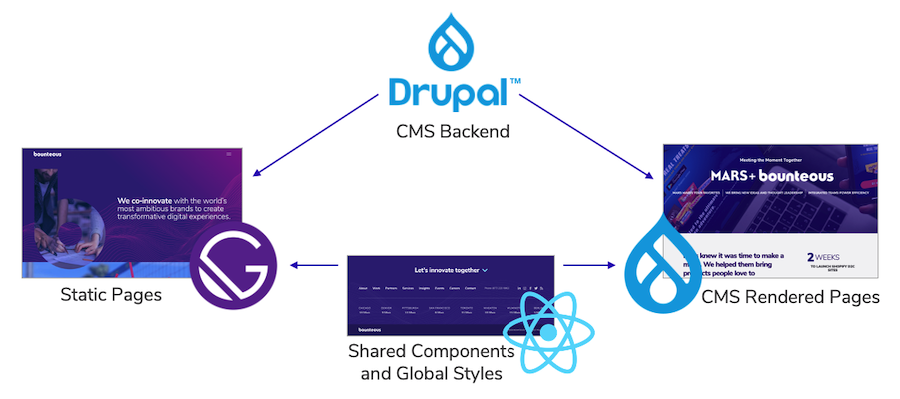
Drupal would be the CMS backend powering content for all of the pages on the site; both traditional CMS rendered pages, and pages rendered statically by the Gatsby build process. In the middle would be what we referred to as our 'front end globals.' These globals would be consumed by each front end and included shared styles, variables that serve as design tokens, along with full React components.
This structure allows us to take a progressive approach to introduce static content to our site. Initially, we'd only be building a small number of pages statically, but as we prove that this workflow can suit our site and our team, we could gradually shift where the line exists between the pre-built and dynamically built portions of our site.
Or alternatively, if we found that this approach didn't meet our needs, we could shift back to having Drupal render the content given that all of the data already exists in the CMS.
Front End Structure
After some consideration, we decided to take a monorepo style approach and have Gatsby, Drupal, and our front-end globals live in a single repository. Since this was a single domain and we had no concrete plans to distribute these components beyond Bounteous.com, we decided that a simplified repository would help streamline the process as we worked toward a tight timeline.
From the front-end perspective, this resulted in three main top-level directories in the repository: /fe-global, /drupal, and /gatsby. For this phase of the project, /fe-global exclusively contained Sass partials containing design tokens and global styles. Drupal and Gatsby would each selectively import from these partials as needed.
On the React side, we initially focused on building functional components with as little internal state as possible. This allowed us to prototype in the browser early, and also would allow us to provide data to these components from various contexts.
Regardless of if the data was being sourced from Gatsby's GraphQL API, directly from Drupal, or even hardcoded, the same component could be used. This also allowed us to use Storybook heavily during this phase of the project in order to get early feedback on these components before data was fully integrated.
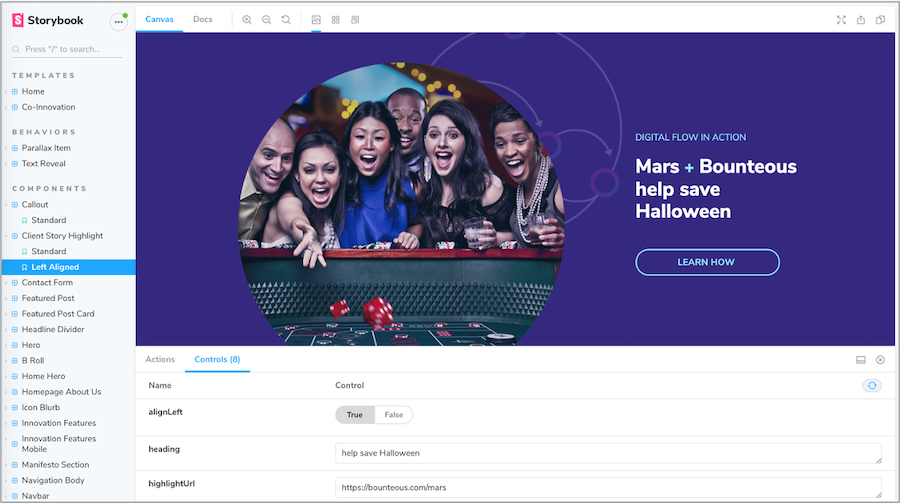
On the Drupal side of things, we created new content types for each of our decoupled page templates. We also continued to use paragraphs to represent our components as we had been doing for existing content on the site.
The structure of data from the Paragraphs module initially doesn't seem like a natural fit for decoupled Drupal projects, but with gatsby-source-drupal and a few small utilities (which we'll talk about later), we found this data to be reasonable to deal with. In fact, it ended up giving us a high level of layout control, down to the ability to reorder components on the resulting static pages.
Considering that the majority of our content was still being rendered by Drupal, we still had our traditional Drupal theme. This theme incorporated the partials and tokens from our front-end globals alongside Drupal-specific styles, templates, and JavaScript.
Serving a Subset of Decoupled Pages
One of the very first things we had to prove out to ensure that this approach was feasible was serving a combination of static routes (pre-rendered by Gatsby) alongside dynamic routes handled by Drupal.
As part of our Gatsby build process, we are copying the 'public' directory which represents Gatsby's build asset, into the document root for our Drupal site. For the initial phase of this project, we were able to use a couple of very specific .htaccess rules to serve our two new static routes.
We knew this solution wouldn't scale long term as we introduced more content to our site. Ideally, we'd want to be able to create Decoupled content within Drupal, specify a path alias, and automatically have that route handled statically. We eventually found that we could achieve this via .htaccess as well.
Our rules take advantage of Drupal's URLs not having a "file" component to them. When we call createPages in gatsby-node.js with an alias like /services, gatsby creates that route as /services/index.html. The main .htaccess rule checks if /public//index.html exists and rewrites if it does.
This essentially means that for any request the Gatsby route 'wins' if there is a related file in the 'public' directory (/public/my-alias/index.html, for example,) and all other requests fall back to being handled by Drupal. This has the extra advantage of bypassing Drupal's bootstrap process for all of our static routes.
As focus shifted over to data integration, some adjustments were also necessary to configure the gatsby-source-drupal plugin to meet our needs. The gatsby-source-drupal plugin pulls data from Drupal's JSON:API endpoints and makes this data available to React components via Gatsby's GraphQL API. By default, the plugin imports all data from the source Drupal site. Since for this initial phase Gatsby would only be used to build a small subset of pages, most of this data was unnecessary and also would have the side effect of greatly increasing our build times.
As an initial attempt to solve this problem, we used Drupal's JSON:API Extras module to only expose the resources that our Gatsby build needed to depend on. This helped, but we still eventually needed to enable the file resource, which pretty much immediately sunk our build times.
Gatsby was now importing (and worse yet processing) local versions of years worth of images that we didn't need to support our new content. We eventually found that it was possible to configure gatsby-source-drupal to only import the files referenced by content that was necessary for our builds, but it required a combination of configuration options that wasn't completely obvious from the documentation.
The first step was to add the file resource as a disallowed link type:
// In your gatsby-config.js
module.exports = {
  plugins: [
    {
      resolve: 'gatsby-source-drupal',
      options: {
        baseUrl: ,
        // Disallow the full files endpoint
        disallowedLinkTypes: ['self', 'describedby', 'file--file'],
      },
    },
  ],
}
This alone would result in all files being ignored by the plugin. A little bit further on in the disallowed link types documentation is the following note:
When using includes in your JSON:API calls the included data will automatically become available to query, even if the link types are skipped using disallowedLinkTypes. This enables you to fetch only the data you need at build time, instead of all data of a certain entity type or bundle.
This essentially allows us to re-include specific files if they are referenced by other content. What makes this feature potentially easy to miss is the fact that it uses the plugin's filter option, which typically further restricts the data sourced from the plugin. The resulting configuration ended up looking like this:
// In your gatsby-config.js
module.exports = {
  plugins: [
    {
      resolve: 'gatsby-source-drupal',
      options: {
        baseUrl: ,
        /// Disallow the full files endpoint
        disallowedLinkTypes: ['self', 'describedby', 'file--file'],
        filters: {
          // Use includes so only the files associated with our decoupled content
          // types are included.
          "paragraph--dhp_hero": "include=field_dhp_fg_img",
          "paragraph--dhp_animation_cards": "include=field_dhpac_images",
          "paragraph--featured_post": "include=field_dfp_bg_img",
        },
      },
    },
  ],
}
With this configuration, if a featured post paragraph is used on the homepage, any associated background images (field_dfp_bg_img) will be sourced by Gatsby as well.
Providing Drupal Data to Our React Components
So at this point, we have access to all of the necessary data, and also a set of functional components that aren't yet aware of Drupal's data. We also have content types that can use a number of different paragraph types, in any order. This is great from the perspective of layout flexibility, but less predictable from a data integration standpoint.
To help manage this mapping we created a custom React utility called paragraphsToComponents. Assuming that we have an existing GraphQL query that provides paragraph data to our template component, we could use it like this:
const HomePage = ({ data }) => {
  const paragraphs =
    data.nodeDecoupledHomePage.relationships.field_dhp_components

  const paragraphComponents = useParagraphsToComponents(paragraphs)

  return (

      {paragraphComponents.map((paragraph, index) => {
          return (

              {paragraph.provider({
                paragraph: paragraph,
                index: index,
              })}

          )
        })}

  )
}
As we'll see in a second, the utility returns an array of components that can be used to render the related paragraph data. In the template component's render method we iterate through this array and render these paragraphs in order. This allows us to correctly process paragraph data in any order, with little heavy lifting or redundant code in our template components.
The utility itself is defined as follows:
import AboutUsBannerProvider from "../components/paragraphs/provider/AboutUsBannerProvider"
import AnimationProvider from "../components/paragraphs/provider/AnimationProvider"
import CalloutProvider from "../components/paragraphs/provider/CalloutProvider"
// … Additional component imports ...

// The paragraphs above map to these components:
const componentMap = {
  dhp_about_us_banner: AboutUsBannerProvider,
  dhp_animation_cards: AnimationProvider,
  dhp_callout: CalloutProvider,
  // … Additional component mappings ...
}

const paragraphsToComponents = paragraphs => {
  // Create a new array with paragraph data that also specifies the React component
  // we'll use to render it.
  const mappedParagraphs = paragraphs
    // Add a component key that defines the component using the following
    // naming convention: ParagraphTypeProvider
    .map(paragraph => {
      const componentType = paragraph.__typename.replace("paragraph__", "")
      paragraph.provider = componentMap[componentType]
      return paragraph
    })
    // Filter out paragraph types we don't yet have a mapped component for.
    .filter(paragraph => {
      return paragraph.provider !== undefined
    })
  return mappedParagraphs
}

export default paragraphsToComponents
This assumes a particular naming convention for our components: ParagraphTypeProvider where 'ParagragraphType' matches the Paragraph Type name from Drupal.
As you can see in the example below, our Provider components only have one responsibility: providing the appropriate data from Drupal to our functional components.
import React from "react"

import Callout from "../../components/Callout/Callout"
import HeadlineDivider from "../../components/HeadlineDivider/HeadlineDivider"
import { graphql } from "gatsby"

const CalloutProvider = ({ paragraph }) => {
  const heading = paragraph?.field_dhpc_heading?.processed
  const body = paragraph?.field_dhpc_copy?.processed
  const backgroundOption = paragraph.field_dhpc_bg_opts

  if (backgroundOption === "background__waves") {
    return
  } else {
    return
  }
}

export default CalloutProvider

export const CalloutFragment = graphql'
  fragment CalloutFragment on paragraph__dhp_callout {
    id
    field_dhpc_bg_opts
    field_dhpc_callout_size
    field_dhpc_copy {
      processed
    }
    field_dhpc_heading {
      processed
    }
  }
'
We're also defining a GraphQL fragment for the data that is required for this component. This gives us a consistent definition of the necessary Callout Paragraph data that can be imported into any other component that needs it.
Getting to this point took a decent amount of time and effort, but once defined it became much easier to integrate future Paragraphs from Drupal by following this pattern.
Shared React Components
There also was an integration problem to solve going from React to Drupal. We needed to syndicate the same header and footer component used by Gatsby to our Drupal pages so that we could provide a consistent look and feel throughout the site, regardless of which front-end technology owned rendering that page. Thankfully, by ensuring that our React components were strictly presentational we were well suited to use these components in a different context.
We approached this by creating an "exports" subdirectory alongside the rest of our React components which contained an exportable version of the header and footer. These essentially functioned as provider components just as we saw with our Gatsby data integration. Initially, these exported components used pre-defined data since they didn't have access to Gatsby's GraphQL API. However, we eventually found a solution to export these components using the same data that is available to our Gatsby build.
As a first step, we created a separate Webpack configuration that used these two components as entry points, and placed the related bundles into a 'dist' directory in the Drupal theme.
On the Drupal side, we used the Component module to help ease this integration. As a simplified successor to the progressively decoupled blocks module, Component allows you to define configuration in a .yml file alongside your JavaScript in order to expose your component to Drupal. In the case of our navigation, we defined the following configuration:
name: Evolution Navbar
description: 'Evolution Navbar'
type: 'block'
js:
  'dist/navbar.bundle.js' : {}
  'dist/vendors~navbar.bundle.js': {}
dependencies:
  - bounteous/react
template: 'evolutionnavbar.html'
form_configuration:
  theme:
    type: select
    title: "Theme"
    options:
      '': 'Dark Theme'
      'theme-light': 'Light Theme'
    default_value: ''
Alongside the following template:
This manages to do quite a lot with a little. Based on this configuration, a new block will be created that uses our evolutionnavbar.html template and loads our component JavaScript and any dependencies as a library. It also exposes a configuration form which in this case allows you to specify a light or dark theme to be used when rendering the component. The values of any form configuration will be added to the template as data attributes, in this case making 'data-theme' available to our component.
With that in place, the code for the navbar React component that we'll be exporting is as follows:
import React from "react"
import ReactDOM from "react-dom"

import { MediaContextProvider } from "../../components/layouts/Media/Media"
import abstracts from "styles/abstracts.scss"

// Grab cached data from disk.
import NavigationProvider from "../../components/provider/menu/NavigationProvider"
import templateData from "../../../public/page-data/template/page-data.json"

const queryHash = templateData.staticQueryHashes[1]
const data = require('../../../public/page-data/sq/d/${queryHash}.json')

const drupalProvider = document.querySelector(".evolutionnavbar")
const config = drupalProvider.dataset

ReactDOM.render(
  ,
  document.getElementById("evolution-navbar")
)
First, we're importing cached menu data from our Gatsby build. This was inspired by the approach outlined in Exporting an embeddable React component from a Gatsby app using Webpack. Sourcing this from a cache using a query hash seems…fragile, but it has been reliable for our needs thus far. This assumes that the Gatsby build runs prior to the Drupal build, which already happened to be the case in this project.
Next, we're selecting the wrapping div in the DOM in order to access all of the data attributes provided by our Drupal block. This allows us to pass the theme option set in the instance of this block as a prop to our navigation component.
Finally, we mount the component into #evolution-navbar which is used in the template that was specified in our block configuration.
This approach could add some overhead as the number of components you're working with increases, but works nicely for our header and footer. It also allows us to easily configure different instances of the component block to be used on different sections of the site. We use this to swap between the dark and light themes of the header, and even specify if the form in our footer should be expanded or collapsed by default.
Looking Ahead
While we're happy with the progress made with this initial release, there is intentionally more evolution to come. We've been working on improving the content editing and deployment process introduced by this new workflow. These changes include configuring Gatsby live preview, and also making enhancements to the build hooks module to allow our content team to trigger Gatsby builds on demand.
As we've continued incorporating more content into our Gatsby build process, we've also run into some pain and confusion around the seemingly arbitrary divide between our React and Twig components. In addition to working to make this distinction clearer to our team, we've also been experimenting with solutions that allow our React and Twig components to be used side by side in more contexts, including syndicating markup and styles from Drupal to be used in Gatsby content as needed.
So far we think this iterative approach can be of benefit to others looking to transition the front end of their existing Drupal platform without requiring the commitment of a large-scale re-architecture.
Taking an iterative approach can instead make it possible to prove that decoupling has clear value and also ensure that changes to the development, content editing, and deployment process fit the needs of your team. We're excited to continue evolving Bounteous.com and hope that you'll follow along.
For even more on this topic, check out Episode #284 of the Talking Drupal Podcast - Iterative Approach to Decoupling and An Iterative Approach To Decoupling Your Existing Drupal Site With Gatsby at DrupalCon North America.
The contribution ecosystem is one of the most important reasons for Drupal's success. With over 45,000 modules available to enhance and extend Drupal's functionality, these contributions are critical to maintaining Drupal's status as an enterprise-class content management system.
Getting involved in the Drupal community is beneficial to all parties but can be intimidating, especially when it comes to committing code. It can be hard to know where to begin, or you may not necessarily have an idea for a new module. But that doesn't mean you can't get involved.
Drupal modules are built and maintained by members of the Drupal community. Sometimes, community members move on for a variety of reasons and the module becomes stale. That's what happened to the TB MegaMenu module, a project with over 30,000 installations at the end of 2020.
Rescuing TB MegaMenu
Mega Menus are a critical feature for many Bounteous projects. We selected TB MegaMenu for Wilson.com a few years ago because of the flexibility to power the site's extensive dropdown menus.
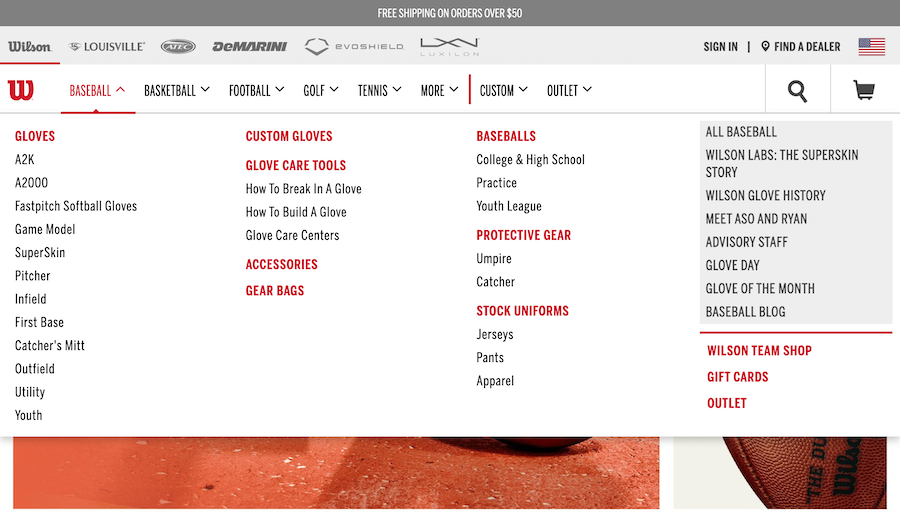
Unfortunately, in addition to a number of bugs and missing features, accessibility was not well implemented by the module at the time. We were able to provide some patches to address these issues; however, since the project was not actively maintained at the time, we had no way to update the module for the broader Drupal community.
We were in a tough spot because we needed the improvements to keep using the module, so we found ourselves providing these enhancements solely for our clients. That situation was a perfect opportunity for us to get involved in the Drupal contrib community, so we decided to apply for ownership of the module.
Taking Control of Maintainership for a Drupal Module
What does that process of taking over a module look like? Turns out it's pretty simple. Creating a new request in the appropriate issue queue gets the ball rolling, and once you are approved as the new owner, you gain access to the codebase and the module's landing page.
The first thing we had to decide after taking over ownership of the module was how to prioritize our time. Needless to say, TB MegaMenu is not anyone's first priority, and all contributors have to strike the right balance between putting time into open source projects and billable work.
So with two codebases to maintain, one for Drupal 7 and one for Drupal 8/9, we prioritized our work as follows:
- Fix the most critical bugs that were preventing upgrades and new installs
- Commit the accessibility enhancements we'd developed internally
- Apply for security coverage
- Publish a stable release for Drupal 8/9
- Continue to address bugs in the Drupal 7 version while prioritizing enhancements for Drupal 8/9
Maintaining Open Source Contributions
Let's face it: carving out time to contribute to open source contributions can be difficult—especially if your clients' projects are not relying on updates or enhancements to that work.
The availability of our Drupal developers at Bounteous fluctuates as team members move between projects, so we knew that our contributions to maintaining the TB Mega Menu module would naturally ebb and flow over time.
In light of that, we knew that we'd need to push ourselves a little bit to keep up with TB MegaMenu maintenance work, so we gave ourselves some parameters for getting stuff done:
- Established weekly "office hours" to prioritize issues and ongoing work
- Leveraged a Jira board to track bugs and progress
- Promoted our efforts internally to get other team members excited and drum up additional support
- Simplified onboarding for new contributors by creating dedicated local development environments for TB MegaMenu work
- Lowered the barrier by providing different ways to contribute other than code
Fortunately, the odds turned out to be in our favor—particularly during the last quarter of 2020, when a core team of contributors came together and gained considerable traction on moving the module forward. Giving back to the community is a core part of working at Bounteous, and contributing to open source modules is just one way we bring that to life.
Supporting Open Source Drupal - Come For the Code, Stay For the Community
Quick Wins When Reviving a Drupal Module
It doesn't take much to bring real value to a stale project right away. If you're considering rescuing a module, scan this list to get an idea of the time investment needed and consider how small changes can make a big difference. Here are some things we were able to do right off the bat to start reviving the module.
Better Communication to Developer Community
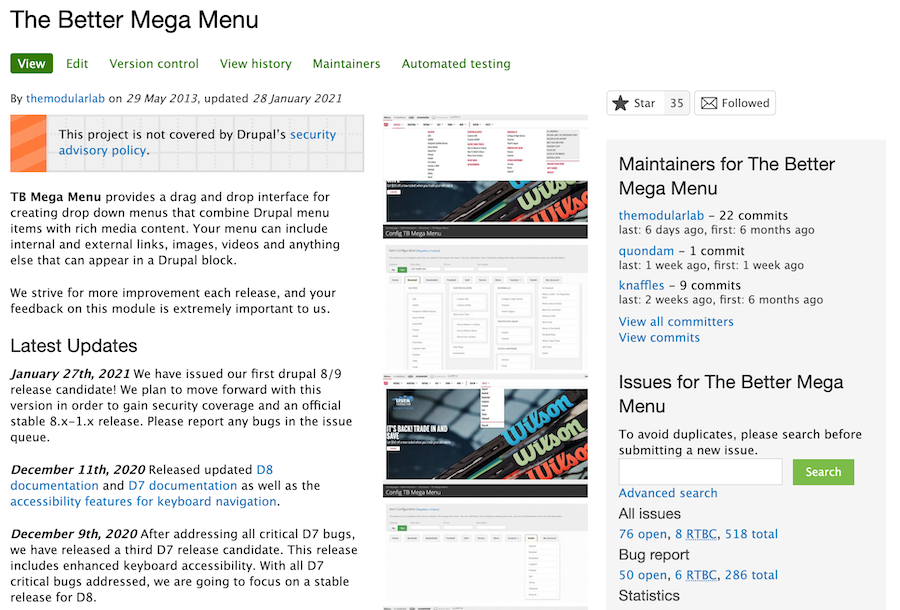
One of the first things we did was to update the module's homepage to let people know that the module had new maintainers. This was one of several efforts to restore "faith" in the module and reassure developers who might otherwise be deterred by the number of open issues and lack of recent commits to the module's codebase.
Test, Review, and Commit Patches
The TB issue queue had several instances of patches that had been posted but never tested and/or reviewed. Merging commits for issues that have already been patched is a great way to improve the module right out of the gate—without having to write any code yourself.
Clean Up the Queue
We evaluated and either closed or postponed open issues that were duplicates, not reproducible, were no longer applicable, or had already been addressed in another patch.
This can be time-consuming, and in the case of TB MegaMenu, there is still an enormous backlog of open issues going back years and years that we'll probably never get through. But on a smaller project, this kind of cleanup can go a long way to making the issues queue more manageable.
Identify the High-Priority Items
Inheriting a large number of bugs and feature requests dating back years (7+ in our case!) might seem overwhelming at first—even after cleaning up the queue. Fortunately, drupal.org forces every issue to be tagged with a priority level, which can be an invaluable tool for determining where to start.
Aside from noting the obvious urgency of critical and major issues, it can be helpful to also look at context and feedback from the community. Issues that have received a number of comments over time show recent activity probably warrants your attention more than one that was reported a while back.
Creating Documentation for Developers
TB MegaMenu's documentation was limited, so we created getting started guides for both the Drupal 7 and Drupal 8/9 versions of the module, following the Drupal.org guidelines, and posted links to them on the module's homepage. If it's easy to understand how to use the module, developers can much more quickly determine if it fits their project's needs.
Providing simple, concise, and accessible documentation can make the difference between hours of headaches and a smoother, more efficient working experience. Inevitably, our investment in documentation will yield a more popular module with a larger install base.
Bringing TB MegaMenu Back to Life
Most of these things can be done without too much effort, and they are a great way to start breathing life back into the project. Here's the fun part: shortly after we started work on TB MegaMenu, we noticed an uptick in activity in the issue queue. By pushing out new commits and simply responding to tickets, the community came back alive!
We started seeing new issues being reported, and new requests for support and features (not that we like bugs, but we do like being able to fix them!). All of those community members who are getting involved now are helping us to make the module better and could also be contributors in the future.
Looking Forward: Contributing to the Drupal community
Now that we have some momentum and are more comfortable with the process and the code, we have big plans for more work with TB MegaMenu. Some recent commits improve upon accessibility and coding standards, and we're getting ready to start a 2.x version of the Drupal 8/9 codebase which will simplify the front end. We've also applied for security coverage, which is a big step towards validating the module for use on some sites.
Contributing to the Drupal community is good for everyone. It benefits you as a developer because it gets you involved in the community, gives you ownership, and helps build your expertise. Of course, it also helps to strengthen the community of Drupal users and developers because our collective efforts translate to better modules. And finally, it's good for your brand—since your work will help to elevate your company's status in the Drupal community.
Are you aware of a module that needs some help? Here are some links to help you get involved:
Thank you to Andy Olson, Irene Dobbs, and Wade Stewart for the contributions to the TB MegaMenu module and their help on the blog!
With so many products and services available these days to assist with your website needs, it can be difficult to navigate all the options and determine the right solution for your business.
At Bounteous, we do a lot of work with Drupal and Acquia products and services. Over the past year, we've spent considerable time working with Site Studio, developing training materials for clients, creating resources, and working through various projects. Let us give you a brief tour of Site Studio and why it's perfect for your next project.
What Is Site Studio?
Site Studio, formerly known as Cohesion, is a Drupal product from Acquia that makes it easy to build a component-based website. Site Studio transfers the Front-End theming layer to the UI and gives content editors and marketing managers more control than ever over their sites. It provides a new site-building paradigm that's far more efficient than traditional builds.
The tools and features that come with Site Studio provide an excellent base to start with that allows client-side developers to contribute to a build from Day One. The low-code nature of Site Studio shields content editors from the Drupal backend and allows developers to focus on the overall content editing experience they're creating. It also provides your development team the ability to create elegant, performant, more powerful sites in half the time.
Let's break down the top points that contribute to the above philosophy.
Low-Code
Site Studio is designed to be low-code. This can mean a lot of things for different systems; however, in the context of Drupal, this is an important point to highlight.
Drupal inherently has its own hooks and other functions in place that make it a very powerful but also customizable CMS. However, to be able to use these ideas and functions correctly requires some prowess that a developer who has never touched a Drupal site will most likely not possess.
This is where the low-code nature of Site Studio really shines. New developers do not need to learn hooks, template suggestions, or any of the other Drupalisms that you will find on most sites. By layering Site Studio on top of Drupal, we now have a mechanism that takes care of the heavy lifting that we as developers use to write in custom functions. Site Studio may be low-code, but it is certainly not low on features.
Easily Extendable
Site Studio comes with a myriad of predefined components and styles thanks to the DX8 UI Kit. After initial setup, developers are immediately given access to over 50 different components consisting of sliders, cards, accordions, and more. While this is all great to have at the start of site-building, Site Studio takes it one step further.
Every single component that comes with Site Studio is extendable. Not only does this allow developers without previous Drupal experience to build rich editing experiences—but it also gives a noticeable jump start to most any component the developer is tasked to build.
Need to build a slider but the existing component is missing a field you need? No problem! Extend the existing slider and add your field. All of which takes minutes and no custom code to be written. Site Studio has a ton to offer out-of-the-box, but there is far more you can do with it.
Staying True to Drupal
There's an important synergy to highlight here. Site Studio comes with wonderful and easy-to-use features right out-of-the-box, which is one of the main draws to using it on any project. But at the end of the day, Site Studio is using Drupal as its backend—and we as developers need to be sure things are done correctly and the overall health of the application is kept at the forefront.
The beauty of Site Studio is how it uses features of Drupal developers love and simply extends them rather than rewriting them. By using these strengths that come with Drupal, there's essentially no more complexity in debugging, testing, or deploying sites that use Site Studio. This translates into a developing experience that all developers, both experienced and novice alike, can use together.
Starting With the Backbones of Site Studio
Composer, configuration management, and local environment: these are things a Site Studio implementation will not shake up too much from the stock Drupal setup we already know.
When getting a client resource up to speed, it's important to make sure that these fundamentals are understood and configured correctly from the beginning to ensure the developer is set up to succeed. Let's break down each of these points.
Site Studio - Composer
Composer is still behind the scenes managing all packages and modules just like a stock Drupal site. The only difference here is the inclusion of acquia/cohesion in the composer.json file.
However, for a developer working with Drupal and Composer for the first time, it can be a bit daunting to make a change to the project. The understanding of Composer's inner workings and how it relates to a Site Studio and Drupal implementation is crucial for any developer to contribute to a Site Studio project.
Site Studio - Local Environment
Again, no real changes here when developing with Site Studio. Something we have found that can greatly benefit any developer, whether it be internal or client-side, is to choose a single virtual environment scheme for all Site Studio implementations. Once a standardized system has been sanctioned, you can build custom tooling for said system.
This is a massive save when it comes to time constraints and debug headaches. When using Site Studio, there is a Drush command that updates all Site Studio templates and components. Manually running this one command may seem trivial on the surface—but when added to our automated tools for resetting a local environment, it proved to be one of those little things that was worth more than its weight in code.
Site Studio - Configuration Management
With Site Studio, this is probably the biggest change you will first notice. Just about every setting, component, and template in Site Studio is tracked in configuration. While this is a wonderful part of Drupal 8 that Site Studio utilizes well, it can get a bit confusing when trying to decipher exactly what these YAML files are doing when it comes to a pull request and working alongside other developers.
The best way to handle these config files is to pull down the branch of the pull request and import the config to be sure that everything is showing as expected and there are no errors on import.
What's New in Site Studio
Like with any Drupal Module, continuous development and improvements are essential in keeping your module relevant and in use. Since we first got our hands on Site Studio in early 2020, we've seen a ton of improvements. We started with version 5.7.9 and are now working with version 6.4.0. The following are some of the improvement highlights.
Component Field Repeaters
In version 6.3, Acquia added the Component field repeater feature to Site Studio. This is one of the most essential and important features added to date. Previously, repeater patterns were only available via the Site Studio Views Template builder. Think of this like a For Each loop, a control flow statement for traversing items in a collection.
Without the ability to repeat field items in components (a feature that is common in Drupal Site Building), we had to create a parent/child component relationship using dropzones. This method was okay and got the job done, but there were some limitations with the accordion components. Some of the issues with using this approach were that we could not limit which components could be added to a dropzone nor could we save a component as component content (more on that later).
The only other option was to create components with limited cardinality or item limits. That's okay in some cases, but when considering an accordion component or a carousel, users usually want unlimited. But now with field repeaters, that can be done directly on the component, making Site Studio even more powerful than before.
For example, to build a component using Site Studio's accordion elements, you no longer need to rely on the drop zone and separate components. Users can set a field repeater on the accordion item and repeat as needed. This simplifies the component building experience, making it even more intuitive.
Component Content Improvements
In the newest version of 6.4, Acquia adds two major improvements to component content. For those not familiar, component content is a saved component created on a page that allows users to reuse it on multiple pages but have a singular point of entry in order to update.
Previously, component content could only be created via a layout canvas field and saved from there. This is fine for instances where you create a component that you decide to reuse after the fact, but what about a component that you'd like to go through an approval process before it ever ends up on a page? Now, component content can be created directly from the list of component content which now matches a more standard entity behavior.
In addition to being able to save component content from the Component Content Manager, you can also now save components as component content when using a dropzone element. Previously, components using the dropzone element could not be saved as component content, thus limiting what you could actually save. This was challenging to deal with since, in order to create the effect of a repeating field, we had to rely on dropzones beyond their original intended scope. Now, any component can be saved as component content.
There are plenty of other improvements and fixes. It's clear that Acquia is committed to continuously improving Site Studio, and we would expect nothing less.
Why You Need It for Your Next Project
Creating Drupal websites with Site Studio has never been easier for the content editor or the developer. No matter their experience, anyone can contribute to a Site Studio project. With all the feature-rich aspects that are available today, as well as the ones to come in future updates, we can all see why Site Studio is an important shift into modern application and website development.
Gone are the days when there are hard lines in the sand between content editor and developer. Site Studio is a welcomed tool because it echoes the same mantra that Drupal and the community have had since its inception: let's build something together.
Want to learn more about Site Studio and what it can provide for your client solutions? Check out our article that takes a closer look at Site Studio as well as how we built a site in 10 days.
High-performing websites require thought and intentionality behind their design and implementation. A single web page today is composed of many requests that happen over the network. These requests could include the markup for the page you're looking at, CSS instructions for how the page should be styled, fonts, images, interactions with analytics tools, and much more.
A common method to improve performance for all those requests is to use a Content Delivery Network (CDN), which is now out-of-the-box on Acquia Cloud! But, how do you set it up? More importantly, why do we even use a CDN? Let's explore these questions and equip you with guidelines for how to set up Acquia Cloud Platform CDN on your own project, and articulate its importance.
Let's Start With How
Before we can get to the "why" of using a CDN, it would be helpful to have some vocabulary about what a CDN is and how it works.
Let's start with the concept of HTTP caching. The HTTP protocol has instructions that tell a browser it can cache a response for a period of time. There are a lot of configurations that vary in use across browsers and servers, but let's just focus on one of those instructions called the Cache-Control header. This header can tell a browser that it’s allowed to cache an HTTP response for a period of time.
Take an About page as an example. Say the server responds with a Cache-Control header with the value max-age=60,public. This tells the browser that it can cache the response for one minute. Here's a visual of what that looks like:
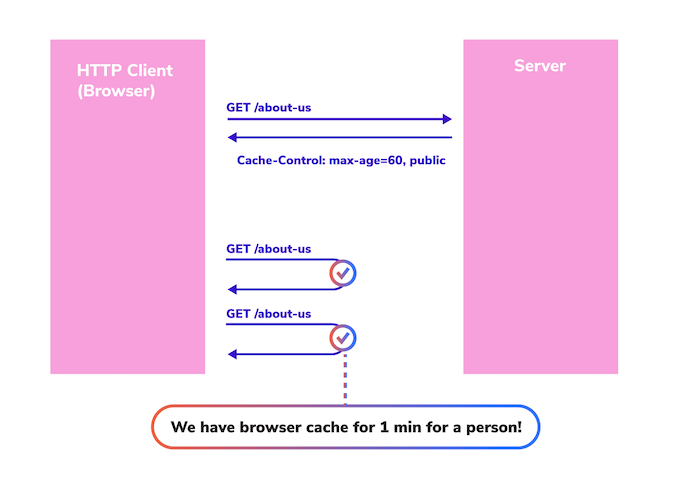
You can see that the second and third requests from that browser are cache hits; the requests never hit the server. Why? Because the browser was told it can cache the response for one minute.
This is great for that user. But, what about all the other users coming to the site? They won't get a cache hit. Introducing...the HTTP proxy cache! An HTTP proxy sits in between your browser and the server that the HTTP request is going to. By default, an HTTP proxy cache just lets HTTP requests pass back and forth between the browser and the server. These HTTP proxies are allowed to respect the cache rules of the HTTP protocol, hence why we call them proxy caches. So, imagine many users going to the site. Each one will have their own browser cache, but the proxy will have its own cache. Here's what that would look like:
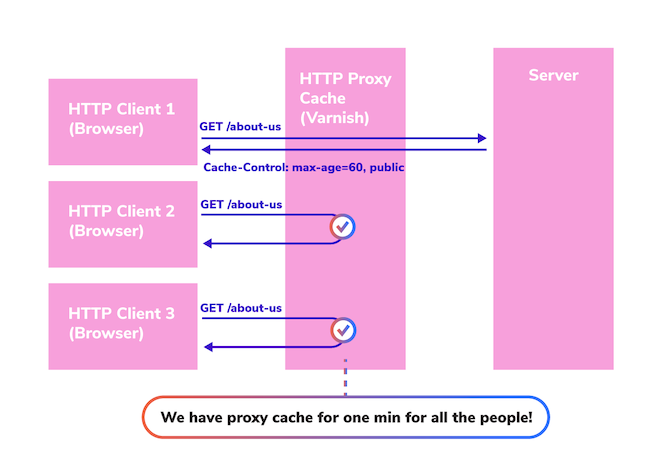
In this instance, user one goes to the site and the request goes all the way to the server because the user's browser does not have a cache value yet, nor does the proxy cache. But, when user two goes to the site, even though the user doesn't have a browser cache yet, the proxy cache does. So, the request doesn't go all the way back to the server, it just goes to the proxy cache and the response is returned.
Now, imagine there are 1,000 distinct users going to the site all within that single minute, only the first request would go all the way back to the server. The rest of the requests would be served from the proxy cache.
Why are we talking about proxy caches? Because, in large part, that's what CDNs do; that's how they work, and when you're thinking about how Acquia Cloud Platform works, it's good to keep this in mind.
Why Use a CDN?
Why would you use a CDN with Acquia Cloud, especially knowing that it already comes with a proxy cache called Varnish? Doesn't that seem like it's just duplicating functionality? Not exactly, especially when you think about the geo problem.
The Geo Problem
You're not sitting in the same room as the server that rendered this blog post to you. You might be miles away from the server and network latency can have a big impact on how quickly the site responded. With Acquia Cloud, you have some flexibility over what geographic region your servers are in. Let's say that About page we talked about earlier in our example was hosted on servers on the east coast of the United States. If you also live on the East Coast of the United States, you're in luck. But, what if you're viewing that page from Kenya?
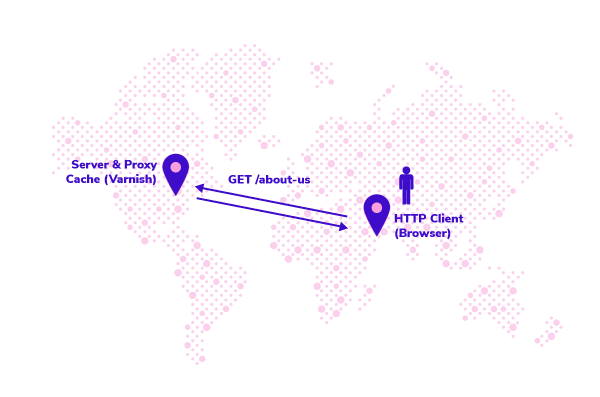
Your browser is going to wait for each request to the server (including the Varnish proxy cache) on the East Coast of the United States and back. The network latency in this case can have a critical impact on the site's perceived performance to the user.
Well, what if we could serve that content from a server closer to the user? That is to say, what if we had a network of servers that could serve this content and the user gets the content from the server closest to them? That would certainly help with the geo problem! Introducing...the Content Delivery Network! With a CDN like Acquia Cloud Platform CDN, your users will get content from a server closest to them (after caching rules are applied).
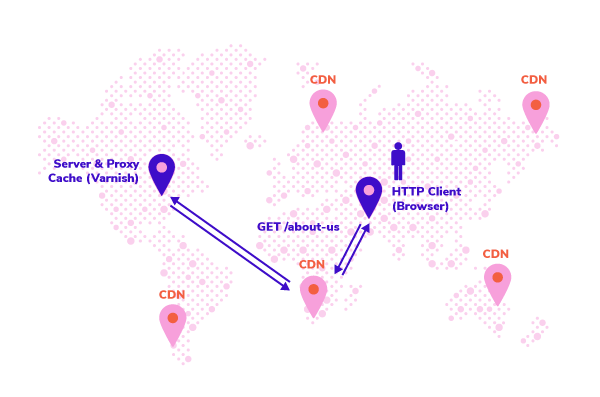
Other Benefits of a CDN
There are other benefits to a CDN besides addressing the geo problem. It can reduce the overall requests that hit your Acquia subscription, which might help you target a lower subscription level. It can help improve your site's performance under peak load.
Consider the fact that any request served from the CDN is a request that does not consume resources like memory or Central Processing Unit (CPU) on the application or database servers. There are also security benefits for some CDNs, which are worth investigating on a case-by-case basis to see if they apply to you.
How to Setup Acquia Cloud Platform CDN
Acquia Cloud Platform CDN comes with your Acquia Cloud Enterprise subscription, however, there are some steps to get it set up which we'll discuss here.
On the tech side, there are a few interesting points:
- It's supported by the Acquia Purge module, which means you can do active purging of expired content.
- It doesn't support customizations: it's not compatible with a custom Varnish config (VCL) and it really only responds to the Cache-Control and X-Drupal-Cache-Tags headers from Drupal (it’s a little more complicated than that, but that’s the basics).
- It's not compatible with other HTTP proxies in front or behind it.
- It uses Fastly under the hood.
- It's still in Beta as of the time of this writing, so your setup process may vary from what's laid out here.
Here are two useful documentation links if you'd like to read more:
And now, the moment you've been waiting for—the steps for setting up Platform CDN. Here are my personal notes; again, since Platform CDN is in beta this may change, here is what I'm recommending:
1. First, talk with the Acquia Account manager to confirm Platform CDN is available on the subscription.
2. Add all domains you want supported to all environments in Acquia.
3. Add SSL certificates on each environment, ensure those certificates cover all domains on their respective environment.
4. Create a Support ticket to enable Platform CDN, be sure to clearly outline the Application as it is named in Acquia, which Environments, and Domains you want supported.
5. At this point, expect some back-and-forth with Acquia support as you iron out details of the setup. For example, at this point, you may go through setup of the Purge module.
6. Once Acquia confirms it's set up on their side, verify the CDN is working (we'll talk through verification later).
7. Update your Domain Name System (DNS) records to a low Time to Live (TTL) so that if you switch over to Platform CDN and it doesn't work, you can quickly switch it back (optional).
8. Update your DNS records. This will make Platform CDN live.
9. Again, verify the CDN is working.
10. Last, update your DNS records to a higher TTL (optional).
The overall process may take some time. I would set expectations at 3-4 weeks to include time to do testing, roll out code changes, and coordinate the rollout with Acquia.
How Do You Verify It Works?
The last thing you want is to switch your DNS over to Platform CDN only to realize some configuration is wrong and your site is down. You can easily prevent this scenario by verifying it's set up correctly, and below we'll go through five things to check. You’ll want to wait to do these verification steps until after Acquia has confirmed the CDN is set up on their side.
1 - Verify SSL
First, verify SSL is set up correctly. Of the five verification checks I list here, this is the only one you can do prior to cutting over your DNS. To verify Secure Sockets Layer (SSL), you can start by verifying the SSL certificate on the server environment itself is correct. The way I do this is a bit of a roundabout, but it works.
Get the public IP of one of the load balancers using a tool like nslookup. The domain for it's usually a pattern like sitenamestg.prod.acquia-sites.com where sitename is the name of your subscription. Then, pick one of your custom domains and set it to that IP in your /etc/hosts file (this file may be located in a different place depending on your operating system). Here's an example walking through these steps:
First, get the IP of the load balancer:
$ nslookup examplestg.prod.acquia-sites.com
Server:        127.0.0.1
Address:    127.0.0.1#53

Non-authoritative answer:
Name:    examplestg.prod.acquia-sites.com
Address: 151.101.41.193
Now, we set your custom domain to this IP in your /etc/hosts:
$ vim /etc/hosts
...
151.101.41.193 stg.example.com
Finally, we can open up our browser and check that the SSL certificate is valid. Both Firefox and Chrome will show a padlock in the address bar.
If you're on Chrome, you can additionally check what IP address stg.example.com resolved to by looking at the headers of the request in the network tab:
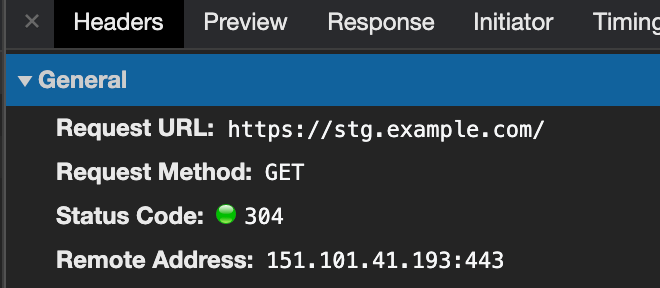
Now, repeat these steps for each domain on each environment you set up. If you're planning a DNS cutover for a new site launch, you can even test the live domain with this tactic. For example, if you set up the domain "www.example.com" on your PROD environment, but you don't want DNS to point there yet, you can still set up the SSL certificate and verify it works using this method.
Last, remember to remove those entries from your /etc/hosts file!
2 - Verify DNS is Pointing to Fastly
This is an easy check, but at this point, it requires that you have updated your DNS records according to what Acquia support has noted in the setup instructions. Take each domain and verify it's pointing to the correct location using a tool like NsLookup.
$ nslookup stg.example.com
Server:        127.0.0.1
Address:    127.0.0.1#53

Non-authoritative answer:
stg.example.com    canonical name = acquia.map.fastly.net.
Name:    acquia.map.fastly.net
Address: 151.101.189.193
3 - Verify HTTP and HTTPS Ports Are Open
This is also an easy check. It may seem unnecessary, but doing this can give you assurance that at least the path on the network from your local computer to the destination ports are working OK. I love doing this because I know if it works, any issues I do run into are at least not related to firewall issues. There are a variety of port checking tools you can use, here we'll use Netcat (nc).
$ nc -z -w 1 151.101.189.193 80
$ echo $?
0
You can see the exit code was 0 which means it succeeded. Now, we'll check the HTTPS port.
$ nc -z -w 1 151.101.189.193 443
$ echo $?
0
4 - Verify You Get Cache Hits From the CDN
Let's say you think the CDN is set up and working correctly and the site comes up, how do you know you're getting cache hits from the CDN and not Varnish? That is, how do you know the request is being returned from the CDN instead of going all the way to the server environment and back? We can inspect the HTTP response headers from the server to tell us this. To do this, we'll use curl, though you can use any HTTP client that shows you the HTTP response headers.
$ curl  -ksD /dev/stdout -o /dev/null "https://stg.example.com"
...
cache-control: max-age=60, public
x-cache: MISS, MISS
x-cache-hits: 0
...
You'll see the x-cache header had MISS, MISS. This means the request was a miss on the CDN and a miss on Varnish. More importantly, note that the x-cache-hits value is 0. This means Varnish has had no cache hits for this request. So, let's make that request again.
$ curl  -ksD /dev/stdout -o /dev/null "https://stg.example.com"
...
cache-control: max-age=60, public
x-cache: MISS, HIT
x-cache-hits: 1
...
Great! We see a cache hit! But, that was a hit from Varnish. How do we know? Because the x-cache-hits header incremented by 1. The x-cache-hits header is controlled by Varnish, not the CDN. So, what we want to see is a request where that value does not increase. Let's make the request again.
$ curl  -ksD /dev/stdout -o /dev/null "https://stg.example.com"
x-cache: MISS, HIT
x-cache-hits: 1
Great! We see the x-cache-hits stayed at 1. This means the result came back from the CDN, it didn't go to the server environment.
5 - Verify Browser Cache Is Working
If you've already passed the last four checks, you're in good shape. The CDN is working. However, you probably also want to check that your browser's cache is also working. It's an easy check to do, here is an example of how to check it in Firefox:

Here you see the network tab. The "Transferred" column will show "cached" if it was served from browser cache. Be sure to look at different asset types to make sure they are getting cached: HTML, JS, CSS, Fonts, Images.
What Are Good Cache Settings?
Now that you know how a CDN works, why you would use one, and how to set up Acquia Platform CDN, you might be wanting to dig deeper into tuning your cache settings. How do you know what good cache settings are?
First, it's important to understand that you don't simply cache a "page," you cache the resources that make up the page. A given page might comprise a variety of resources. Here's an example that I pulled that shows a breakdown of what types of resources make up the "page" by the size of each resource:
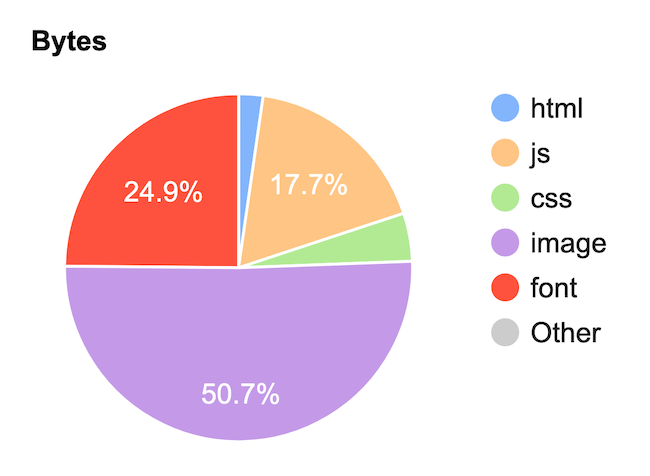
Resource: https://www.webpagetest.org/
You can see that over 95 percent of the size of the page is JS, CSS, Images, and Fonts which are all highly cacheable. By default with Drupal, those will be cached for 14 days! That's pretty good, and depending on your site, you may consider increasing or decreasing that value which you can find in the htaccess file.
The HTML on the other hand is far trickier. The HTML may be highly-static content like an About page that you don't expect to change very often. Maybe you're OK if it takes 24 hours for someone to see an updated version of the content; that's pretty great cacheability for HTML content. But, what if that HTML has pricing or inventory of a product? That’s not very static, so if you do let it be cached you don't want it to be cached very long. A user seeing the wrong price might result in an unhappy customer.
The setting for HTML caching in Drupal is set in Configuration > Development > Performance, under "Caching" you'll see a setting called "Browser and proxy cache maximum age." If you change this value, keep in mind that any HTTP cache (like a user's browser or a CDN) will keep the cache for the last time it read the value.
Here are some reasons for a high cache maximum age:
- You have the Purge module set up to actively purge expired content.
- Your content is highly static.
Here are some reasons for a low cache maximum age:
- You are not using the Purge module to actively purge expired content.
- Your content is highly dynamic.
There are even reasons for disabling cache in certain scenarios. For example, some content may be sensitive and you want to ensure no one has a copy of it, including the browser's cache (read this drupal.org issue for an example).
If you read around, you'll find recommendations that vary widely. Some recommendations are conservative around 1 to 60 minutes, and some are not, and say 6 to 12 hours. Unfortunately, it's difficult to make general recommendations about caching policies. The truth is, it depends. And, for complex sites, you're not making a policy for all content and all users—it may vary by user role or by type of content.
For example, you may want content pages to have a high-cache maximum age, but product pages have a low-cache maximum age. The policies will also depend on what other caching headers you are using, a key one being the Vary header. Ultimately, you'll need to put some thought and rigor into deciding on what policies best suit your needs.
It's worth repeating that high-performing websites require thought and intentionality behind their design and implementation, and cache settings are a fundamental aspect of high performance.
PHPStorm is one of our favorite Integrated Development Environments (IDE) for building Drupal sites. In addition to its outstanding ability to help any PHP developer's productivity, it offers several Drupal-specific time-saving tools—like the ability to handle code completion for hook declarations and applying Drupal coding standards.
Among the many tabs that border the PHPStorm IDE window is one that offers access to one of the hardest-working components of the Drupal ecosystem...the database!
Many developers only interface with the database via Drush commands, performing database backups, or moving content from the server to their local machine. Given the Drupal database is where all content and active configuration are stored, developers should feel comfortable leveraging the database as a research and diagnostic tool when developing solutions or debugging problems. The database can provide insight into how your data is flowing throughout the system, which can help when debugging errors or when working with a new module that modifies data before saving.
In this guide, we'll show you how to connect to your local Lando environment’s Drupal database from within PHPStorm. If you’re using another local environment like DrupalVM or DDEV, you can use the following steps as a guide for how you can connect these other environments.
Obligatory warning: After you connect to the database, you'll have access to modify or delete data, tables, or the entire database. Be sure you’re not working directly with a live/production database! We suggest using the database tool on a local copy of the database that can be restored if needed.
Step 1 - Allow Lando to Receive Incoming Database Connections
By default, Lando does not allow anything but the Lando app to connect to the database server, so we need to tell Lando that it’s OK for PHPStorm to connect. In the Lando configuration file (either the project-wide .lando.yml, or in the local overrides .lando.local.yml), add the following lines:
services:
  database:
    portforward: 3307
When added to a basic .lando.yml recipe, the file will look like this:
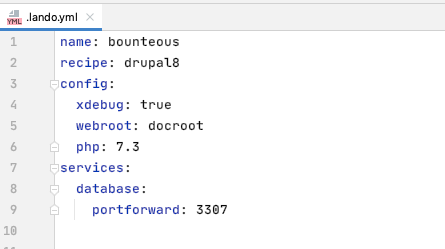
This allows port forwarding on port 3307 to the host 'database', which is the default name of the database container in the drupal8 / drupal9 recipe in Lando. If your database hostname is different, update as needed.
Finally, for this step, rebuild the Lando environment with lando rebuild --yes.
Step 2 - Connect the Database in PHPStorm
Now that Lando has been rebuilt and is running, we can connect PHPStorm to the Drupal database. If it’s not already open, click the database tab to open the database pane.
In the database pane, click the + sign to add a new data source, select MySQL (or MariaDB).
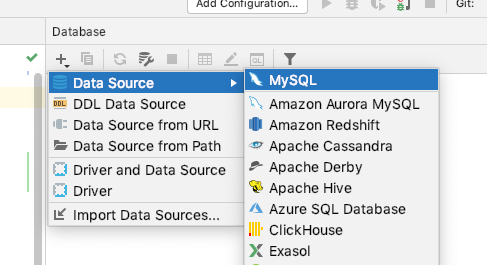
In the new window that opens, enter the server information and credentials to connect:
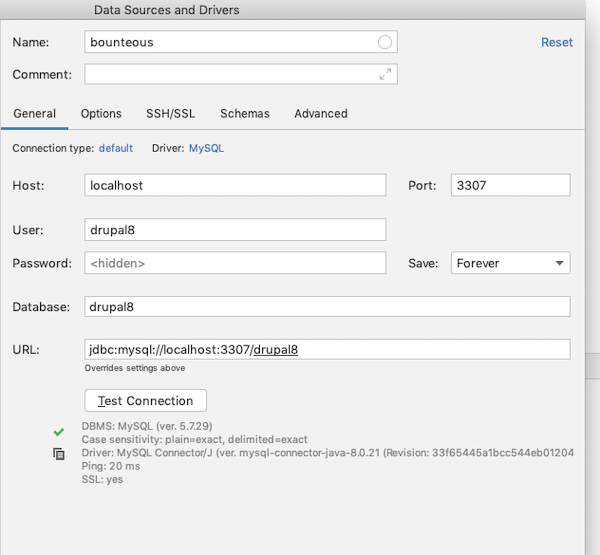
Since we’re using the default values that come with the Lando drupal8 recipe, we’ve entered:
- Name - a name you want to call this in configuration
- Host - defaults to localhost, you should be able to leave it as is
- Port - 3307 (or the port you assigned in
.lando.yml) - User - drupal8 (or the database username you assigned)
- Password - drupal8 (or the password you assigned)
- Database - drupal8 (or the database name you assigned)
When you click "Test Connection" you should see a green checkmark to verify that it connected successfully.
So, now what?
Step 3 - Use the Database!
The database pane should show you a tree of the database tables in your Drupal database. When you connect to the database, a console tab will open up in the main editor window. You can also browse the data in a table by double-clicking on the table name in the database tab. In the image below, we’ve opened the table block_content and have the data as a table in the main editor window.
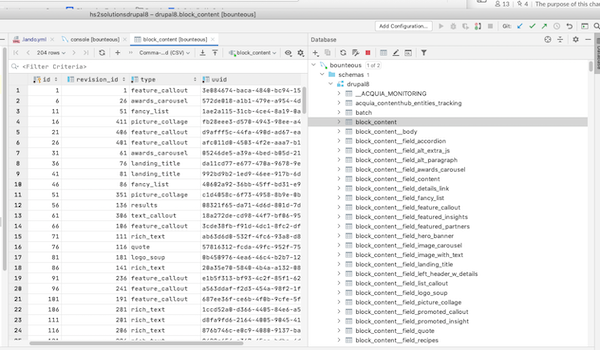
Why Use this Database Tool Over Others
The database tool within PHPStorm has most of the features of JetBrains’s DataGrip IDE. There are too many features to cover, but here are three of our favorites:
Feature 1 - Viewing the Data in a Table
This seems pretty mundane, but scanning through data tables can help you visually pick up patterns about your data. The column headers allow you to sort by one or more columns to help you review the data in the table. You can also drag to rearrange the columns to make viewing the data easier for your task.
Feature 2 - Finding Data in a Table
When you need to find a specific string in a table, you can write a query by hand or you could use some of the built-in tools to make finding the string much easier. When you’re viewing a table, you can search all rows and columns by simply pressing Cmd+F or Ctrl+F. A magical search form will appear:
As you start typing, data cells with your search string will be highlighted. You can also check the "Filter rows" box to only show the rows that have your search string in them:
There are also options to search with case-sensitivity or with regular expressions, which can help you find all of the data that you’re looking for.
Feature 3 - Finding Data ANYWHERE!
This is a great tool to use when you know what you're looking for, but you aren’t sure where to find it. You no longer have to navigate a huge haystack of the SQL export text file to look for your needle!
In the database tab, right-click on the drupal8 database and pick "Full-Text Search...":
In the new window that opens, you can enter your search term and press Search:
PHPStorm will open the "Find" tab and show you how many matches were found in the tables of your database:
Delivering Great Digital Platforms
PHPStorm is a true workhorse of Drupal development. It allows talented people to be more productive in their efforts to create amazing features for Drupal and awesome digital experiences for users. The built-in suite of tools for PHPStorm—especially the database tools—makes this IDE my favorite when it comes to delivering great digital platforms for our clients at Bounteous.
Moving between hosting providers is never an easy task, but it can be done in a way that doesn’t have to be painful. One of our clients recently recognized the value of a hosting provider like Acquia. We were tasked with moving their site from custom AWS hosting to the Acquia Cloud Platform.
Acquia is the only Drupal hosting platform that's built for Drupal developers by Drupal developers. Acquia Cloud Platform is also the only web hosting solution for Drupal designed to scale to meet the demands of enterprise-class business challenges. With Drupal managed hosting from Acquia, you can create, scale, and manage your digital experiences knowing you’re leveraging the best that Drupal has to offer.
Acquia Cloud Platform provides secure and compliant web hosting for Drupal that delivers everything your teams need to build and manage Drupal-based digital experiences, including fully managed Drupal hosting, robust development tools, enterprise-grade security, and world-class support.
When migrating your site to a new platform, we want to ensure we’re still following best practices. There are many caveats to moving websites between hosting providers that can arise. We will discuss a few common ones throughout this article; however, every situation is unique. This means that your migration should be well documented, predictable, and repeatable. You should expect to perform the steps multiple times as these issues are uncovered and resolved. If we follow best practices and develop iteratively, we can prevent problems from making it to our live site.
Codebase
Our first step is to evaluate the codebase and make sure it is following best practices for Drupal development. This includes things like ensuring we are properly using version control, dependency management, and the config system. Most Drupal 8 sites should already be using these basic concepts, but this is a great point to perform some basic checks.
Next, we want to prepare the codebase to take advantage of all of Acquia Cloud Platform’s features. At the very least, we will want the Acquia Connector module which will allow our site to send metrics and other data to the Acquia subscription. This gives us access to tools like Insights and also helps Acquia maximize uptime. Another module we want to install is Acquia Purge for clearing varnish as well as the Cloud Platform CDN.
Once our code is ready, we need to get the code into Acquia’s repository so that we can deploy it to our new pre-production environment. This is a great opportunity to evaluate our CI/CD pipeline and make adjustments that aligned us with best practices. Fortunately, this project was already based on Acquia’s Build and Launch Tool (BLT), which gave us a plethora of commands to easily plug into our CI system. Using BLT also meant pushing the code was simple as changing the git.remotes configuration setting and running the artifact:deploy command.
Database
With our codebase in place, it’s time to get the fun started and transfer the database to the new environment. Using our friendly neighborhood Drush CLI Tool, backing up and restoring the database is extremely easy. To use Drush, we need to download aliases that are conveniently provided under the credentials tab within our Acquia account settings. The aliases are simply dropped into the drush/sites directory within our codebase.
To create a backup of the database we use the following command:
drush @client_legacy.prod sql:dump \
     --result-file /tmp/client.sql --gzip \
     --structure-tables-list="watchdog,cache_*,search_api_db_*,migrate_message_*"
The results-file parameter tells Drush to store the file in a consistent place. This helps us maintain that predictability and consistency that is so crucial to our success. We also want to make sure we’re passing the gzip flag to compress the resulting backup file. It is important to note that this flag will add .gz to the end of your results-file path. Thus our resulting backup is actually located at /tmp/client.sql.gz.
The structured-tables-list option tells Drush to skip backing up the data for any tables matching the list. In the case of Drupal, we can safely ignore any cache as well as any module-specific tables that are generated dynamically or do not need to be preserved. This is extremely helpful in cutting down on database backup sizes.
Once the database backup has been created, we need to transfer it to the Acquia server. There are many ways to accomplish this, and my preference is to use sftp or scp. This is also a good point to take some notes on how long the transfer takes!
sftp [email protected]
sftp> get /tmp/client.sql.gz
    # /tmp/client.sql.gz. 100%  500MB   4.2MB/s   02:00

sftp [email protected]
sftp> put client.sql.gz
    # /tmp/client.sql.gz. 100%  500MB   2.1MB/s   04:00
Our last step with the database is to import it into the Acquia site. One significant problem with this migration in particular was that the client’s database backup was roughly 2GB when uncompressed. Importing a larger database can present many problems such as the server running out of resources or the ssh connection timing out. Our solution for these issues was to run the import process as a fork and monitor the server until the import finished. To minimize the problem surface, we ran each command in an atomic way—avoiding unix pipes and logic where possible. This made our lives easier as we debugged the issue we encountered.
The commands we ran to import the database were as follows:
drush @client.prod ssh --ssh-options="-o ServerAliveInterval=60"# SSH into acquia server
    cd ~ # Go to default upload location
    rm -f client.sql # Remove any existing unzipped backups
    gunzip client.sql.gz # Unzip our backup
    cd /var/www/html/client.prod # Navigate back to our codebase.
    drush sql-drop # Delete any existing
    drush sqlc < ~/client.sql & # Import the database
    free -h; ps -aux; top; # etc... Wait for database import to complete
At this point, we should be able to visit our temporary Acquia production URL and see a version of our site without any images.
Files
The next step in the migration is to sync the files which is easily achievable via the Drush rsync command. However, to keep in the spirit of optimization, we grabbed the rsync command executed by Drush and added a couple of options to make it more performant. This was especially helpful as the client had dozens of gigs worth of files.
The rsync command we used to sync the files were as follows:
rsync -e 'ssh ' -akzv --ignore-existing \
    --exclude "styles" --stats --progress \
    /efsmount/client.com/files/  \
[email protected]:/var/www/html/client.prod/docroot/sites/default/files
The ignore-existing flag tells rsync skip copying files that already exist, which is helpful if your files tend not to be changed. We also want to exclude the styles directory as it can be dynamically generated (similar to cache tables).
Test and Launch!
Now that you have your complete site copied over, you can begin testing and validate that the site was properly copied. As issues are uncovered in QA and UAT, you will likely want to recopy the database and files to your Acquia Cloud Platform. Good thing we clearly documented our steps! Client data constantly changes and we want to do our best to ensure the success of our migration.
Once your site is stable and has been thoroughly tested on Acquia, it’s time to launch! Using the timings from our notes we can work with the client to schedule a maintenance period. It’s during this period that we will perform one final migration before cutting over our DNS. On launch day, we review our documentation with the entire team to ensure all members of the team (including the client) are on the same page.
As the work begins, you should be able to copy and paste all commands that you need to run and easily notify your team as you progress through the steps. Once your migration is complete, all that's left is to flip the DNS and decommission our old servers. Congratulations on your new Acquia Cloud Platform site!

Normally, being asked to build a component-rich website in 10 days might feel like a tall task that requires a superhero effort from all parties involved. But with Acquia’s Site Studio, formerly Cohesion, that’s exactly what we did.
There were no panic attacks and while we might look like superheroes, it didn’t require a superhero effort. Working alongside Marketing and Experience Design (XD), we took the requirements for a component-driven, single-page site and built it in a little over a week with ease.
What We Needed
Here at Bounteous, specifically within the Drupal Practice, we’ve spent a lot of time and effort learning about Site Studio. We completed the Early Adopter Program, we’ve earned certifications, and we’ve even written about it. It was time to put Site Studio to the test and our own Co-Innovation initiative was the perfect candidate for it.
We needed a single landing page site, one that would be a rich, component-driven page that was also elegant, bold, and looked great on any device. We needed a webform that would drive visitors to download our Co-Innovation Manifesto along with all the other behind-the-scenes elements involved with a build. And, it needed to be built in 10 days to coincide with a webinar that was being hosted by our CEO, Keith Schwartz.
Building a site in 10 days should not feel like a big deal, but to do it right, you need Marketing, XD, and Development to come together quickly to provide an actionable plan, provide design direction, and architect it. But, we are always up for a challenge.
How We Did It
So, how did we build a component-rich website in 10 days? The easy answer is that Bounteous is awesome and that’s just how we roll. We’re experts at what we do and there’s no challenge we can’t meet. But a more specific answer is, we used a combination of Drupal, Acquia Site Studio, and UI Kit to complete our project in such a short timeline.
We met with Marketing, where they outlined the requirements, which were to launch a landing page to coincide with a webinar. But how could we pull this off? We were all immediately on the same page: Site Studio. This gave Bounteous and the Drupal Team a great opportunity to finally put Site Studio’s promises to the test.
In addition to using Site Studio, we also suggested Acquia’s UI Kit. UI Kit was designed and built to accelerate the design and development process of a component-driven website. It provided us with the ability to build a Drupal site at scale, fast and efficiently.
Besides saving significant time on the build, another benefit of UI Kit was that marketing was able to view demos of each component, allowing them to quickly and easily select the elements they wanted us to use.
Not only that, but UI Kit provides templates using Sketch, an app that allows for rapid prototyping and collaboration. All we had to do was apply our color palette and typography to keep our brand consistent with our other digital properties. We even made a few structural and functional tweaks with ease to make the site shine. This made our conceive phase super fast, efficient, and it set everyone's expectations about how the site would behave once it was assembled and in the browser.
For the build, we quickly spun up a new Drupal site on our Acquia Site Factory instance. We configured our site based on Drupal standards. We installed Site Studio, imported UI Kit, and started building. From there, all that was needed was for us to add our color palette and typography. Next, we took advantage of Site Studio's ability to easily update and adjust components to fit within the Bounteous style guide.
There was no backend coding needed. This led to faster deployment and put the site into the hands of our stakeholders faster than ever before. It was just that easy. Once everything was in our production environment, we added content and published it. All in ten days, with plenty of QA time to spare.
Easy Building & Theming with Acquia’s Site Studio
As we use it more and more, Acquia’s Site Studio continues to be an exciting product; one that lives up to the hype. Site Studio makes the process of building and theming sites from start to finish smooth and easy. I am personally excited to continue to push the boundaries of what can be accomplished with Site Studio and the projects that it will benefit. And as for the Co-Innovation site, we have plans to expand it even further.
Many of the enterprise-grade Drupal sites we build at Bounteous rely on lots of data—much of which is often managed and stored in a third-party provider’s system. While conventional APIs—like those that rely on RESTful services—are common sources for pulling external data into a website, you may encounter some third-party providers who dispatch updates via webhooks. Here's how to work with those notifications in Drupal.
While Drupal 8/9 core provides all of the necessary tools for receiving and processing webhook notifications, the lack of an established API, dedicated plugins, or generic contrib modules can make building a custom solution a bit daunting. In this blog post, we’ll walk through a complete top to bottom implementation that’s able to create, update, and delete (CRUD) entities whenever webhook notifications are received.
Note: To try out our example code, you can skip over the lengthier explanations and simply follow the instructions in the blue boxes. You’ll want to begin by downloading the sample Drupal module we’ve assembled from the Bounteous GitHub account. Clone that repository to your Custom modules folder and enable it to follow along with our example.What Are Webhooks, Anyway?
If you’ve worked with APIs in the past, you’re probably familiar with the general process: make a request to a third-party service to ask for some data and it responds to let you know what—if anything—is new.
In Drupal, we most commonly rely on a cron task to make periodic requests, tailoring the frequency of those calls to the timeliness of the data that’s being retrieved, the ebb and flow of traffic to the site, or both. Think of that process as being akin to calling a friend every evening to find out what’s happened over the past 24 hours. Some days will be slow and they won’t have any updates to share, while others are full of news; either way, you get a complete rundown of their day in one fell swoop.
Webhook notifications are more like that friend who texts throughout the day whenever something happens. While the frequency, urgency, and length of their messages may vary, you always receive their updates on a rolling basis—and only when there’s something that (they feel) you need to know. Webhooks provide a similarly timely heads-up whenever data is modified in an external system, saving you that daily (API) call.
Use Cases for Webhooks
All that’s required in Drupal 8/9 is core—there are no contrib modules required! But, there are a few additional prerequisites to cover before we get started.
A Data Provider That Dispatches Webhook Notifications
This piece of the puzzle will be specific to your particular use case. Learning that your third-party service is capable of delivering webhook notifications likely led you to this post; if you’d like to work with that provider’s actual data, you’ll need to review their API documentation and adapt the code in our example module to accommodate the specific data structure in their notifications.
In order to bootstrap a working example, we’ll be using the Postman app to post webhook notifications to our Drupal site in this tutorial. Whether you plan to follow along with our example or do local development against actual data you’ll want to download and install Postman on the computer you typically use to write code.Sample (or Actual) Notification Data
In order to develop a custom solution that can act on a provider’s data, you’ll need at a minimum a sample notification that represents what will ultimately be posted to your Drupal site. Example data is useful for any project since it—in combination with Postman—allows you to trigger notifications without logging into your provider’s system and/or modifying any actual data.
Fire up the Postman app on your computer, then follow their guide on importing Postman data to pull in the sample collection (Webhook Entities.postman_collection.json) found in the root directory your downloaded copy of our example module.If you’re already up and running with a particular provider and would like to use their data but can’t find an example in their documentation, several online tools may provide some help. One, webhook.site, is a particularly indispensable resource. Simply pull up that site and copy the temporary URL it generates, then log into your provider’s system and paste the temporary address into their webhook notification field. At that point, any valid events in the provider’s system should result in a notification being sent to the temporary webhook.site URL you’d copied—and that will allow you to see all of the data received from each new notification that’s generated.
A (Publicly) Accessible Drupal Site
Longer-term, your site will ultimately need to be publicly accessible via the Internet in order to actually listen for any real notifications. While that’s a given for hosted environments (and you can skip the rest of this section if that’s you), most development with modern tools (Acquia Dev Desktop, a Docker container running the Lando D8 recipe, or Drupal VM, etc.) is done locally—and therefore effectively offline. While offering solutions for all possible approaches to local development is beyond the scope of this post, two common approaches have proven to be the most reliable and quickest to get up and running for us at Bounteous:
Exposing a Local Environment on the Internet via ngrok
ngrok is a tool that allows you to create a secure tunnel to a locally hosted site so that it’s accessible via the web. If your local development workflow requires working with actual notifications dispatched directly from your provider, then this tool might be the way to go.
Let Postman Stand in for Your Webhook Provider
If you can access your local or hosted dev environment from a browser on your computer, Postman can post sample notifications to it. We’ll be relying on this approach below since it’s much more tooling-agnostic and the Postman app is freely available for Windows, Mac, and Linux.
Universally Unique Identifiers
The last prerequisite is a Universally Unique Identifier (UUID) that will be used to permanently associate an individual data point in your third-party provider with a corresponding Drupal entity. This value will be distinct from Drupal’s internal entity IDs and is required in order to look up previously imported records whenever future updates are made. Consequently, every Drupal entity type that will be storing webhook data needs a custom field to store the identifier that accompanies each notification.
Log in to your site and navigate to /admin/structure/types, then Manage Fields for the Basic Page content type and add a new plain text field named Webhook UUID. Ensure the generated machine name is field_webhook_uuid) before saving.
While many providers automatically include a unique string that represents a record in their system, others may rely on a specific field. In the rare instance that your notifications don’t contain a dedicated UUID that’s present across all events, you may need to do some additional legwork to concatenate one or more static values into a usable identifier. Check your specific provider’s documentation or use webhook.site to examine notifications and determine which value(s) might be good candidates.
Building the Webhook Entities Module
The sample code you’ve already downloaded has all of the necessary components that are required in order to listen for, receive, and process webhook notifications. It was built to serve as a reusable springboard that can get your own project up and running quickly (in other words, feel free to use our code!). Here’s the overall file and folder structure:
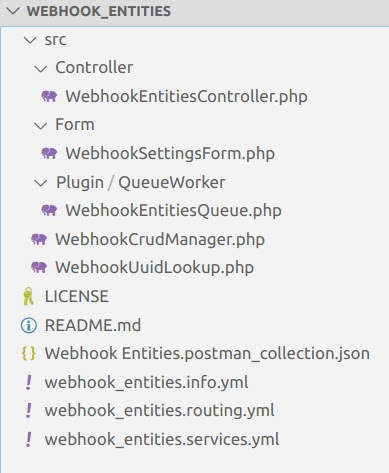
We’ll briefly review the key components below.
The Listener Endpoint
All webhook dispatchers require an endpoint that can receive notifications, so the first step is to define a new route in Drupal.
webhook_entities.listener:
  path: '/webhook-entities/listener'
  defaults:
    _controller: '\Drupal\webhook_entities\Controller\WebhookEntitiesController::listener'
    _title: 'Webhook notification listener'
  requirements:
    _custom_access: '\Drupal\webhook_entities\Controller\WebhookEntitiesController::access'
You might have noticed that the last line in the code from our routing.yml file above looks a bit different—that’s because it enforces custom access checking on the listener endpoint.
Access Tokens
/src/Form/WebhookSettingsForm.php
Security is a critical consideration whenever data makes its way from any external source into Drupal; since webhooks fit that bill, our custom access check validates each incoming notification to ensure it was legitimately dispatched from the actual provider.
In order to facilitate that handshake, our custom module includes a simple form that allows you to specify a secret key that can be used to allow or deny access. The most common security mechanism implemented by webhooks is an Authorization header that’s included in each notification and corresponds to a secret value that only you and your provider know (like an API key).
Log in to your Drupal site and navigate to /admin/config/webhook_entities/settings. Enter the authorization key used by our sample Postman collection: 123456. Then save the form.
Authorizing Notifications
/src/Controller/WebhookEntitiesController.php
In this simple example, we retrieve the config value saved via the form and compare it to the notification header to validate that the notification is legitimate and should be captured in the Drupal database.
/**
   * Checks access for incoming webhook notifications.
   *
   * @return \Drupal\Core\Access\AccessResultInterface
   *   The access result.
   */
  public function access() {
    // Get the access token from the headers.
    $incoming_token = $this->request->headers->get('Authorization');

    // Retrieve the token value stored in config.
    $stored_token = \Drupal::config('webhook_entities.settings')->get('token');

    // Compare the stored token value to the token in each notification.
    // If they match, allow access to the route.
    return AccessResult::allowedIf($incoming_token === $stored_token);
  }
Be sure to check your specific provider’s documentation to confirm this is the correct authorization method, since some services implement more robust security measures. For example, one CDN that we worked with required combining a notification-specific signature with a timestamp, hashing that value, and then comparing it to another header value. Clearly they’re a bit more serious about not letting anyone spoof their notifications!
Updating the Notification URL
Now that we have a dedicated path that can be used to listen for incoming notifications, we’ll need to instruct our provider to direct your implementation of their webhook API to that URL.
Your mileage will vary here, since the actual method for accomplishing this varies from provider to provider—however, in most cases, it’s a simple change that can be accomplished by logging into the control panel associated with your account. To facilitate local development we’ll make this change in Postman.
With Postman running and our sample collection imported as described above, expand the collection folder named “Webhook Entities” to find three sample requests. One at a time, you’ll need to click on each one and update the POST value found at the top of the Params tab to point to your development environment.For example, if you access your local development site via your browser at http://mysite.local, you’ll need to update the POST URL in all three of the requests to http://mysite.local/webhook-entities/listener.
Additional Data Concerns
Before completely moving away from the topic of security, it’s worth discussing some additional measures that are often overlooked when processing notifications. While it’s probably unlikely that your provider will intentionally deliver malicious code, it’s possible that a bad actor could gain access to their system and inject something nasty or get ahold of your authorization token and spoof legitimate notifications.
In order to safeguard against those risks, we’ll follow two golden rules of working with someone else’s data:
- Only keep what you’re actually going to use;
- Sanitize everything before using it.
Since Drupal typically sees us capturing all user input as it’s entered and sanitizing on output (and Twig’s autoescaping facilitates that to a large extent), we’ll focus primarily on working with only a limited subset of incoming data in the queue worker (below). However, the extra-cautious among us might also consider the addition of a generic service capable of sanitizing individual data points in each webhook notification or escaping HTML entities on markup-rich fields like body text.
Handling Notifications as They Arrive
/src/Controller/WebhookEntitiesController.php
The controller referenced in our routing.yml file (above) primarily serves as a gatekeeper that receives incoming notifications, determines whether or not to act on them (via the authorize method), and then shuttles them along to their final destination.
/**
   * Listens for webhook notifications and queues them for processing.
   *
   * @return Symfony\Component\HttpFoundation\Response
   *   Webhook providers typically expect an HTTP 200 (OK) response.
   */
  public function listener() {
    // Prepare the response.
    $response = new Response();
    $response->setContent('Notification received');

    // Capture the contents of the notification (payload).
    $payload = $this->request->getContent();

    // Get the queue implementation.
    $queue = $this->queueFactory->get('webhook_entities_processor');

    // Add the $payload to the queue.
    $queue->createItem($payload);

    // Respond with the success message.
    return $response;
  }
For maximum efficiency, we’re not doing anything with the data as it rolls in—but instead handing everything off to Drupal’s queue API for actual processing.
Processing Notification Data
/src/Plugin/QueueWorker/WebhookEntitiesQueue.php
Relying on the queue to process notifications in batches helps prevent your site from becoming overloaded in the event that it’s inundated with an influx of webhook notifications (for example, a bulk update that’s triggered when you upload a CSV file to your third-party provider).
Our custom module tells Drupal to queue notification data for processing later alongside any number of other notifications that might have come before or after it; the queued notifications (or a portion thereof, depending on how full the queue is) are processed during each cron run.
While authorization has already occurred by the time a notification reaches the controller, we perform several additional verifications to ensure the data we’ve received is usable and speed up processing time. We start by checking to ensure the notification body actually contains data and isn’t empty, then further validate that it contains the necessary UUID identified during our preparatory steps above (for simplicity we assume the UUID is a simple value contained within the headers for each notification).
Assuming both of those checks pass, we then implement the previously mentioned security tactic of stripping out anything we won’t be using. This step has the added benefit of simplifying the data we’ll be working with later as well as potentially gaining some efficiency by not passing along unused values that might end up being processed unnecessarily.
Remember that all-important UUID you’d identified in your incoming notifications? Here’s where it finally comes into play. Since your third-party provider probably doesn’t know anything about Drupal (most webhook notifications are purposely written to be generic), we’ll need a way to cross-reference the incoming data with any entities that Drupal already knows.
Since two of our CRUD actions (updating and deleting) will require database queries to find existing nodes—and considering there’s a good chance some of your other custom code will also need to identify those entities—we’ve abstracted this functionality out into a service (/src/WebhookUuidLookup.php) that other components of our Drupal site can leverage in order to more easily work with the entities managed via webhooks.
public function findEntity($uuid) {
    $nodes = $this->entityTypeManager
      ->getStorage('node')
      ->loadByProperties(['field_webhook_uuid' => $uuid]);

    if ($node = reset($nodes)) {
      return $node;
    }

    return FALSE;
  }
The last step is to shuttle each notification on to its final destination according to the action it represents. We’re managing create events a bit differently from the others since they’re the only occasion where we specifically don’t want to have an existing record in the Drupal database.
// Handle create events.
if ($entity_data->event == 'create') {
  // Create a new entity if one doesn't already exist.
  if (!$existing_entity) {
    $this->entityCrud->createEntity($entity_data);
  }
  // Otherwise log a warning.
  else {
    $this->logger->warning('Webhook create notification received for UUID @uuid but corresponding entity @nid already exists', [
      '@uuid' => $entity_data->uuid,
      '@nid' => $existing_entity->id()
    ]);
  }
}
// Handle other modification events.
else {
  // Ensure a Drupal entity to modify exists.
  if ($existing_entity) {
    switch($entity_data->event) {
      case 'update' :
        // Update an entity by passing it and the changed values to our CRUD worker.
        $this->entityCrud->updateEntity($existing_entity, $entity_data);
        break;

      case 'delete' :
        // Call the delete method in our CRUD worker on the entity.
        $this->entityCrud->deleteEntity($existing_entity);
        break;
    }
  }
  // Throw a warning when there is no existing entity to modify.
  else {
    $this->logger->warning('Webhook notification received for UUID @uuid but no corresponding Drupal entity exists', [
      '@uuid' => $entity_data->uuid
    ]);
  }
}
}
// Throw a warning if the payload doesn't contain a UUID.
else {
$this->logger->warning('Webhook notification received but not processed because UUID was missing');
}
Ultimately this is yet another component that will be specific to your provider and data model; the sample notifications in our Postman collection contain an event key, the corresponding value of which indicates which action should be taken when that particular notification is posted to your Drupal site.
Managing Drupal Entities
Now that we have a tool for recalling data that’s already been sent to Drupal, we can build out the logic required to handle each type of event that can be triggered by one of our notifications.
Since our sample postman collection contains short and simple notification data, all of our example CRUD components have been defined as separate methods within a single service class—however you might want to consider breaking yours out into separate services, since operations on actual data will almost certainly be more complex.
Rather than diving into the specifics of the CRUD manager service in our sample module, we’ll wrap up our code explanations by pointing out some general observations for best practices worth considering when you modify the examples to your own needs.
Our create() method offloads the handling of incoming notification data to a separate mapFieldData() function, which in turn constructs an array of values corresponding to Drupal field data that are required for creating a node. We’ve taken the approach of only mapping those values that might also be included in other events (such as updates) in order to prime the pump for future code reuse. We also ensure the notification payload contains a title value before creating a new node—since that’s the one value required for the basic page content type.
The update() method implements a series of simple checks to determine which values exist in the notification data—since unlike API calls that often return complete records, webhook notifications typically only contain modified values. This allows us to only act on those fields that have actually changed, rather than updating every value for a given node.
And finally, the delete() method does simply that. Like the update() method it’s receiving the complete node entity as an argument—so we’re able to call that entity’s built-in method in order to remove it from Drupal.
Seeing it All in Action
Go back to Postman and post the sample notifications in the same order as the actions listed above, returning to Drupal in-between each post:
Create: after posting the create notification and running Drupal cron, you should find a new node listed on your content overview page. View that node and you’ll see that all of its values correspond to those in the notification data (excluding the one we removed before handing the create notification off to the CRUD worker).
Update: post this update notification, run cron, and reload the Drupal node and you’ll find the title and body fields have been updated.
Delete: Finally, post the delete notification and run cron a third time to remove the sample node from Drupal.
Webhook Processing Done Simply
And there you have it—a simple yet functional example of processing webhook notifications. While this tutorial has touched on all of the key pieces that are required to manage one type of core-provided entity (nodes), you’ll find that your own specific application might warrant additional considerations such as:
- Locking down (or hiding) any Drupal fields populated from webhook data. This helps to preemptively stave off frustration for content admins since they won’t be able to edit any values that might be programmatically updated via future notifications.
- Creating additional CRUD managers: Each distinct entity type—particularly any custom ones you might create to store webhook data—will require its own set of field mappings. This is especially true if you aim to manage Media entities as we did for a recent project, since that task also requires parallel management of File entities. Be sure to leverage that UUID!
- Handling duplicate entries: While our example module simply throws an error—and ignores create operations—whenever a representative node already exists, your use case might warrant a different approach to safeguard against data loss. For example, you might want to instead hand off the incoming notification data to your update method.
Finally, despite how powerful webhooks can be it’s important to give some consideration to what they can’t do:
- Perhaps most critically, Drupal won’t receive any notices when your provider’s system goes offline and stops dispatch notifications—since your site is passively listening, the running assumption is that no news means nothing has changed. Unless the third-party service that’s broadcasting your notifications is capable of queuing and re-sending notifications, that gap will translate to missed updates that won’t be made to your Drupal entities.
- In a similar vein, webhook notifications are a one-and-done setup—so if your custom code contains a bug that prevents the changes specified in a payload from being saved, that update is lost forever once the queue believes it’s been processed. Be sure to test your code thoroughly with sample data that are highly representative of the actual notifications you’ll be receiving!
- Additionally, there’s always the possibility that your provider might modify the data structure of their notifications. Hopefully, they’ll be considerate enough to give you a heads-up if they do so, however it’s not a bad idea to wrap any functions that parse that data in try/catch statements so you’ll see some indication that things aren’t being processed in your Drupal logs.
Hosting web applications presents a lot of challenges. Designing and building a valuable experience for your users is difficult enough, why should you increase the effort by managing a complicated technical stack? Acquia offers a purpose-built Drupal hosting solution that lets you focus on the most important part–your users.
Three Types of Service Models
Before we examine the benefits of Acquia as a Drupal host, we need to understand what hosting models are available for Drupal. Generally speaking, there are three categories of hosting service models, each offering a different level of sophistication and requiring the technical knowledge to match1. Selecting one of these models depends significantly on the project’s requirements. Let’s compare these models and examine the separation of responsibility for managing each aspect of the technical stack.
Management Responsibility Across Hosting Models
X = You Manage
On-Premises
On-Premises covers self-hosted and self-managed hardware–no cloud involved. In this model, you manage the entire stack from the bare hardware and networking through the web application and its data. Often this model requires a team of expert technicians, administrators, and developers to manage safely and securely at scale. It provides a high degree of flexibility and customization but requires significant resources to match.
Infrastructure-as-a-Service
Infrastructure-as-a-Service (IaaS) begins to remove some of this complexity by taking over management of the lower levels of the technology stack. In most cases, IaaS services will handle the management of physical hardware, allowing administrators and developers to focus on the software systems required to manage their web applications.
Creating and destroying machines can be done relatively easily, allowing hardware to scale based on traffic or change based on new requirements. However, this still requires a certain level of expertise to keep running services up-to-date with the latest security and bug patches. Usually, the team must have knowledge specific to the IaaS provider in addition to sysadmin level IT skills.
Examples
Google Cloud Platform, AWS, Azure
Platform-as-a-Service
Platform-as-a-Service (PaaS) further removes complexity, allowing developers and site administrators to focus directly on the web application. PaaS providers handle the management of the entire technical stack while the site owner is still managing the web application and its data. This provides an excellent balance of customization in the web application without requiring a large, knowledgeable team to manage infrastructure.
PaaS providers such as Acquia provide purpose-built solutions for deploying custom, scalable web applications like Drupal. These are carefully tuned environments based on years of experience that may not exist in smaller IT teams.
Examples
Acquia, Google App Engine, AWS Elastic Beanstalk, Azure Marketplace
Selecting a Service Model
Platform-as-a-Service is the Default
For most web applications, a PaaS model will provide a strong value proposition. By providing cloud solutions maintained by experts, they can offer economies of scale that smaller IT teams cannot attain on their own. Expensive hardware no longer needs to be purchased.
In turn, this removes the maintenance overhead for cooling, power, and other support systems. In the PaaS hosting model, software maintenance is handled by the provider, allowing your internal support personnel to focus on other tasks. Any maintenance tasks that remain can usually be run directly by developers or other project team members.
Additionally, the costs associated with a PaaS model like Acquia’s are more spread out, increasing the business' agility in managing costs. By removing the need for hardware purchase and setup, the initial cost is reduced significantly and capital expenditures can be made elsewhere. This also makes the application team more Agile in how it responds to changes and new opportunities by providing additional flexibility in the hosting costs. As needs scale or new opportunities appear, it can be much easier to grow or alter hosting needs.
When to Choose IaaS or On-Premises
There are some circumstances where taking on additional maintenance responsibilities may be required, driving your application toward an IaaS or On-Premises model. Most importantly, legal concerns and other policies may prevent you from selecting a cloud solution. Special privacy concerns might require an on-premises model to maintain strict control over personally identifiable information or other sensitive data. It’s also possible that existing agreements and contracts require the use of a particular service. In these cases, it might be valuable to assess when a switch might be made or if a PaaS service can be worked into existing infrastructure while following applicable policies.
It’s also possible you have a strong technical reason to select another service model. If the application has very specific technical requirements, it may be necessary to host it in an IaaS solution or even On-Prem to allow customization of the stack in ways Acquia doesn’t allow. These would generally be exceptionally unique circumstances driven by heavily customized features or specific networking needs.
Why Acquia?
If you’ve decided that a PaaS solution is right for you, Acquia is a PaaS provider specializing in Drupal. Dries Buytaert, Drupal creator, is both the co-founder and CTO of Acquia. Buytaert along with Jay Batson founded Acquia to provide infrastructure, support, and services to enterprise organizations using Drupal. In addition, Acquia was created to help Drupal scale, make Drupal easier, and to empower a thriving network of Drupalists around the world. Today, Drupal is about one of every 40 websites used.
Acquia gives Drupal development teams access to targeted solutions offering features that smaller IT teams can’t reasonably support. This provides a compelling value proposition, often letting site owners run services that are more complex than their team would otherwise be able to maintain. The technical stack can be more robust, improving value, reducing time-to-market, and reducing costs.
Fully-tuned Stack
Acquia is able to apply an immense amount of time and resources towards carefully tuning its stack to provide optimal hosting for Drupal and related technologies. This lets them provide situation-specific efficiencies and support that are simply not reasonable to expect from self-managed solutions. Acquia has spent many years refining the hosting environments for hundreds of clients. This level of sophistication is not achievable for smaller IT teams.
Improved Access and Support
Sites hosted with Acquia are generally faster and more reliable than sites hosted internally. Acquia operates at a large, global scale and has the networking and storage locations to support such an operation. Some of these technologies that are required at scale are difficult to maintain.
Acquia provides these technologies for teams that would otherwise be unable to support them. For example, Content Delivery Networks and robust caching tools provide fast, global access to your site through local access nodes, reducing load times and improving the user's experience.
In addition to faster access, Acquia also offers additional support for your site. This reduces or removes the need for an on-call rotation of technicians to maintain the site. Acquia hosting comes with a defined Service-Level Agreement (SLA) setting contractual obligations for reliability of the site. In other words, Acquia takes on the burden of maintaining the servers 24 hours a day.
Additionally, Acquia provides added reliability features and tools such as New Relic, recording important diagnostic information for problems on the site. Features like these can drastically improve the user's experience with your brand without placing a heavy burden on support teams.
More Robust Security and Recovery
Along with the added support features, sites hosted with Acquia are more secure and better equipped to recover from incidents. Because the technology stack is managed by Acquia support professionals, security patches, and bug fixes are applied regularly and the stack supporting the application is constantly monitored.
Acquia also offers edge protection solutions, defending against Denial of Service and other HTTP attacks. Acquia will even support Drupal in some situations. For example, Acquia has provided additional protections on occasions when vulnerabilities in Drupal have been found. These sort of specialized benefits offer great protection for your users and your business.
In the event an incident does occur and recovery is necessary, it is easy to restore the application to a prior state. Data backups are taken daily and databases can be quickly and easily rolled back through a simple, drag-and-drop admin user interface (UI). The same UI can be used to rollback code to match. These features let development teams react very quickly to incidents and quickly get the application running again.
Delivery Tooling
Because Acquia is already managing the technical stack beneath the application, they must support delivery and deployments. This makes deployments much easier. Acquia’s simple drag-and-drop interface makes it easy to move code across environments. Acquia’s Cloud Hooks and Pipelines features provide a complete Continuous Integration/Continuous Deployment solution, out of the box. These pipelines are tailor-made for Acquia and Drupal and are generally much easier to set up, drastically reducing time-to-market for new features.
The Benefits of Acquia
Each application and team has unique needs that will naturally push a project towards a given hosting model. For exceptionally complex or custom applications, an IaaS or On-Premise solution may be required. However, these models lose the benefits Acquia provides. For most Drupal projects, the additional security, support, and tooling, as well as performance improvements, make Acquia the right choice.
1Commonly, a fourth category called Software-as-a-Service is included but this model doesn’t fit Drupal’s customizability well and has been intentionally excluded from this article.
One of the best parts about working for a digital experience agency is the number and variety of projects we get the opportunity to work on. And while the size and complexity of the digital experience platform projects we work on differ, they’ve offered us the opportunity to learn and discover best practices that others can use to help drive the success of their own projects.
Though the type of client work we take on can vary greatly, some frequent projects we’ve been tasked with are clients looking to switch content management systems (CMS) and clients looking to build multiple websites. From this, we’ve discovered the best way to ensure success involves two key factors: having the correct mindset and the correct approach.
It’s a Replatform—Not a Lift and Shift
A key part of any digital experience platform (DXP) is a CMS. The CMS serves as a hub to centrally manage content. Over the past several years as clients have built out their DXP, we have seen more and more of them looking to move off of one CMS and onto another.
Many times, the move is between two different CMS options (e.g. Sitecore to Drupal). Other times, it can be moving from one major version to the next major version of the same CMS (e.g. Drupal 8 to Drupal 9). In both these cases, it’s best to think about the project as a replatform or a rehost, and not as a lift and shift.
The term “lift and shift” can make the project seem very easy. We already have a website over here. We just need to move it over there. That shouldn’t be too difficult. Not only does the term obscure the project’s complexity, but it also misses one of the most important advantages to a project like this. When moving to a new CMS, it’s the perfect time to reassess the goals and requirements.
Discovery Phase
When a project like this comes up, an upfront Discovery phase is key for a successful replatform. The Discovery phase helps the team understand the requirements and learn what works in the current system and where improvements can be made in the new platform.
A key component of the Discovery phase is to perform stakeholder interviews to find out what is and is not working in the current system. If you just “move” everything as is to a new platform, you’re bound to repeat the mistakes and shortcomings of the current system.
We aren’t just concerned with the current system’s mistakes. If the current system has been in use for a number of years, the system’s goals may have changed since it was built. If you are investing in a new platform, you do not want to solve yesterday’s problems.
Platform Audit
In addition to the stakeholder interviews, a full audit of the current platform is also key. Even though the goal is not to recreate the current platform in the new CMS, the architect can learn a great deal from the current platform.
Part of the audit should focus on the custom code that has been written. Often, custom code will contain business logic that is needed in the new platform. Another important part of the audit is understanding how the current platform is used and any workflows that have been created for it. The better the architect understands the current system, the better they can plan for the building of the new system.
Understand the CMS Features and Functionality
One last key point is that the new CMS will have different features and functionality than the current CMS. When moving to the new CMS, you will want to change how the current system is built to take advantage of the strengths of the new CMS. Trying to make the new CMS work exactly like the old CMS will result in a lot of frustration and a poorly-built platform.
Build an Ecosystem, Not a Series of Websites
Whenever you need a system that will support multiple websites, it’s important to approach it as an ecosystem and not just a number of individual websites. Building an ecosystem can be, and often is, a challenge. But done correctly, building an ecosystem results in an easier-to-use and easier-to-maintain system that takes advantage of the CMS.
Building an ecosystem allows you to take advantage of the economies of scale. One way to realize that is to build all of the websites with the same code base. This lets you update the CMS and modules as needed in one place, saving time and resources.
But, you can extend this further. If your platform is built with a component-based approach and you build all the websites using a common set of components, the builds will take less time, as will future updates.
By building a custom theme for each website, but using the same components, you can create different looks to cater to your specific brands. Or, for even more scale, you can build out a common theme to use for all websites and just change colors, fonts, etc. By leveraging the same functionality and components across websites, you can make the platform much easier to maintain and use.
Component Consolidation
One of the main challenges with building an ecosystem versus a series of websites is that doing so requires compromises from the websites owners. It is not uncommon for a client with 10 websites to have hundreds of components and dozens of page templates among the websites.
However, when building the new ecosystem, you should consolidate the components and page templates to reduce the number needed. Without consolidation, the build will cost more and take longer than needed and result in a harder-to-user and harder-to-maintain platform.
This consolidation will require the stakeholders to make compromises as it is not possible to rebuild all of the websites exactly the same with fewer components and templates.
A well-built ecosystem lends itself to be easier to build, use, and maintain. This reduces the total cost of ownership and makes it a better choice than building highly-customized, individual sites.
Flexibility is Key
A new DXP is a large undertaking. Today’s consumers expect a much more personalized and seamless experience across channels. The CMS is a critical piece to providing that flexibility.
One way to provide flexibility in the CMS is by using a component-based approach for the content editors to create content. A component-based approach allows content editors to build pages using a series of components within the CMS rather than having a structured format to the page.
This allows flexibility to build pages tuned to the exact message they are trying to send. When done correctly, it can also speed up the content building process by eliminating the need to have developers involved in the creating and publishing of content.
Component-Based Approach
Component-based approaches are much more common these days, but they’re not always executed well. Having someone experienced with this type of approach is vital to the success of the project.
From a design perspective, striking the correct balance between the number of components and the number of component settings is essential to creating an easy-to-use content editor experience.
From a technical perspective, there are usually a number of ways to execute a component-based approach and pros and cons to each. For example, in Drupal, we can use the Layout Builder module as the foundation for our component-based approach, and it works very well.
As an alternative, we can also use a site-building tool like Acquia Cohesion to execute the component-based approach. Both are solid options with pros and cons depending on the requirements.
A CMS that Provides Data
Another way to provide flexibility is by having the CMS be able to provide data to all of your platforms. Using your CMS as a centralized content source allows each channel to use the content as needed.
Drupal is an example of a CMS that excels in this area. Drupal was built with an API-first mentality, meaning that exposing content using APIs is baked into its fabric. Drupal has several modules that make exposing your content as REST APIs services very easy. Drupal also makes it easy to return that data in a variety of formats, such as JSON and GraphQL, as needed by the system consuming the data.
Mind Over Matter
No two projects are alike. However, your next project can benefit from what we have seen and learned from our projects here at Bounteous. The best way to be successful is to have the correct mindset (“This is a replatform, not a lift-and-shift”) and the correct approach (“Build an ecosystem, not a series of websites”) while focusing on creating a flexible system.

In a rapidly evolving digital landscape, organizations need robust solutions to align marketing strategies with overarching business objectives. Drupal, a powerful content management system (CMS) known for its flexibility and scalability, is poised to cater to the specific needs of marketing teams.
Today’s marketer faces several unique challenges, such as communicating with customers across multiple channels, quickly updating content, driving marketing ROI, improving the customer experience, and refining processes—challenges that can typically be addressed with a modern CMS.
Why Download This ebook?
Bounteous x Accolite helps you understand how Drupal supports the modern marketer. This guide offers valuable insights into how Drupal can be leveraged to enhance marketing outcomes, drive the customer experience, and ultimately, achieve ROI goals.

DrupalCon Barcelona 2024 is a wrap. This DrupalCon was special not only because it was a return to a beautiful city, but also because it was the first DrupalCon since the announcement of Drupal Starshot (now known as Drupal CMS). Drupal CMS is an important advancement of Drupal as the community continues to innovate and expand Drupal’s capabilities. In his 40th DriesNote, Dries Buytaert, creator and product leader of Drupal, demonstrated the progress that has been made to date with Drupal CMS.
At DrupalCon Portland earlier this year, Dries introduced Drupal CMS. The goal of the project is to build a version of Drupal that is optimized for non-developers, like content creators, digital marketers, and site builders. Drupal CMS will not replace Drupal as we know it. Instead, Drupal CMS will be built on top of Drupal Core. Developers will continue to use Drupal Core to build more complex Drupal builds, yet will benefit from the advances made to developer Drupal CMS.
As we covered in our previous article on Drupal CMS, the primary goals for the forthcoming Drupal CMS are to enable marketers and non-technical users to create ambitious digital experiences, improve the ‘out-of-the-box' functionality of Drupal, adapt to emerging trends in the technology/CMS space, and boost the overall adoption of Drupal.
The launch of Drupal CMS is set for January 15, 2025, which will be Drupal’s 24th birthday and just a few weeks after Drupal 7’s end-of-life. The retirement of Drupal 7 and the launch of Drupal CMS will mark a significant transition in Drupal’s evolution, as all supported versions of Drupal will now be built on a modern framework that will be easy to upgrade and extend over time.
*If you are currently on Drupal 7, time is quickly winding down to Drupal 7’s end of life in January 2025. Bounteous x Accolite can help you quickly move your site from Drupal 7 to the latest version of Drupal with our Migration Accelerator technology. Contact us for more information.
What Progress Has Been Made So Far?
When Drupal CMS was announced, Dries laid out the vision to complete the 1.0 version in eight months. It has been about four months since then, so Drupal CMS is about halfway through the timeline.
In his DriesNote, Dries demoed the current progress of Drupal CMS. The demo focused on several key areas: trial experience, artificial intelligence capabilities, SEO capabilities, and Drupal Recipes. All this was done through the lens of a non-developer building a new website.
Improving the Drupal trial experience is an important way to get more people to try and adopt Drupal. Historically, it has taken expertise to set up Drupal just to try it out. You would either need to set it up on a server or have a local configuration to set it up. Both require setting up and configuring software before even setting up Drupal. With Drupal CMS, it is now easy to set up a Drupal demo environment. If you follow this link, you can try Drupal in a browser. No server setup or configuration is necessary.
Leveraging AI to Enhance the Site-Building Experience
In the demo, a hypothetical user asked the AI Agent (which took form as a chatbot) to make modifications to a Drupal content type, including changing the name of the content type and adding an image field. This feature will give people unfamiliar with Drupal the ability to make changes within Drupal without needing to learn site building and administration.
The demo also showed a content migration of a simple blog post into Drupal. When provided with the URL of a page, the AI Agent retrieved the page, parsed the content, and mapped it into fields of an existing blog post content type. It also augmented the content by classifying it with taxonomy terms.
Together, these AI features show the potential of AI with creating, migrating, and managing content. Dries noted that AI will be a fundamental shift in how Drupal sites are built, empowering non-technical users with tools that allow them to fulfill the aim of creating ambitious digital experiences.
Introducing Experience Builder
The second notable item shown in the demo was the new Experience Builder. Experience Builder gives users the ability to place and update freeform content on pages a visual building experience. It features previews of content at both desktop and mobile breakpoints, giving insight into what the published page will look like. Experience Builder is the most effort-intensive feature within Drupal CMS with the equivalent of 30 full-time contributors to the initiative. Dries indicated that Experience Builder will not be production-ready at the initial launch of Drupal CMS in January but will be included in a future version of Drupal CMS in 2025.
Other features of Drupal CMS will be available through Drupal’s system of Recipes. Recipes are pre-packaged features that are designed to provide one-click installation of functionality to address frequent use cases for site administrators. To date, 14 features have been identified to be part of Drupal CMS. In addition to the AI features we mentioned above, there will be Recipes to bring enhanced SEO, accessibility, analytics, and marketing tools to sites, among others.
The future of Drupal is just a few months away. When it is released, Drupal CMS should significantly expand the usage of Drupal across the internet by making building Drupal easier for non-developers. Attaching this wider range of users and organizations to use Drupal to reach their audiences will spur growth within the Drupal community, provide greater community support, and make the overall Drupal ecosystem stronger.
Drupal CMS will also establish a framework for future-proofing Drupal. By investing and releasing new features like AI and Experience Builder will help Drupal remain competitive and relevant as methods to content management evolve. We are particularly excited to see this approach of releasing bold and innovative features through Drupal CMS rather than through the traditional experimental module approach. This new approach allows Drupal to be more nimble as future features and needs are identified and rolled out.
We are excited to see how Drupal CMS continues to develop and evolve in the coming months and years!
Interested in Learning More?
Take a look at the demo from the Driesnote, and tune into DrupalCon Singapore in December, when it’s anticipated the demo will be ready for release.

Personalization has been a moving target for the last decade. What started as something simple as Dear John, has now turned into a higher level of expectations by customers from the brands they engage with. It is only natural, then, that the technology that supports personalization evolves as well. This is exactly what is happening at Acquia.
As of July 1, 2024, Acquia Personalization (formerly Acquia Lift) is no longer available for new customers. Acquia is sunsetting Personalization in favor of a new offering called Acquia Convert, powered by VWO. Acquia Convert offers enhanced features and reporting and will provide a better understanding of user behaviors, testing, and personalized experiences.
Acquia Convert supports all of the capabilities currently available with Acquia Personalization, enables key integrations with your organization’s existing MarTech stack, and is a Google Analytics Integration Partner. Furthermore, Acquia’s partnership with VWO expands Acquia’s DXP with the ability to optimize digital experiences through testing, insights, and personalization.
What Does This Mean for Current Acquia Personalization Customers?
You don't need to take immediate action if you have a current Acquia Personalization account. Acquia will still provide Acquia Personalization and support for the duration of your existing contract. But owners of Acquia Personalization should start investigating and thinking about migrating to Acquia Convert.
Even though Acquia continues to support Acquia Personalization, new features or enhancements will likely not be added to the legacy personalization service, potentially limiting some of your opportunities to convert and personalize. We recommend migrating to Acquia Convert as soon as possible to take advantage of its powerful features.
Introducing Our Acquia Convert Migration Offering
Bounteous x Accolite offers a solution for migrating from Acquia Personalization to Acquia Convert. In this engagement, we review your objectives, provide a roadmap, and migrate your business to Acquia Convert. In many cases, aligning on objectives and a roadmap with our team will inform enhancements that will elevate personalization strategies and conversions.
Bounteous x Accolite and VWO Implementation: A Comprehensive Support for Your Experimentation Needs
Over the past two years, Bounteous x Accolite has partnered with numerous clients to implement, onboard, and activate VWO for their experimentation requirements. VWO offers unique features that cater to both clients who are just beginning their A/B testing and personalization journey, and those with mature programs that are seeking to elevate these efforts.
These features and capabilities will carry over to Acquia Convert, enabling a whole new set of tools for your organization:
- Core A/B Testing: Robust A/B testing capabilities, which are essential for organizations at any stage of their optimization journey.
- Third-Party Integrations: Seamlessly integrates with third-party tools, enhancing the testing and analysis/reporting process.
- Behavioral Analysis: Features such as heat mapping and session recordings offer deep insights into user behavior, highlighting areas of interest and friction.
- Form Analytics: Provides valuable insights into form drop-offs, helping organizations improve form completion rates.
- Surveys and Feedback: Enables the creation of on-page surveys and feedback experiences, allowing direct user input to inform decision making.
Acquia Convert also introduces several advantages over other products on the market, including:
- User-Friendly UI: The intuitive interface makes it accessible to users with varying levels of technical expertise.
- Flexible Pricing: Offers a range of pricing options, making it ideal for organizations looking to enhance their experimentation capabilities.
- Comprehensive Toolset: Combines core testing functionalities with advanced behavior analysis and feedback tools.
By leveraging these features, Bounteous x Accolite helps organizations enhance their experimentation efforts, providing a seamless user experience that positively impacts business goals and objectives.
As an Acquia Elite Partner and Acquia DXP Certified Practice, Bounteous x Accolite is at the forefront of enhancing customer experiences that boost conversions and drive business success. Our team leads digital transformations for major brands across all industries and sectors.
Together with Acquia, Bounteous x Accolite can create personalized customer experiences that drive meaningful results.
To learn more, view our Acquia Convert offerings.
Discover the Power of Drupal for Enhanced Operational Efficiency and Security for Healthcare Systems

Wearable devices and real-time patient health-tracking applications have spurred technological advancements in the healthcare industry. As a result, healthcare systems are relying more and more on technology to give consumers access to accurate and timely care.
A scalable, integrated content management system (CMS) enables healthcare systems to increase service offerings in less time, which is why Drupal has become the CMS of choice for many large health systems.
Healthcare Applications That Benefit from Drupal
Several healthcare applications that consumers and healthcare providers use are excellent use cases for Drupal:
- Electronic health records (EHR) enable medical information to be documented, stored, and shared among various organizations within health systems. This allows providers to diagnose and treat faster, while accurately tracking a patient’s medical history.
- Patient portals give consumers more control over their healthcare by enabling them to schedule appointments, message providers, manage prescriptions, and make payments.
- Health and wellness applications, when paired with wearable technology such as fitness bands or wearable medical devices. These apps help consumers track their health and habits, and can report trends to providers.
Why Drupal for Healthcare Systems?
Drupal, an open-source CMS, provides flexibility and a robust architecture that makes it the ideal choice for elevating the patient experience. With Drupal, healthcare systems can create personalized, secure, and accessible digital experiences that support patients and healthcare staff. It enables healthcare systems to address security concerns, internal and external integrations, multi-site management, and accessibility needs.
Security
Historically, healthcare systems have not used open-source CMS solutions because of security and privacy concerns. But newer versions of Drupal (Drupal 8 and above), provide additional security features via contributors who have addressed vulnerability issues and breaches. Today’s healthcare systems can be confident in patient and system data remaining confidential.
Integrations
Healthcare systems are large and can span multiple states, time zones, and IT systems. It’s critical for their CMS to be fully integrated to handle the flow of information across internal and external systems. Drupal’s architecture is scalable, making it the most flexible CMS for third-party integrations, including multiple EHR, patient portals, prescription portals, billing portals, and more.
Multi-Site Management
Maintaining websites for the various departments within healthcare systems can be difficult, as each department has its own types of content and functionality needs. Drupal can provide needed consistency and faster content sharing between these websites, while maintaining varied functionalities. One of Drupal’s key features is enabling content to be pushed to multiple sites in various formats at the same time.
Accessibility
Drupal addresses the need for accessibility right out of the gate with its flexible theming system that meets all requirements in Section 508 of the Web Content Accessibility Guidelines (WCAG) This allows healthcare systems to meet their consumers and providers where they are, regardless of disability. Also, its multilingual features can help users develop location-based, language-specific websites for desktop and mobile.
Drupal’s robust, flexible, and secure architecture makes it an optimal choice for healthcare systems aiming to streamline IT operations and enhance patient experiences. With its advanced integration capabilities, efficient multi-site management, and dedication to accessibility, Drupal addresses the unique challenges faced by healthcare providers, making it a strategic investment for the future.
Want to learn more? Explore our Drupal capabilities and healthcare expertise to see how Bounteous can help support your organization’s digital transformation.

Drupal is at a crossroads. Currently, enterprise-level Drupal implementations provide amazing capabilities for digital experience platforms. However, these platforms often require specialized talent to build out so that enterprise organizations can realize the power Drupal brings to bear. Should Drupal stay on the same path, or should it adapt and become more friendly to marketers and less technical people looking to create new websites? If Drupal stays on its developer-driven, developer-focused trajectory, it could become a niche content management system (CMS) with a smaller footprint in the enterprise CMS platform space.
Having worked with Drupal for more than 15 years, I know that Drupal is easy to implement and use. But when looking back at that time, it was not easy to get started and learn. And now, 15+ years later, Drupal is much more feature-packed and complex. Getting started with Drupal today can be overwhelming for users without a technical background or who haven't used the underlying technologies in other projects or contexts.
During the DrupalCon North America 2024 main keynote (affectionately called the “Driesnote”), Drupal founder Dries Buytaert said that Drupal has been part of many “golden eras of the web,” including leading the way on low-code/no-code capabilities and democratizing web publishing—but Drupal’s competitors are doing it better today.
So where does Drupal go as an open-source project?
Dries’ point of view is that Drupal should become even more friendly to marketers, evaluators, and less technical folks than it is today. Dries offered a vision for what this new flavor of Drupal could look like and has named the initiative “Drupal Starshot.”.
Drupal has been around for 23 years and has evolved to incorporate innovations in modern CMSs, integrations, technologies, and accessibility. Over time, there have been efforts to simplify the complexity of Drupal to make it easier to learn and adopt. These have been met with varied success. Drupal is an amazing platform and CMS for enterprise DXPs, but the new features and technologies introduced by continuous innovation have outpaced the efforts to simplify. Oftentimes, specialized skills in the Drupal platform are needed to activate the power and potential of Drupal. It is time for the Drupal project to take a big step to make the platform easier to adopt.
The primary focus of the Drupal Starshot initiative is to create an interface that is easier for everyone to use, particularly for marketers, content editors, site builders, and junior developers. One idea is to create a Drupal platform where someone does not need to use the command line at all to install and launch a Drupal site. This is ambitious and a goal worth pursuing.
The result of Drupal Starshot will be a new version of Drupal called Drupal CMS that is based on Drupal Core and includes features and contributed modules that bring an easier-to-use site-building experience for marketers and junior developers.
Installing Drupal Isn’t Easy
When preparing to install a Drupal site for the first time, a lot of setup must take place, and much of it happens on the command line. For example, when setting up Drupal on my laptop for the first time, I had to install Docker and my preferred tooling (DDEV), then run Composer commands to get the source code of Drupal. Most of this setup happens on the command line, and even when you do a perfect copy/paste of commands following any of the many useful setup guides and tutorials, it’s not uncommon for something to go sideways the first time installing a site. When this happens, you have to work through the problem, often with only a cryptic error message and a lot of conflicting information from a web search. This can be a steep hill for new developers or those who simply want to try Drupal for the first time.
Services like GitPod and SimplyTestMe can help those who want to test out Drupal for the first time, which helps remove that pain. But those instances can be ephemeral and are difficult to find unless you know what you’re looking for. The new install from the browser approach will remove this huge barrier to taking Drupal for a test drive.
Drupal CMS’s Installer and Setup Experience
Drupal CMS’s most notable difference over Drupal Core is a new installer experience, installing Drupal with pre-shipped contributed modules and configuration, and introducing new entity types. The current installer asks the user to pick an installation profile and database credentials, among other information. The profile selection and database credential forms should be removed to make the experience less technical. These steps will likely be replaced with something similar to the wireframe presented in the Driesnote, where the user picks the types of content the site will have (articles, forms, events, etc.). The challenge with the initial setup is to give the user the flexibility to create the site they want without overwhelming them with options or unnecessary steps. It will also be important to let the user know what options can be changed and modified after the setup is complete.
Module Configuration and UI
I love the idea of bringing some of the best contrib modules and common configurations to the initial setup process as part of the new version of Drupal. This will bridge a huge gap many first-timers experience when setting up their first Drupal site. It will help them by giving them many of the most popular modules out of the box without having to learn the details of the contributed modules ecosystem and how to go about finding, installing, and setting up these modules.
Take, for example, the ability to create a URL for a page based on the content title—a common need that doesn’t come with Drupal core today. Putting myself in a new user’s shoes, how would they know where to look and how would they know that ‘Pathauto’ is the module they are looking for? And then once it’s installed, how does a new user know about tokens and how to use them to configure Pathauto? Having Pathauto ship with Drupal CMS removes much of the guesswork.
Bringing the concept of Recipes into the Drupal ecosystem will be a game changer for Drupal Core and Drupal CMS. Giving users and developers the ability to quickly spin up fielded content types and reuse common configurations will greatly reduce effort and timelines in building out complex Drupal platforms.
New Entity Types
Dries noted that they will take the “best of Paragraphs” to help create the new Experience Builder. During DrupalCon, Bounteous x Accolite had a chance to hear some of Drupal Starshot’s principals on this front. Their current hypothesis is to create a new entity type that encapsulates the best of Paragraphs to use within the new Experience Builder. This new component entity type is planned to have all of the content of the component contained within it instead of a nested tree of paragraph entity references. This makes loading these entities from the database much easier and faster. It will also make it easier to marry these to Single Directory Components. But the biggest benefit it will bring is to resolve the longstanding complexity and confusion with translating Paragraphs. I look forward to this new component entity type being added to the Drupal ecosystem, either as a contrib module or a core module that complements Single Directory Components.
Experience Builder
Layout Builder is great. It was a giant leap for Drupal when it was rolled out. Giving content managers the ability to add and arrange blocks and content on a node gives them a tremendous amount of control and flexibility with how content is presented. Taking this to the next level with Experience Builder will be huge for Drupal and content managers.
One of the limiting factors with many enterprise CMSes today is the ability for content managers to style pages without needing to know CSS or needing help from developers. Tools like Acquia Site Studio offer a low-code/no-code approach to building and styling components today. While technically accurate, one must know CSS, JavaScript, and a lot of Drupal (and Drupalisms) to effectively implement more advanced experiences using Site Studio.
The prospect of giving non-technical users the ability to style pages is exciting. It can be frustrating for developers to work in “just a tweak or two” to styling on a single page of a site. It’s equally frustrating for content managers to wait for those tweaks to be developed, tested, and deployed. Putting the control into users’ hands to make these styling updates will make content generation faster. It will also take work off of developers' plates, so they can build bigger things.
I wonder how much reign and flexibility will be available for styling pages. Will there be guardrails in place to ensure that what is styled meets accessibility standards (font size, contrast, etc.)? What about the ability to govern styling so that someone doesn’t veer too far from brand guidelines? I assume the first versions of Drupal CMS will be pretty unconstrained in terms of styling options, but hopefully future versions will give some controls here.
I am excited for the Drupal Starshot initiative and its potential. It will be a revolutionary addition to the Drupal ecosystem. As someone who helps build some of the most complex Drupal platforms for some of the world’s most ambitious brands, I think this is a good move for Drupal. It will bring more people into the Drupal community and increase global adoption of Drupal. While some sites will stay on this new version of Drupal, many organizations will need to grow their platform as they grow, paving the way for deeper adoption of Drupal.
Want to learn more about announcements from DrupalCon North America? Read our key takeaways blog.
Interested in learning more about Drupal? Contact me today.

The Bounteous x Accolite team recently returned from DrupalCon North America 2024, in Portland, Oregon. The four-day event brought about 1,400 Drupal users to the Oregon Convention Center for keynotes, breakout sessions, and Contribution Day.
The event included several exciting announcements. Here are our six key takeaways from DrupalCon North America.
Drupal Starshot is Coming Soon
Announced during this year’s Driesnote, Starshot is a user-friendly, out-of-the-box Drupal experience. It’s a second official version of Drupal that will make Drupal more accessible and easy to use. It will likely be called “Drupal CMS”, and will be built on top of Drupal Core and common contributed models, and available as a separate download alongside Drupal Core. To learn more about Drupal Starshot, watch the Driesnote. To get involved with Drupal Starshot, register your interest or join the conversation in the #Starshot channel on Drupal Slack.
New Brand Refresh and Marketing Strategies Are on Deck
This Drupal brand refresh includes updated brand guidelines for consistency and a modern identity. There’s also a new marketing toolkit, including messaging guides, pitch decks, etc., which will be available on Drupal.org.
Open Source and AI Have Many Benefits
The Day 2 keynote focused on the benefits of open source AI, including democratizing knowledge by fostering innovation through contributions and software iteration. Ultimately, this helps reduce costs, facilitates access for businesses and researchers, enhances competition, and leads to a richer pool of AI applications.
Drupal 11 Release is Around the Corner
With a planned release around August 2024, Drupal 11 will be a refined version of Drupal 10. Features include: easier content modeling, streamlined content editing, faster real and perceived page performance, Single Directory Components (SDC) for UI component creation, and more.
Drupal Will Reintroduce Project Browser
This initiative is a dedicated effort to simplify the Drupal experience for new and less technical users and will be released with Drupal 11. It will provide an intuitive and user-friendly solution for location and installing modules, and help create a seamless experience for newer users.
Drupal Has Big Plans for The Bounty Program
This program encourages Drupal Association members to contribute to the Drupal Project through experiments. If the experiment has an impact on Drupal moving forward, it will be tweaked (if needed) and iterated upon. To learn more about the program, contact Alex Moreno.
If you were unable to attend DrupalCon North America 2024, you can catch recordings of the Driesnote and other key sessions here. You can also register for Acquia’s recap webinar on May 21.
Contact us for more information regarding Bounteous x Accolite’s Drupal capabilities and solutions.
The Drupal Association announced in June 2023 that support for Drupal 7 has been extended for an additional 15 months from November 2023 to January 2025. While this is welcome news for many IT departments that were scrambling to move off of Drupal 7 by November, it isn’t the reprieve that it first appears to be.
It’s important to recognize that delaying the decision to upgrade to Drupal 7 could have a very real and negative impact on your organization. At the top of this list is security. When the Drupal Association announced that Drupal 7’s end of life was being extended a final time, it also announced that support for Drupal 7 after August 1, 2023 would change in significant ways. Read this article to learn about the top ways security will be impacted by staying on Drupal 7.
Changes to Security Updates for Drupal 7
Not all security issues will be addressed proactively with a security update release the same day an issue is announced. The Drupal Security Team may choose to not fix some moderately and less critical issues rather than report them to the public issue queue for the community to address. Without a patch or update to fix the issue, this can cause vulnerabilities to become publicly known. This, in turn, makes it easier for a site to be hacked or defaced, its users exploited, or their data to be compromised.
Module Implications
After August 1, 2023, the modules used to build and maintain Drupal 7 may no longer receive updates. Modules may be flagged as insecure or unsupported if the module maintainers have not sufficiently responded to requests of the Drupal Security Team. If this happens, the module will not be unflagged or marked as secure/supported ever again.
Say Goodbye to Some Security Advisories
Another security risk with Drupal 7 is that the security team will no longer issue security advisories alerting Drupal 7 site managers about security issues with unsupported libraries that are used by many Drupal 7 sites. This means that a library you are using, such as CKEditor 4, may have a security issue and it would be up to you to determine if your site is impacted and to fix the issue.
Security Shouldn’t be a “Hope for the Best” Scenario
With these changes to the security coverage for Drupal 7, site administrators will need to be more vigilant than before when it comes to securing their sites. Drupal 7 site owners are advised to keep a close watch on the Drupal Security Advisories page and the Drupal 7 Core issue queue for items that may impact their site’s health, security, and reputation. When an issue appears that needs to be addressed, businesses may not have the luxury to wait for a fix to be produced. Be prepared to fix issues that may arise if a security patch isn’t immediately available for Drupal 7. When site security is on the line, one cannot hope for the best.
Ensure Security With Drupal 10
Security issues alone should be motivation to proceed with the migration to Drupal 10. Upgrade to Drupal 10 today to ensure the security and longevity of your website. While Drupal 7’s end-of-life has been extended, it’s crucial to understand that relying on an outdated CMS version can pose serious risks to your organization. With limited proactive security updates and the potential for unsupported modules and libraries, delaying the upgrade could leave your site vulnerable to hacking and data breaches.
Take the leap to Drupal 10 and embrace a modern, secure, and feature-rich platform that aligns with current technology trends. For more information on Drupal 7 and the features you may be missing out on, check out this article.
Many organizations depend on Drupal to build digital ecosystems. As a powerful content management system (CMS), it works well as one of the cornerstones of a composable architecture—but it can also function as its own standalone composable architecture. A composable approach has several benefits, including making it easier and more efficient to build out new channels (e.g., new websites or landing pages). It also empowers the business— especially the marketing team—to create and deliver content to customers where and when it is needed. This frees up developers to work on projects that deliver the most value.
Here, we outline some of the best practices to build out a digital ecosystem using Drupal.
Tips to Build Reusable Front-End Components
Using a tool like Drupal means that companies will benefit from the experiences and recommendations from the broader Drupal community, as ideas are shared and discussed widely. With our own clients and contributions to the Drupal community, as well as considering the enterprise tools available, we’ve identified a number of recurring practices that can help make this process easier.
Use Layout Builder to Create Reusable Components
To build new channels efficiently, composable approaches seek to move building pages and channels out of the developers’ hands and into the marketers’ hands. A great way to do this is to build flexible, reusable front-end components. Drupal is well-equipped in this area. Layout Builder has been part of Drupal core since Drupal 8, and the Drupal community continues to add features and refine the experience to enable ambitious site builders.
Layout Builder allows developers to build components and templates that give marketers greater flexibility to build pages without the need for developer intervention. If a new landing page is needed, a content editor can quickly assemble the page from the reusable components and get it published quickly.
Provide an Enterprise-Grade UX with Acquia Site Studio
While Layout Builder is a great choice for building out reusable components, Acquia Site Studio provides an enterprise-grade user experience, which makes it even better. With Site Studio, marketers can not only build out new content using reusable components and templates, they can update styling to the components as well. Site Studio makes it efficient for developers by providing a user interface (UI) kit that includes components and helpers to get the build started. Acquia Site Studio makes building reusable components a breeze.
Create Efficient Development Processes with CI/CD
Building reusable components is an important aspect of a composable approach, but it is also important to have an efficient development process. A key component to having an efficient development process is creating a continuous integration/continuous delivery (CI/CD) pipeline. CI/CD pipelines make the development process efficient by automatically enforcing coding standards, testing the new code to ensure quality, and creating deployment artifacts so the code is always ready to be deployed.
It has never been easier to create a CI/CD pipeline. All the major cloud-based source code version control providers offer tools to make doing so very easy. Once the CI/CD pipeline is built out, the process is automatically kicked off when a developer commits a change to the code base. If the process detects any issues, the developer gets immediate feedback and can fix those issues. All this automation makes the development process quicker so if there is a new feature or an enhancement to an existing feature that is needed, the development team can deliver it quickly.
Use Composer to Manage Drupal and Dependencies
Another key component to an efficient development process for Drupal projects is using Composer to manage Drupal and all other dependencies, like libraries, modules, and themes and their dependencies. Using Composer makes it easy to ensure all the needed dependencies are installed and ensures that all developers are using the exact same version of all the libraries, modules, and themes. This helps prevent issues where it works in one developer’s environment, but not in another developer’s environment.
Simplify the Development Process with Acquia Code Studio
Acquia has developed tools such as Acquia Code Studio that help developers create an efficient development process. Code Studio includes everything needed to have an efficient development process from a zero-configuration CI/CD pipeline to automatically created feature branches to easy to create merge requests and more. In partnership with GitLab, Code Studio helps keep the development tasks on target from feature request through production deployment. Acquia has done all the heavy lifting to build out a solid, efficient development process so you don’t need to.
Isolate Your Business Logic
Another idea to keep in mind when using Drupal as a composable solution is that business logic should be isolated as much as possible. Business logic in this sense means not only the code needed to implement business processes, but also any data mapping needed to integrate with other platforms. In a truly composable architecture, business logic would be built in the orchestration layer to keep the ecosystem front-end and back-end agnostic. With composable Drupal, Drupal acts as the orchestration layer, but that does not mean the business logic should go just anywhere.
Whether you are implementing a traditional Drupal theme or using Drupal as a headless CMS, the business logic should be out of the theme layer. With a traditional Drupal theme, a good indication that you kept business logic out of the theme is if you can create a drop-in replacement for your theme. Whether you use a traditional Drupal theme or a headless implementation, the code should be narrowly focused on presentation.
Any business logic that is needed should be isolated to and grouped in custom modules. The more centralized the business logic is kept, the easier it will be to update or replace various parts of the system, like platform integrations, in the future.
Future-Prep Your System
Often developers will talk about future-proofing what they are building. However, the future is hard to predict. (Any developer that has been asked for an estimation knows this to be true.) Without being able to predict the future, we cannot future-proof our system. We can, however, future-prep our system.
Isolating the business logic is a great example of future-prepping. By isolating the business logic, companies can minimize the disruption in the system as changes are inevitably needed. Marketing teams may not have a need for an email marketing system, but that could easily change in the future. Building a system that can efficiently adapt to ever-changing business needs can give you an edge.
One of the attributes that I like about the Acquia Platform is that it is both built to be open, yet is also well-integrated. Because of the open nature of both Drupal and Acquia, you can build a best-of-breed system. And, if you already have a platform that is working well, it can easily be integrated into a Drupal-based solution built on Acquia. But, if as your needs grow, you find yourself needing to do more with customer data or need additional help managing your digital assets, Acquia has products like CDP and PIM that can be easily plugged into your existing platform. In short, Acquia’s products make it easy to grow at your pace.
Empowering Organizational Agility through Composable Architecture with Drupal
A composable architecture provides organizations with the agility to react to their ever-changing business challenges. Using Drupal as a composable platform can help you achieve that agility. The key is to put the power to freely create new content and channels in the hands of marketers—so that developers can focus on building more tools that deliver value and make the process of development reliable and efficient.
At DrupalCon North America in June 2023, the Drupal Association announced that support for Drupal 7 has been extended for an additional 15 months from November 2023 to January 2025. However, if your website and digital experience platform is important to your company’s objectives to compete and win digitally, do not wait to migrate.
Drupal 7 will be 14 years old when it is finally retired in January 2025. Over the past 14 years, web trends have changed dramatically. Drupal 7 did receive some small enhancements over time, but no major core features were released in Drupal 7’s lifetime. This means that Drupal 7 has been a functional relic since Drupal 8’s release in November 2015! If your organization is using Drupal 7, you are missing out on many innovations that have been added into Drupal since that time. Here, we outline some of the features that modern Drupal has to offer.
Flexible and Modular Architecture Approach
Drupal is now highly flexible and can be customized to meet the specific needs of an enterprise. It offers a modular architecture approach that allows for the integration of external systems as well as adding new features specific to the business’s needs. Drupal can scale to handle high traffic volumes and large amounts of content, making it suitable for enterprise-level projects.
Effortless Integration
Most people see Drupal as simply a content management system (CMS), but in fact, it also offers powerful marketing capabilities. Drupal 10 integrates effortlessly with services to provide functionality like segmentation, personalization, A/B testing, marketing automation, and analytics. When functioning as a core component of your digital experience platform, Drupal can easily tailor marketing campaigns, deliver targeted content, and measure the metrics that matter to engage the audiences you are seeking.
Multichannel Capabilities
Drupal 10 enables marketing departments to deliver consistent and engaging digital experiences across multiple channels, not just web. Drupal’s multi-channel capabilities allow businesses to seamlessly deliver content to websites, mobile apps, social platforms, IoT devices, and more. This empowers them to reach audiences with the right message at the right moment. While all of this is possible with Drupal 7, it is cumbersome to implement and maintain.
Strong Search Engine Optimization
Drupal 10 has features that contribute to strong search engine optimization (SEO). It provides clean HTML 5, semantic markup, and URL structures that can positively impact search rankings. Drupal also offers essential SEO modules such as XML sitemap generation, meta tag management, and redirects, which elevates site visibility in search engines.
Efficiently Manage Complex Content Ecosystems
Drupal excels as a CMS, providing powerful tools for creating, organizing, and publishing content. It offers a user-friendly interface, advanced workflow management, version control, and multilingual capabilities. These features enable enterprises to efficiently manage complex content ecosystems across multiple channels and touchpoints.
With Drupal 10, web teams can create and deliver custom content quicker and easier than ever. Current versions of Drupal embrace new technologies and trends in the digital space. It evolves with the industry, regularly releasing updates and new versions that incorporate the latest innovations. This ensures that enterprises using Drupal can stay ahead and take advantage of emerging technologies and best practices.
Easy Security Updates
Rather than jumping through hoops to implement security updates in Drupal 7, developers can run a single command to implement security updates for your site. This reduces the effort to update the site to keep bad actors at bay.
The ease of updates with Drupal 10 even goes beyond security updates. When Drupal core and contributed modules are updated with new features or bug fixes, they are available to your site using the same command. Starting with Drupal 8 and continuing into Drupal 10, the system uses Composer to manage package and library dependencies. This takes the guesswork out of knowing what underlying code is needed to make your site operate. Learn more about how Composer makes your site more secure and your developers’ lives easier.
Upgrade to Drupal 10 Today
Organizations still using Drupal 7 are missing out on the flexibility, customization options, scalability, and marketing capabilities available in the newer versions. Drupal 10 allows for the management of consistent and engaging digital experiences across various channels, enhances search engine optimization, and enables web teams to deliver content more efficiently. Interested in learning more about the features and benefits of Drupal 10? Check out this article.
Organizations with established workflows and data oversight protocols typically have firm opinions on how those processes should work, look and feel. Replatforming a website or application to Drupal 10 is an exciting opportunity to rethink aspects of your process and business logic, but sometimes you want to just go with what you know.
In a recent project, Bounteous helped a client replatform several sites. In these older platforms, page content was built URL by URL, subjected to a three-step approval process, and promoted to the live site. The client’s expectation was that every page—and more importantly, every asset on that page—would be individually reviewed and approved.
But how does one moderate embedded assets or shared content in Drupal? Items such as media entities and custom block content can be configured to use a content moderation workflow, but the process is independent of the page nodes on which they’re placed. Client stakeholders—site users responsible for reviewing and approving site content—don’t care about Drupal’s data models or reusable content strategies. Stakeholders want to experience their new or updated content exactly as the end user will.
This is a perfectly reasonable expectation, and it aligns with one of Bounteous’ guiding principles: Quality Assurance testing is a proxy for the customers’ experience: test from the end-user’s perspective. Drupal is a magical Swiss army knife, kept polished and sharp by a robust open source community, so with a bit of clever development and care we can meet this expectation. Improvements in Drupal 10 make this effort even easier going forward.
Basic Workflow Setup
Workflows became part of core in 8.9.x. Within a workflow configuration, one can create moderation states, create transitions between those states, enable Content Moderation Notification and create email rules to be triggered by those transitions.
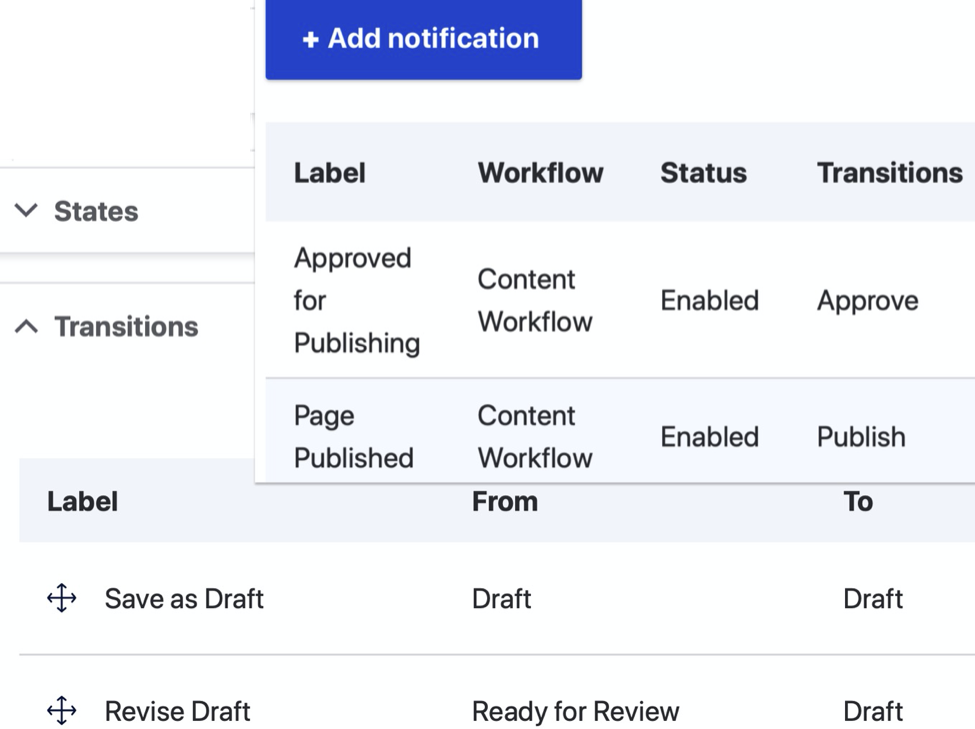
The notification emails may include tokens relative to the content entity being transitioned from moderation state to state. If our entity is intended to be viewed as an independent page, with a URL, then we can include a link to “/node/XXX/latest” and “please review here” in our notification email to our stakeholder.
If the content being moderated is a shared content type, designed to be embedded and viewed in a different page, we would use a different token: we use business logic and entity query results (inspired in part by contrib module Entity Usage) to discover and render links to every URL on which this shared content is found. This shared content may be media entities, custom block content, and even node content in a View.
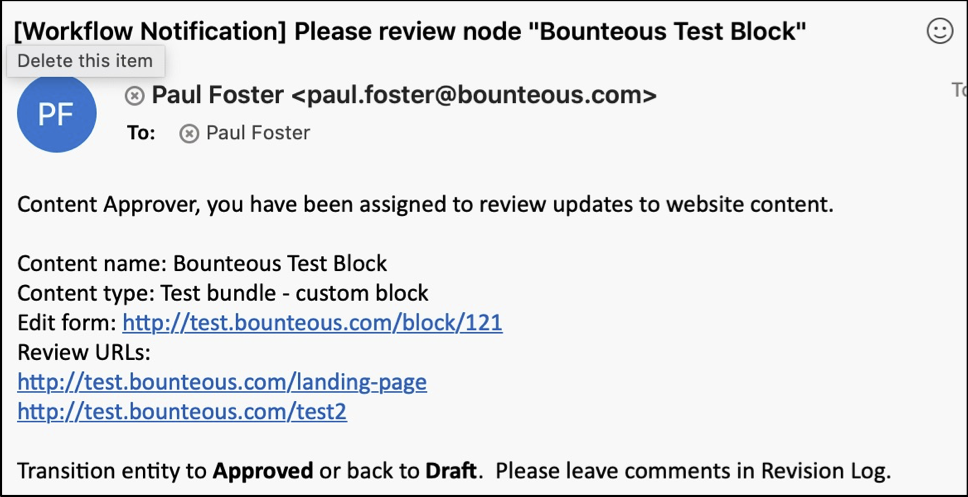
The stakeholder visits and reviews the updated content in situ—the context in which the end user will experience the content. To ensure that end users do not see these updates until approved and published, we use revision-handling techniques in our render cycle that, thanks to some newly merged work in Drupal 10, are now more standardized.
D10 Enhancements
An entity, with apologies to Gertrude Stein, is an entity is an entity, yes? Entity API allows us to treat custom blocks, media, and taxonomies as if they were nodes – fieldable, translatable, and revisionable. True, but the methods for handling revisions developed at different rates, and are not uniform from type to type. A patchwork of patches and contrib modules (Media Revisions UI, Block Content Revision UI) had sprung up to handle gaps and inconsistencies.
The road from patch to merge for a standardized revision UI was long and twisty and included assists, encouragement, and reviews from some of Bounteous’ own. The machine name of the revision message text field in media entities is revision_log_message, while it is revision_log for nodes and blocks. But today, developers creating their own specific workflow solutions will have a consistent set of methods they can use to get and compare revision ids. Less time on patches and workarounds means more time focusing on their specific challenges.
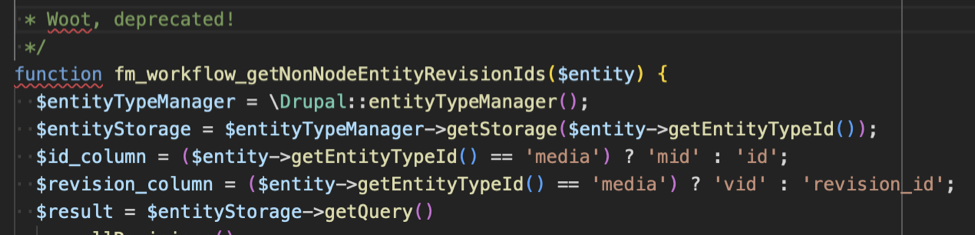
Media
Suppose we have a media entity with a URL alias of “/download-this-month-data” and a file named “/doc/month_01.xls” in a field. A content editor will create a new draft revision, upload a file named “/doc/month_02.xls” into the field, and save this revision as “Ready for Review.” Our stakeholder is sent a notification and asked to review this change on the homepage where we have a “Call To Action” linking to “/download-this-month-data”.
How can we ensure that, when clicking the link, our stakeholder user downloads “month_02.xls” for review, while our customers, our anonymous users, continue to receive “month_01.xls” until the update is published?
We created a RouteSubscriber that would send ‘entity.media.canonical’ type requests to a custom controller. Our controller checks for revisions and permissions.
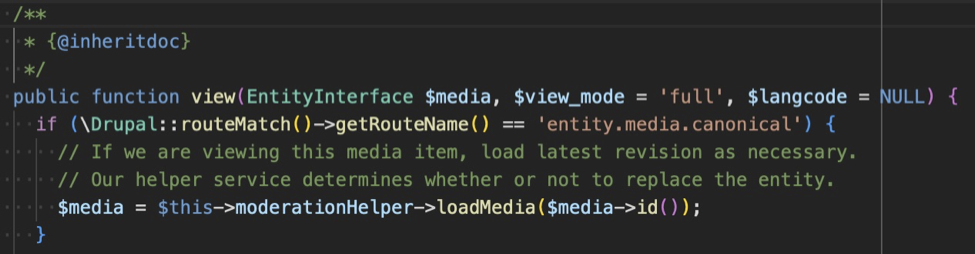
If there is a revision more recent than the default revision and if the user has appropriate permissions, then we load that specific revision. The controller writes a new DocumentResponse directly to the file attached to that revision, including appropriate caching and headers. This nifty work was inspired by Media Alias Display.
Blocks
Suppose a custom block of content has a new draft revision with updated text. For any user visiting a page with that block, the default revision will (by default) be rendered. How do we render that latest revision for an authenticated user? With an old-school hook_alter().
We’re interested in user-generated content blocks as opposed to non-moderated, system-generated menu- or webform- blocks, so we implement hook_block_view_BLOCK_BASE_ID_alter() with BLOCK_BASE_ID = “custom_block”. Again, we check for revisions and permissions.
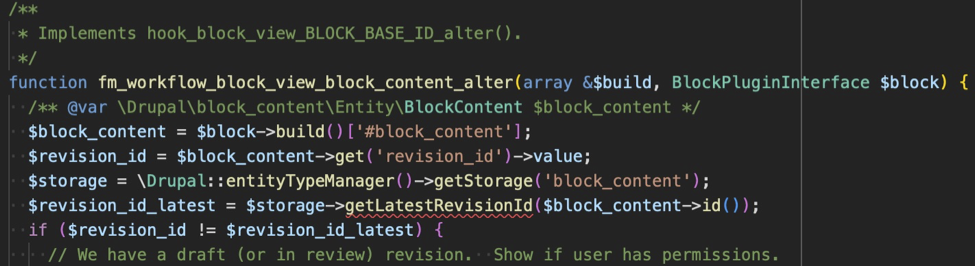
If we need to override the default block render with the latest revision, we add a pre_render callback to the block render array. The callback function loads the latest block revision, renders the block and overwrites the render array’s content key with the new markup.
Views
Suppose we have a node type that does not have an individual detail view, it is only ever rendered as a listing in a view. When we create a revision for review, we do not want to send the stakeholder to “/node/N/latest”, we want them to review the updates on the view page.

We ensure all the appropriate views were built using Content revisions in the Views UI. The sets node_revision as the base table and builds in all the necessary table JOINs. We implement a custom filter plugin that adds a where clause to the query() method, depending on user’s permissions.
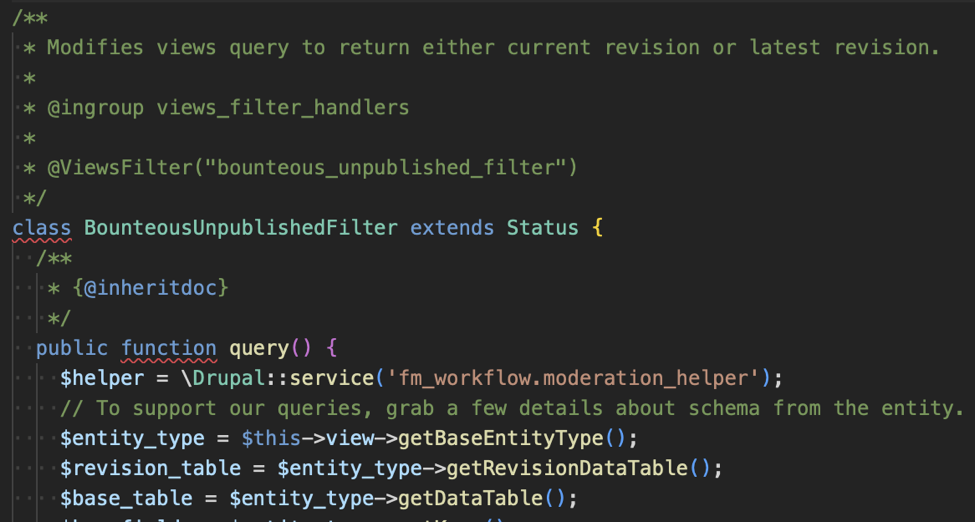
When configured to return revisions, Views UI only allows you to Show: Fields under Formatting. Fortunately, you do still have the option under Fields to render the entire entity using a view mode. Note that this requires a patch which only a PHP unit test away from the finish line. Finally, we add an unpublished_flag class to the row container field in hook_preprocess_views_view_fields() if the row’s entity is not the default revision.
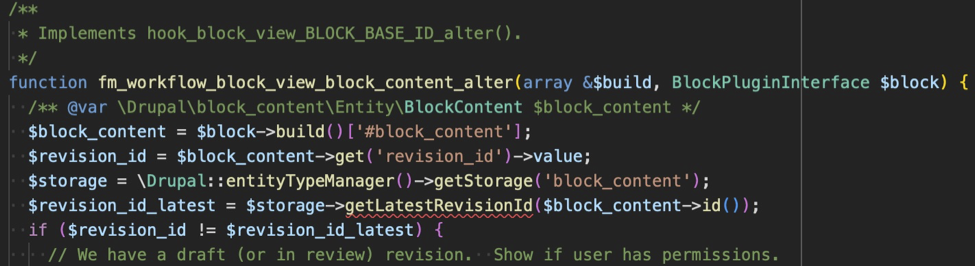
The fun is multiplied when considering entities which themselves reference other entities. For instance, a block of content is placed on a page in a paragraph entity with a Block Field instance. That block_content entity itself references another page node or media entity. Data from that second node or media entity is what we ultimately render on the page as a tile, but we flag that tile (to authenticated users) as unpublished if either the custom block entity OR the referenced entity are unpublished.
Front End Rendering
When we render these entities with unpublished flags, we add a CSS class that signifies to our stakeholder the block or view listing is showing updated or unpublished information. This can be in the form of a colored border or background or overlay.
Another class can implement a floating overlay that offers links to directly update the moderation status of the entity, leveraging implementation of contrib module Content Moderation Link. We recommend enhancing the user experience by inserting modal forms into the process, giving the stakeholder the opportunity to add custom messaging in the Revision Log field, and offering a conditional confirmation page, reiterating that publishing a change to this shared entity will affect pages X, Y, and Z.
Bounteous created custom solutions for most of this work, but we note several interesting modules in the community that are following similar paths, such as Moderation Note, and Content Moderation Info Block.
There are so many content types with so many points of entry to create solutions. Because of this, the continued standardization of an entity-agnostic set of tools for revision handling is a welcome enhancement. When creating a robust workflow process for your site-builders, remember to treat stakeholder users as the distinct population they are. Address their specific needs and empower them to keep site content correct, timely and safe.
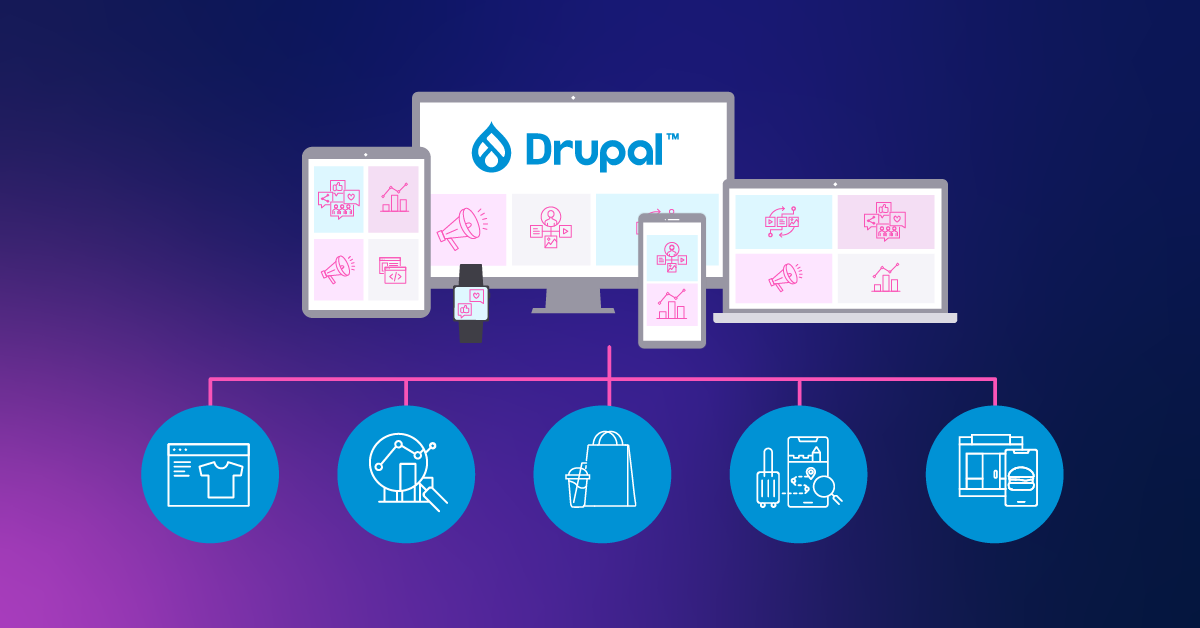
Businesses need to react quickly to changes and the wants and needs of their customers. While this has always been true, it has become increasingly evident since the COVID-19 pandemic hit and the disruption to businesses was massive. Overnight, brick-and-mortar businesses were forced to build or expand their digital footprint. The companies that had built their digital infrastructure with modular and open platforms had a huge advantage over their competitors.
One of the latest trends in the digital experience space is composable architecture. Using a composable architecture provides organizations with the ability to add new channels and add or replace digital capabilities quickly. The speed, agility, and flexibility that composable architectures provide better prepare organizations to adapt to changing technological and consumer trends.
What is Composable Architecture?
A composable architecture is one that uses a modular approach that effectively separates the digital experience channels (e.g. website, mobile app, digital signage) from the back end platforms (e.g. Commerce, CMS, Search). Two of the key principles of composable architectures are: composable architectures are front-end agnostic and composable architectures are back-end agnostic. Being front-end agnostic allows a composable architecture to be omni-channel. Being back-end agnostic allows a composable architecture to be omni-capable. These two principles are the key to the flexibility provided by a composable architecture.
To achieve those two principles, an orchestration layer is used to separate the front-ends from the back-ends. The orchestration layer is responsible for integrating with the back-end systems, applying business logic and processes, and providing an interface to provide the data and content to the front-end applications. To satisfy those responsibilities, the orchestration layer is built using packaged business capabilities (PBCs). PBCs allow the data and content to be retrieved from the back-end systems, processed, and returned to the front-end applications in an organized way. There is no one way to build and organize the PBCs, which provides additional flexibility.
Using a composable architecture results in a system that is flexible and agile. Adding a new channel, platform, or PBC can be done with a faster time to market. The back end developers can focus on exposing more functionality and platforms. The front end developers can focus on composing solutions to best meet the end users’ needs. The architecture is able to adapt to the ever-changing business needs. In essence, composable is headless at scale.
Composability Within Drupal
You may be wondering, if composable is the future, how does Drupal fit in? Drupal has been around for a long time, and during that time, it has continued to evolve. In many ways, as Dries Buytaert points out, Drupal has evolved to be a composable digital experience platform on its own. The goal has always been to allow developers to build flexible systems with a modular approach to allow their organizations to quickly adapt to their customers’ needs.
Drupal was an early adopter of the headless movement. Modules to expose the content via REST APIs using JSON and GraphQL have been available since Drupal 7 and many of these modules are now incorporated into Drupal core. Indeed, there are many recipes and starter kits that make building a headless Drupal site easier.
Being modular is a key attribute of a composable architecture. The ability to build solutions from reusable components provides agility and speed in building a new experience. The Drupal platform is modular. Drupal core comes with a variety of modules used to build most Drupal sites. In addition, the Drupal community has built thousands of modules that extend Drupal core allowing developers to extend the functionality even further. Developments like Project Browser are making it easier to find and use these modules.
One of the key benefits of a composable architecture is the ability to seamlessly integrate different back-end systems to create a best-of-breed solution. To deliver the customer experience that is demanded by their customers, organizations need to bring together data and functionality from a variety of platforms. Third-party integration modules are one of the key areas covered by the extensive pool of Drupal community contrib modules. With these modules, Drupal developers can build a composed solution within the Drupal platform that brings together data and functionality from a variety of platforms.
Part of the promise of a composable architecture is the ability to quickly bring together an experience. Having a low-code/no-code tool available can really speed up the process and this is where the Drupal platform shines. Layout Builder is a Drupal core module that gives editors the ability to build pages using drag-and-drop capabilities with prebuilt components built by the developers. Products like Site Studio from Acquia take low-code/no-code building to the next level. The business is free to innovate at the speed it needs to innovate.
In many ways, Drupal provides a composable solution. Drupal provides out-of-the-box support for a headless website. It’s built with a modular approach, is open and makes it easy to bring together many systems, and provides low-code/no-code builders that make it simple to compose solutions. And while Drupal can provide many of the benefits of a composable solution, it does not quite reach the full potential of a truly composable solution.
Composability With Drupal
A truly composable architecture is a modular solution where the front end and back end are completely separated by an orchestration layer. A composable architecture is more flexible, scalable, and efficient than a monolithic architecture. This results in huge benefits to the organization. As there is a need to add an additional channel to the digital experience, the builders have the flexibility to build it exactly as needed by leveraging the already built components. And, as the organization’s needs change, those components can be updated in one spot to efficiently distribute those changes. As the need to scale arises, the back end systems can be swapped out and scaled up without disrupting the digital experience channels.
Drupal has a long history of being used as a headless CMS. For the better part of the past decade, Drupal has been used to power some of the most innovative and powerful headless experiences. Beginning in Drupal 8, Drupal core provided REST and JSON:API support giving developers the option of using Drupal in a coupled or headless manner. In addition, Drupal provides GraphQL support by installing a community contrib module.
Drupal really excels as a CMS when it comes to complex authoring workflows and complex content modeling. Drupal has a mature feature set that makes building workflows and complicated data models easy. There is great flexibility and power to be leveraged with Drupal.
By using Drupal’s headless capabilities, Drupal can be a key part of a composable solution. Content administrators are comfortable using Drupal and developers can harness the power of Drupal. In a composable architecture, Drupal’s many features can be used while also using other platforms for their strengths. The best-of-breed model leverages the best of all worlds.
Composable architectures are a powerful approach to building headless at scale, and Drupal is a powerful tool that embraces many concepts of a composable architecture when used by itself. But Drupal is not limited to that. As organizations look to unlock the value of all their systems, Drupal can be a key component of a composable architecture.
Check out this blog to learn more about how composable is powering transformative digital experiences.
Every iteration of Drupal brings a multitude of security improvements, accessibility improvements, and a host of new features created by the Drupal community. Drupal 10, released in December 2022, brings impressive UI improvements that give a beautiful refresh to the admin interface and default theme.
Since the launch of Drupal 8 in August 2015, Drupal has continued to evolve and add new features that keep it in lock-step with modern development practices. One of the biggest changes that took root in Drupal 8 is the integration of Composer, a PHP-based dependency manager. Composer is a powerful tool that can be used to install modules, upgrade Drupal, and even check compatibility between modules and dependencies used across your project. Understanding how to leverage Composer to upgrade your Drupal codebase is an absolute necessity. Fortunately, Composer is easy to master.
In this article, we will give a brief overview of how Composer tracks your project’s dependencies in composer.json and composer.lock. We will then discuss leveraging Composer and community-built tools to ensure compatibility between your code and the latest updates. Finally, we will cover using Composer commands to upgrade Drupal and address conflicts.
If you are running an older version of Drupal such as Drupal 7, check out this article for tips on upgrading your website from Drupal 7 to Drupal 8+.
Key Composer Principles
Composer is a PHP-based dependency manager that is used to track and download things like Drupal modules, Symphony libraries, and even Drupal core itself. Composer uses semantic versioning to communicate compatibility between different package versions. A change in the major version (such as from Drupal 9.x to 10.x) means that there are potential incompatibilities that developers may need to address when upgrading a project.
Composer uses a composer.json file to track our project’s explicit dependencies as semantic version ranges. For example, your project may require drupal/core:>=9.4 which tells Composer to install Drupal core version 9.4 or greater. Each one of the modules and themes used by your project will have a corresponding line in composer.json.
Each one of our project’s dependencies will have its own dependencies. For example, the Drupal Commerce module requires the Address module as well as a non-Drupal PHP library used for currency formatting. When we download the commerce module, Composer will also download the Address module and Currency formatting library.
As Composer resolves each of these dependencies recursively, it builds a full list of 3rd party dependencies used across your project (including dependencies of dependencies). The fully resolved dependency tree is then stored in the composer.lock file. This file contains the metadata of each dependency, including the location the package is downloaded from, any PSR-4 autoloading information, and a hash that references the exact version of a dependency. When other developers and CI pipelines run the composer install command, Composer reviews the composer.lock file and downloads all of the listed dependencies to your project.
Assessing Upgrade Compatibility
Incompatibilities can take a few different forms. In the case of Drupal 10, there were 8 modules, and a theme removed from core (some were moved to the contrib space, others deleted). We also see various deprecated functions removed from the core completely. If your project relied on any of these you will need to take action to resolve the incompatibilities.
The Drupal community maintains a module called “Upgrade Status” which can be used to give you a full picture of your upgrade path. This module gives you a series of tools that can be used to scan a Drupal installation for deprecated module usage. It also scans your codebase for calls to deprecated functions, or incompatibilities in info.yml and composer.json files.
# Install the latest dev version of Upgrade Status
composer require drupal/upgrade_status:4.x-dev --dev
One of the most powerful tools that comes with Upgrade Status is called “Drupal Check”. Drupal Check uses static analysis with PHPStan under the hood to find calls to deprecated functions. Drupal-check is a great tool to help find errors in code in a performant manner, and is the type of tool you should have built into your CI pipeline. I would be remiss if I didn’t call out Acquia BLT, which has Drupal Check built in!
Upgrade Status has a dependency on Drupal Check. This means Composer will automatically install Drupal Check alongside Upgrade Status during the composer require command. We can also explicitly require just Drupal Check via a similar composer require command.
# Require Drupal Check explicitly
composer require mglaman/drupal-check
# Run drupal-check
php vendor/bin/drupal-check
Running Drupal Check will output a list of potential code issues for you to check and resolve before performing the upgrade. Any calls to deprecated code can be resolved using Drupal’s change records. Drupal’s codebase will also usually emit PHP notices containing details on how to resolve the deprecation moving forward.
PHP Version Upgrades
Drupal 10 requires a minimum of PHP 8.1, which is a far cry from the minimum of 7.4 required for Drupal 9. PHP 8 brings impressive optimizations and changes to language constructs. Composer allows us to specify PHP version as a project dependency in the same way we require other dependencies. This forces Composer to check whether our packages are compatible with PHP 8.
composer require php:"^8.1" --no-updateWe are also able to require a specific version of PHP to be running on the host machine. This will give developers a heads-up if the PHP version running on their system hasn’t been upgraded to the appropriate version.
composer config platform.php 8.1Most PHP 7.4 code is compatible with 8.x, but it is always a good idea to review backwards compatibility via change notices and the tools outlined above.
Upgrading Drupal Core With Composer
Finally, it's time to upgrade Drupal! Using Composer, we can explicitly require Drupal 10 using the composer require command. This will update our composer.json and add Drupal 10 as an explicit dependency. We also pass the --no-update flag to prevent the full dependency resolution process from running. This gives us a good spot to “save our work” before we embark on the upgrade process.
composer require drupal/core:"^10.0" --no-update This require command tells Composer that the minimum acceptable version of Drupal core is 10.0. The package to place an explicit version requirement on will vary from project to project. If your project was set up using the instructions on Drupal.org, this version requirement would go on the drupal/core-recommended package. You can find the package to place the version constraint on by inspecting your composer.json file.
composer require drupal/core-recommended:"^10.0" --no-update Finally, we can upgrade all of our dependencies by running the command:
composer updateThis command takes the information in our composer.json file and attempts to resolve the dependency tree. As it does this, it will analyze all your project’s dependencies, including PHP version, and determine if there is a way to satisfy all of your dependencies. This process usually isn’t straightforward, and you may end up with conflicts. This is ok! In fact, this means Composer is doing its job properly in spotting conflicts.
The conflict output will be something like the following:
- Root composer.json requires drupal/devel ^4.0 -> satisfiable by drupal/devel[4.0.0-rc1, ..., 4.x-dev].
- drupal/core-recommended[10.0.0-alpha4, ..., 10.0.0-alpha5] require symfony/var-dumper v6.0.8 -> satisfiable by symfony/var-dumper[v6.0.8].
- Conclusion: don't install symfony/var-dumper v6.0.8 (conflict analysis result)
In this case, Composer is telling us devel is causing a conflict with Drupal core on one of their mutual dependencies - symfony/var-dumper. After visiting the Devel module page we can see there is a newer version of devel that is compatible with Drupal 10. We can require the new version of this module, then re-run the update process.
composer require drupal/devel:^5.0 --no-update
composer update
This resolves the version incompatibility for the devel module, and we would continue on to resolve other conflicts posed in the update process. Resolving these conflicts may require a few different approaches. Sometimes it requires using the dev version of a module, other times it might require submitting your own patch to Drupal.org. The Upgrade Status module does a lot of this legwork for us, but understanding and resolving Composer conflicts is an important skill in modern Drupal development.
From here the process is rinse and repeat - run Composer update, analyze conflicts, and resolve with the appropriate approach.
Historically, upgrading between Drupal versions has been fraught with challenges that require extensive development and testing. Since the introduction of Composer and community tools like Upgrade Status and Drupal Check, upgrading has become near trivial. With a little bit of configuration and know-how, Composer can be used to upgrade everything from PHP versions and contrib modules, to Drupal core itself,all while finding incompatibilities and potential issues.
Understanding and using Composer appropriately is the key to successful upgrades and maintenance of modern Drupal projects.
In a modern DevOps world, a large part of the deployment pipeline is automated across multiple tools. Most DevOps pipelines validate, test, build, and deploy code, all automatically. It can be tempting to trust the system to just handle these steps. When something goes wrong, how long does it take you to find out? Does your QA team often wonder why a ticket that is marked for them to test doesn’t seem to actually be available? This is where ChatOps comes in. ChatOps turns your chat messenger into a communication hub for the team and the automated DevOps pipeline. Acquia’s Build & Launch Tool comes with Slack messaging built in. This guide will walk you through a basic ChatOps set up with BLT and Slack.
Getting Slack Ready
To use Slack as your hub for automated messaging, you’ll need a channel that can receive messages via a webhook. There are two schools of thought: some prefer using a separate channel, dedicated to devops messaging; other teams prefer having the devops messages right in with the rest of the team chat. Which is right for your team is largely a matter of preference.
Teams that prefer to have devops messaging in a separate channel usually do so because devops messaging can get repetitive and clutter the general chat with messages, obscuring real discussion between developers. Placing devops messages in their own, dedicated channel allows team members to set appropriate levels of notifications without interfering with the team's normal discussions.
On the other hand, some teams prefer to have devops right in the middle of everything. It’s important to know when things are happening in the repository and when deployments are under way. Having devops messages appear in the main team chat forces everyone to be aware of what’s happening in case.
Regardless of your decision, you’ll need to setup a webhook to receive messages. Slack makes this very easy.
- Create a new Slack app or open the settings for an existing one.
- Select the Incoming Webhooks in the left navigation and click Activate Incoming Webhooks if it is not already enabled.
- Click Add New Webhook to Workspace. Pick the channel you want to send devops messages to and click Authorize.
- You’ll receive a unique webhook URL; hold on to this for later.
Connecting Slack to Acquia BLT
BLT is a wonderful way to automate a large part of your Drupal maintenance on Acquia. It is easy to configure via YAML files and has a large number of built-in scripts that require little to no setup and provide great benefit. Even better, Acquia BLT has a Slack connection built-in, you just have to provide your webhook URL in the configuration file!
Adding Slack communication to your BLT operations is as simple as editing the blt.yml file. Just add this configuration to your blt.yml and push the code to Acquia. Make sure you use your unique webhook URL from the previous section.
slack:
  webhook-url: “https://my.slack.webhook.url/########”
Once this configuration is deployed to Acquia you should start seeing messages in your Slack channel like the message below.

Bonus: Connecting Your Code Repository
Acquia BLT provides chatops for an important part of your devops pipeline. It helps cover that “last mile” where code is actually deployed to Acquia. What about the rest of your pipeline? Chatops can bring in the rest of your code operations as well, truly making Slack the hub for your team's devops pipeline.
Git is the most commonly used version control system and most of the major Git remote providers already have Slack apps. This list includes Bitbucket, GitHub, and GitLab. Connecting each of these apps is generally very simple!
Bitbucket
Bitbucket makes this wonderfully simple. First, install the Bitbucket Cloud Slack app. With the app installed, you can subscribe any channel to any repository with a simple slash command.
/bitbucket connect
This will connect the channel to your repository and open a browser tab where you can select the relevant events in Bitbucket. By default nearly everything is selected, providing a robust view of your repository activity.
GitHub
GitHub also provides a helpful Slack app. Installing the GitHub for Slack app will provide a slash command, subscribing the channel to repository activity.
/github subscribe [repository name]
The GitHub for Slack app will post in the subscribed Slack channel with any repository activity. This will keep your development team aware of any changes or actions required.
GitLab
GitLab doesn’t provide an app integration for notifications but it can use the webhook you generated earlier! To set up the Slack notifications service, follow these steps:
- Go to your project settings and select Integrations.
- Select Slack notifications.
- Select the Active checkbox in the Enable integration section.
- Select the triggers you would like notifications for.
- Enter the webhook URL you created earlier.
- Select Save Changes.
GitLab should now send notifications to the same channel that Acquia BLT notifies!
That’s How It’s Done!
Setting up ChatOps with Acquia BLT is that easy. This messaging will appear for database copies and backups, deployments, and code switches. If you also connected your code repository, you should have a complete picture of your code and deployment activity. Now your team will have a consistently up-to-date awareness of your Acquia application status!
Acquia has been very busy developing new features for Site Studio over the past year, making it an even more compelling answer to Drupal core's Layout Builder functionality. With Site Studio, you get everything you need for site building, whether it’s an atomic design based component library, or more traditional, locked down page structures; Site Studio offers it all. While Layout Builder was a massive addition to Drupal earlier in the version 8.x lifecycle, it hasn’t kept up with the way users look to construct pages. Its setup and user interface is clunky at best and requires a lot of extra additions through other Drupal elements, such as custom block types, paragraph fields, etc. in order to truly be useful to content editors and marketing managers.
The drag-and-drop, low-code solution has been receiving regular updates every few months. The biggest of these changes is the ability to create custom components in code. We’ll discuss that major change as well as some other highlights from Site Studio 6.9. Additionally, we’ll also catch you up on some other new updates from other previous releases that you may have missed. Let's take a look at a few of these enhancements!
Custom Components for Acquia Site Studio 6.9
This feature, released recently in version 6.9 of Site Studio, provides developers the ability to define custom components entirely in code. Prior to this, a developer would need to use the Site Studio backend to drag and drop elements into a layout canvas, and from there configure all the various elements (by adding CSS styles, HTML attributes, etc.) using the Site Studio UI. While this process often works well when building simple components, it can quickly become cumbersome and limiting for more complex components.
With this new update, developers can build custom components entirely in code and the process is simple. You first create a directory in your theme or module where you will store your component. In that directory you create a .yml file which defines what assets need to be included with your component (ie, your CSS and JS), and then you specify what kind of template will be used to render your component. You can choose from rendering via a standard HTML template, a TWIG template, or a JavaScript template. Optionally, but probably recommended, you can add a form.json file to define what the edit form for the component should look like (more on that in just a bit). So your custom component file structure may look something like the following:
/path/to/my-theme/
/custom-components
/card
card.custom_component.yml
form.json
card.html
card.js
card.css
This new functionality is a game changer for developers who feel bogged down by having to work within the Site Studio UI, or who feel they are not able to take advantage of Site Studio to build richer, more complex components. With this new approach, it is now trivial. Check out this example of how to build a React-powered component! In a custom component, the necessary React code can simply be attached as a dependency in the component's definition, just as you would with a React-powered custom block.
Beyond the process of building a component, another advantage to this approach is that component definition is taken out of Drupal config. Exporting Site Studio components to config (as an enormous JSON file) has always been troublesome, if only because code review of the config is nearly impossible (but for other reasons as well). Now, pull requests will include links to markup, JS and CSS that can be reviewed easily and coherently. Furthermore, collaboration between developers on a single component is now possible without exporting and importing config. This really does elevate the experience considerably for developers.
Finally, this opens up the development process to those who are not familiar with Drupal (or maybe even those who do not have access to Drupal). All development can happen outside of the CMS, with the exception of building the form that will be used by content authors. For that process, Acquia has provided a Custom Component Builder where a developer can use the layout canvas to design an authoring form for their component. Once built, the JSON for the form can be exported and added to the component directory. This may be the most cumbersome part of what is otherwise a very slick and exciting new way to build components in Site Studio.
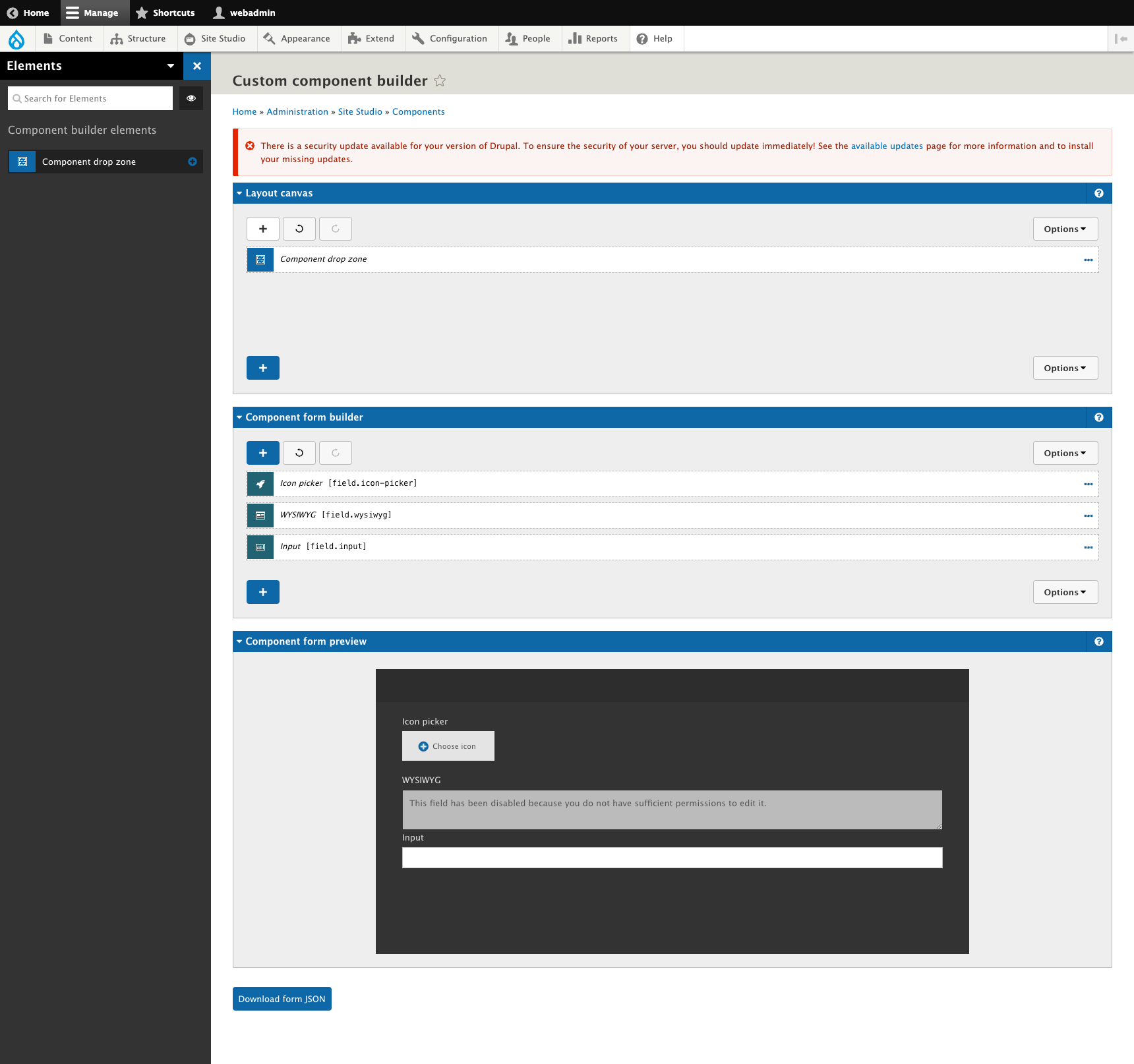
Custom Elements Can Be Containers
Site Studio allows users to create custom layout canvas elements, which is nothing new. Now, we can make custom elements behave as layout containers, meaning users can place nested elements side of a custom element, further making it a powerful feature for builds that require some custom code additions.
Accessibility Improvements
Site Studio comes with a handful of interactive components that can be used out of the box to create things such as sliders, accordions, and even drop down menus. These components include all the JavaScript necessary to power the component. However, in the past we have found that some of these components lack certain accessibility features, and as a result we end up rolling our own custom components and including our own JavaScript plugin (or writing our own JavaScript, if necessary).
Release 6.6.0 included a number of substantial updates to the built-in slider component, addressing a number of accessibility issues. The updates are based on the excellent work by Accessible360 on their Slick slider replacement.
A couple of the more notable improvements include:
- Users can define an `aria-label` for the Slider container, providing a place to include descriptive text for screen reader users.
- Instructions can be provided for screen reader users on the Slider container. This can be very helpful as it provides a way for screen reader users to learn how to navigate the slider.
These two properties are not visible by default, so when adding a new slider, you will need to edit the slider container and then click Properties -> Accessibility, and then check the Accessibility checkbox:
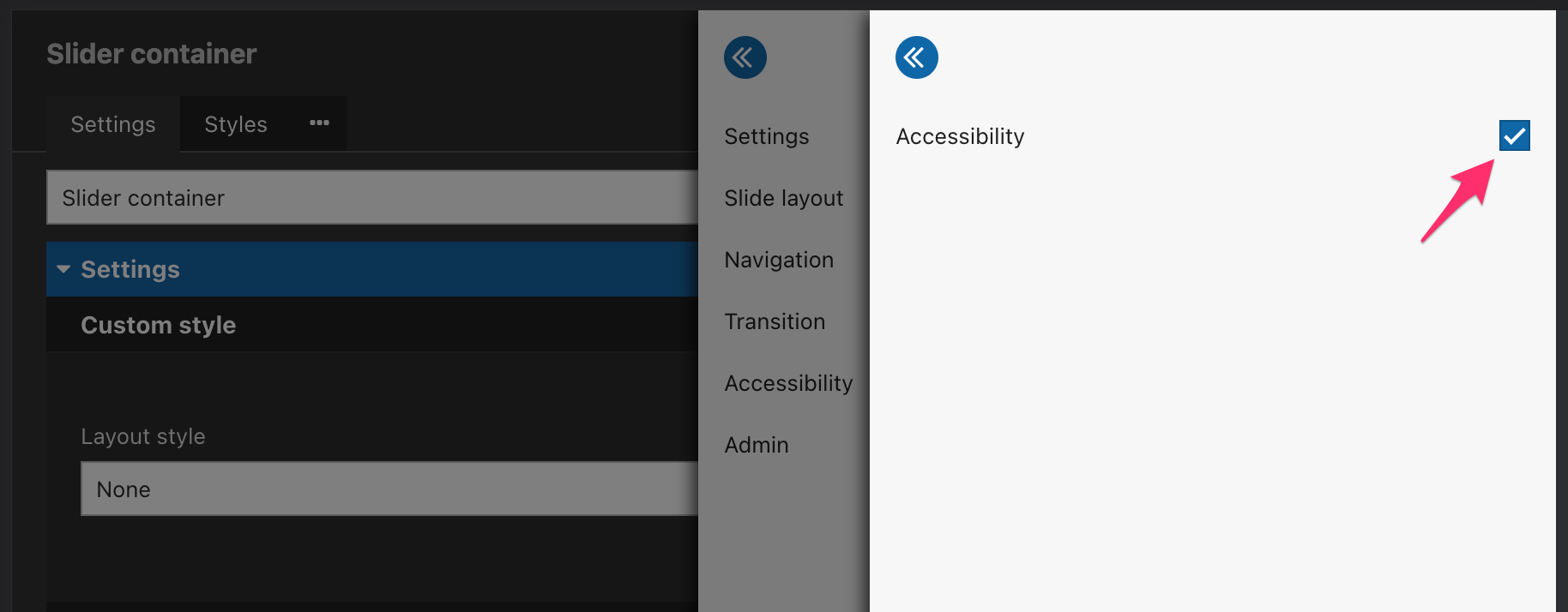
You will then see an accordion item in the slider container's edit form with fields for "ARIA Label" and "Screen reader instructions:"
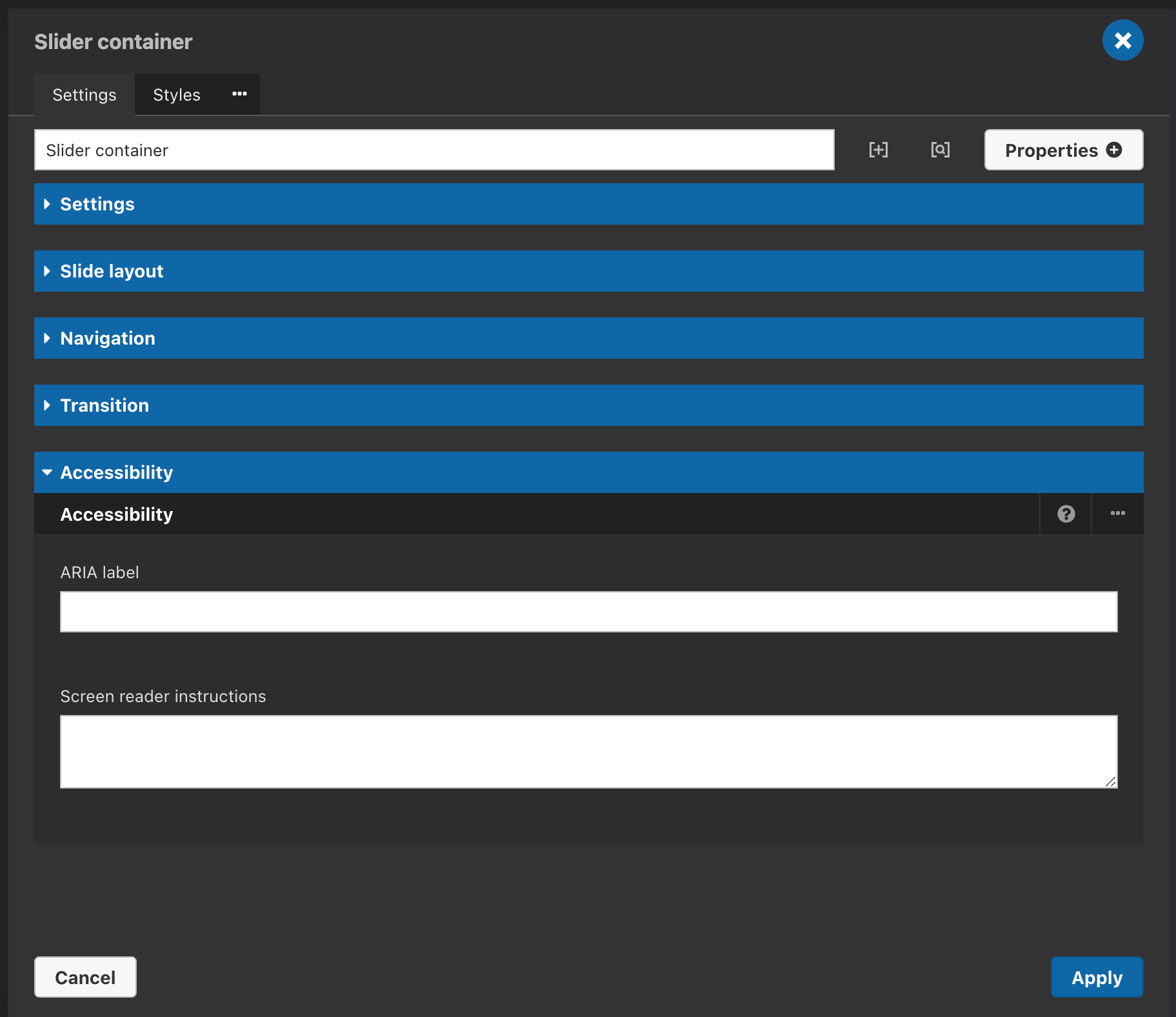
With these changes, site builders can feel confident that adding an out-of-the-box slider will be both functional and accessible, without having to get their hands dirty writing any JavaScript.
Copy Token Button
The layout canvas now includes a button to allow users to copy token values. This sounds like a tiny update, but this is a huge improvement in the user experience for site builders. Previously, you would have to manually type in the name of a token, an operation obviously prone to error.
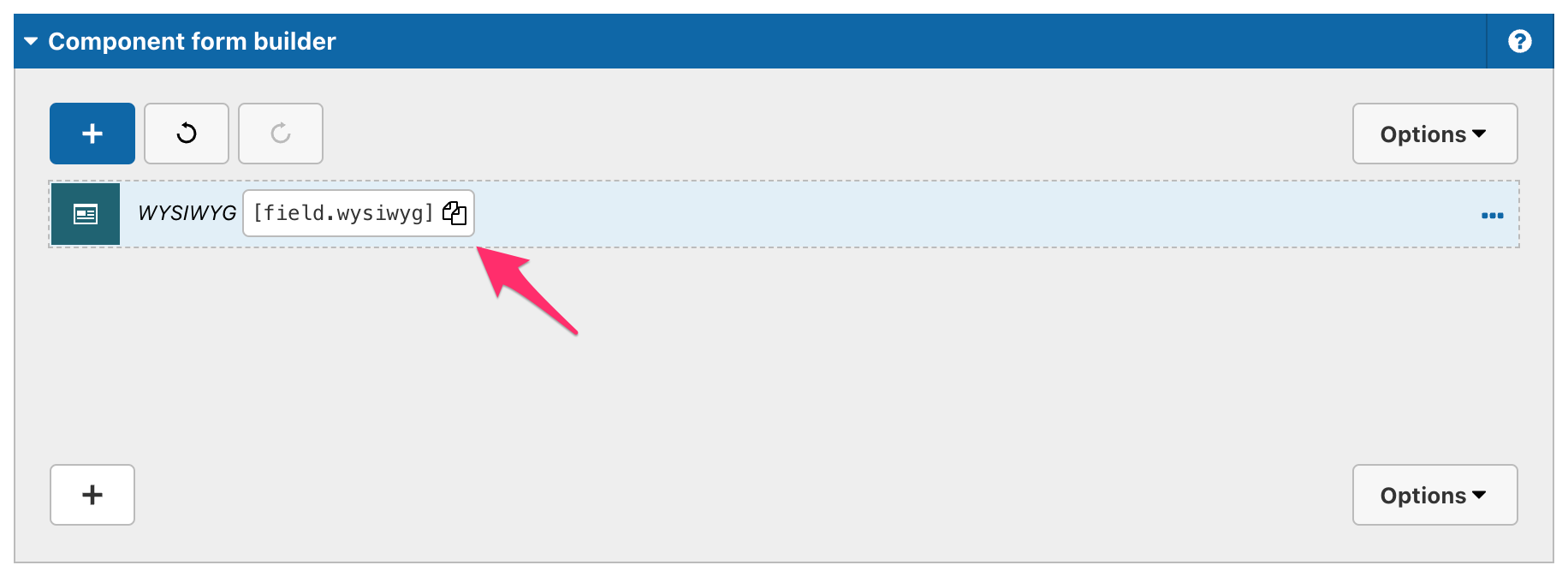
Undo / Redo Layout Canvas Buttons
Another new feature added to recently is the ability to undo / redo changes in the layout canvas. This feature adds two buttons to the top of a layout canvas allowing you to go back and go forward with your changes. This is another minor change that goes a long way to improving the component building experience. Like with any undo/redo feature, there is a risk of manually deleting data by using the buttons inadvertently.
New UI Kits
Though not strictly a new feature in Site Studio, Acquia is now offering two new UIKits for Site Studio users. Think of these UIKits as Bootstrap for Site Studio. They offer site builders a way to quickly populate a site with pre-built and styled components for things like modals, sliders, tabs, etc. These new UIKits also come in two flavors called the Primitives UIKit and the Sections UIKit. Let's take a closer look at these two and see what the difference is!
Primitives UI Kit
The Primitives UIKit is intended to provide maximum flexibility for site builders and designers. This kit comes with a comprehensive set of content components and layout components that can be mixed and matched and combined to create an endless variety of designs. The components are granular and discreet - think cards, videos, testimonials, stats and sliders. When combined with the Visual Page Builder, content authors have a drag-and-drop interface which allows them to build very complex pages, and they are able to do so quickly and efficiently. This kit is best for sites with varied content that would benefit from the flexibility that it provides. Content editors using this kit would likely benefit from some training in how to combine the various components in the most effective way and would be trusted to do so consistently.
Sections UI Kit
If you want to get a site up and running as quickly as possible, and you do not have highly-customized designs, the Sections UIKit will likely be what you are looking for. Rather than providing a collection of discrete components as in the Primitives UIKit, the Sections UIKit instead provides a collection of pre-built "page sections" that can be mixed and matched as needed. Where the Primitives UIKit includes a "map" component and a "text" component, the Sections UIKit includes a "Text and map section" where the discrete components are already combined into one page section. By stacking page sections on top of each other, content authors can very easily build landing pages full of rich content with very little training.
Acquia has made some significant improvements to Site Studio in the last year. Most importantly, the support for Custom Components is going to be a game changer for a lot of developers, and will significantly expand what kind of sites can be developed using this platform. We look forward to using this new functionality and pushing its boundaries.
Growth and Maturity
Site Studio was already a powerful tool in Acquia’s impressive line of products, but it continues to grow and improve. The addition of the custom components feature alone opens up Site Studio to a much larger potential user base. At Bounteous, we will look to dive in further into these new features and look forward to where Acquia takes Site Studio in future.
As with any Drupal updates, it's recommended to fully test these new features and fixes (as applicable) on your site's development environment before deploying to production. You should also have a backup of any code or databases before upgrading. Version 6.9 of Site Studio is not backwards compatible.
For additional information on Site Studio, check out some of our other posts:
As a developer, building a partially or fully headless Drupal site can feel like a daunting task. There are always more questions than answers when getting started. Like with any new site build, determining the build path in the beginning is crucial to ensure your site is scalable. Acquia offers a site starter kit called Acquia CMS, which is a pre-packaged version of Drupal and an enterprise content management system.
To improve headless applications and make API management and site building easier for front-end developers using Acquia CMS, Bounteous collaborated with Acquia to co-develop a Headless Dashboard module for Acquia CMS. This module is currently in beta but will be able to get you up and running via Next.js with a Headless site with relative ease. Let’s take a look!
Acquia CMS Headless Users
In Acquia CMS Headless, there are two general types of users:
Content Managers
Whom the CMS is built for, manage the structured content that gets served to third party consumers such as node.js websites, front-end apps, IoT integration (e.g. smart displays) and native mobile applications.
Developers
Who build those third party consuming applications. They need to use the CMS to:
- Setup consumer identity, permissions and access
- Setup data models for consumption
- Access API documentation based upon the defined data model of the CMS.
These developers are commonly working with javascript/typescript frameworks such as React, Next, Vue and Svelt and do not need to be PHP or Drupal developers (the technology Acquia CMS is built on).
Accessing the Headless Dashboard
The headless dashboard can be found as a drop-down from the Tour menu item in the admin menu navigation.
Headless Dashboard Overview
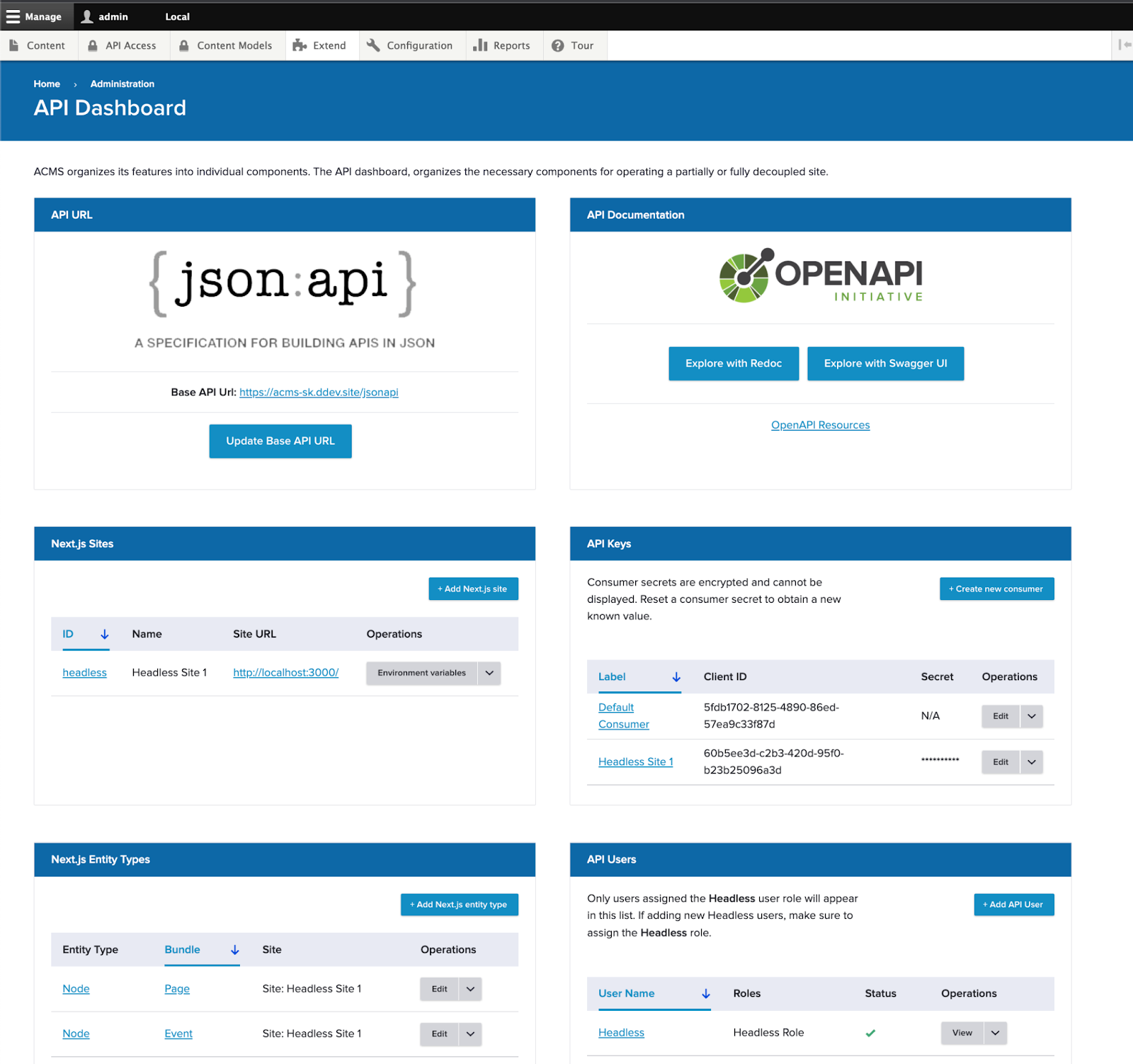
API Endpoint and Documentation
At the top of the dashboard, you’ll see access to the default endpoint: json:api. json:api is a standardized format for communication over APIs. There is wide support for json:api across many languages including drupal-jsonapi-params: A library for building query parameters when connecting with Drupal CMS’s JSON:API.
All of Acquia CMS’s data model can be accessed through the json:api endpoint and you can access the documentation for that endpoint through https://www.openapis.org/: a standard for API documentation. It comes in with two UIs: Redoc and Swagger UI.
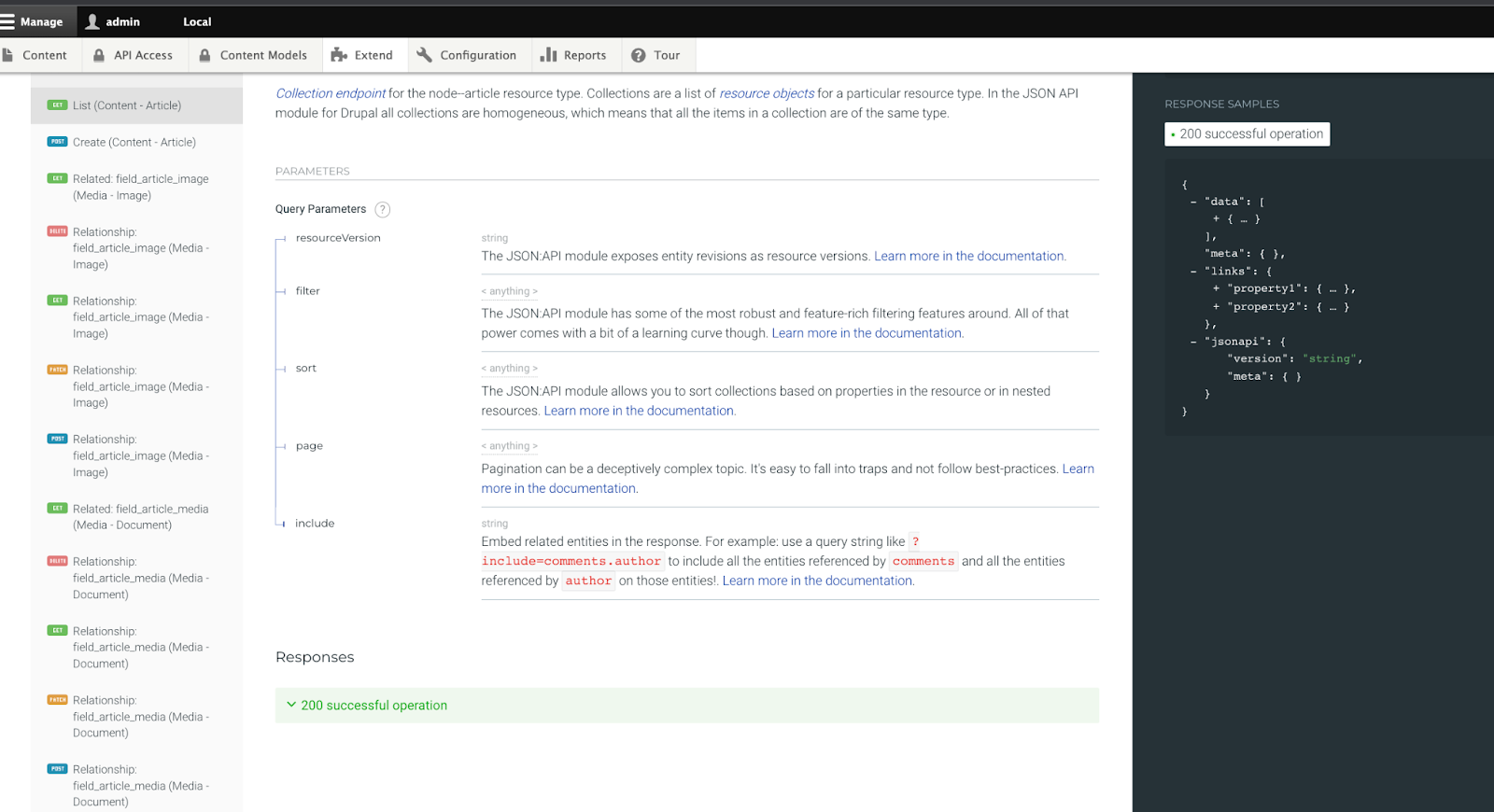
Viewing the article content type from the default content model in Acquia CMS through the Redoc API endpoint documentation inside the CMS.
API Access
With Acquia CMS users and roles, you can customize how consumers authenticate with your API (using API keys) and what parts of the API they can access (using users and roles).
By default, Acquia CMS is setup for OAuth authentication using OAuth consumers. From the API Keys panel in the headless dashboard, you can create new consumers and determine which users and roles a consumer should represent.
Any user assigned the Headless Role, they will also be listed here in the dashboard under API Users. This way it is quick to see all the users that represent your API consuming third party applications.
Next.js sites
Out-of-the-box, Acquia CMS comes ready to integrate with Next.js for Drupal: a library for native integration between Next.js and Drupal over the json:api endpoint. Acquia CMS also has a next.js starter kit here (see tutorial).
Knowing about your Next.js sites helps:
- Know how to route site preview* for a given content type to the right next.js site
- Provide the required environment variables for the next-drupal application.
- Handle content invalidation at the Next.js application when updates occur in the CMS (experimental feature).
If you’re interested in using Next.js, check the Next.js starter kit check box in the Acquia CMS Tour setup. This will precreate the Next.js site, user, roles and configuration ready to integrate with your next.js application.
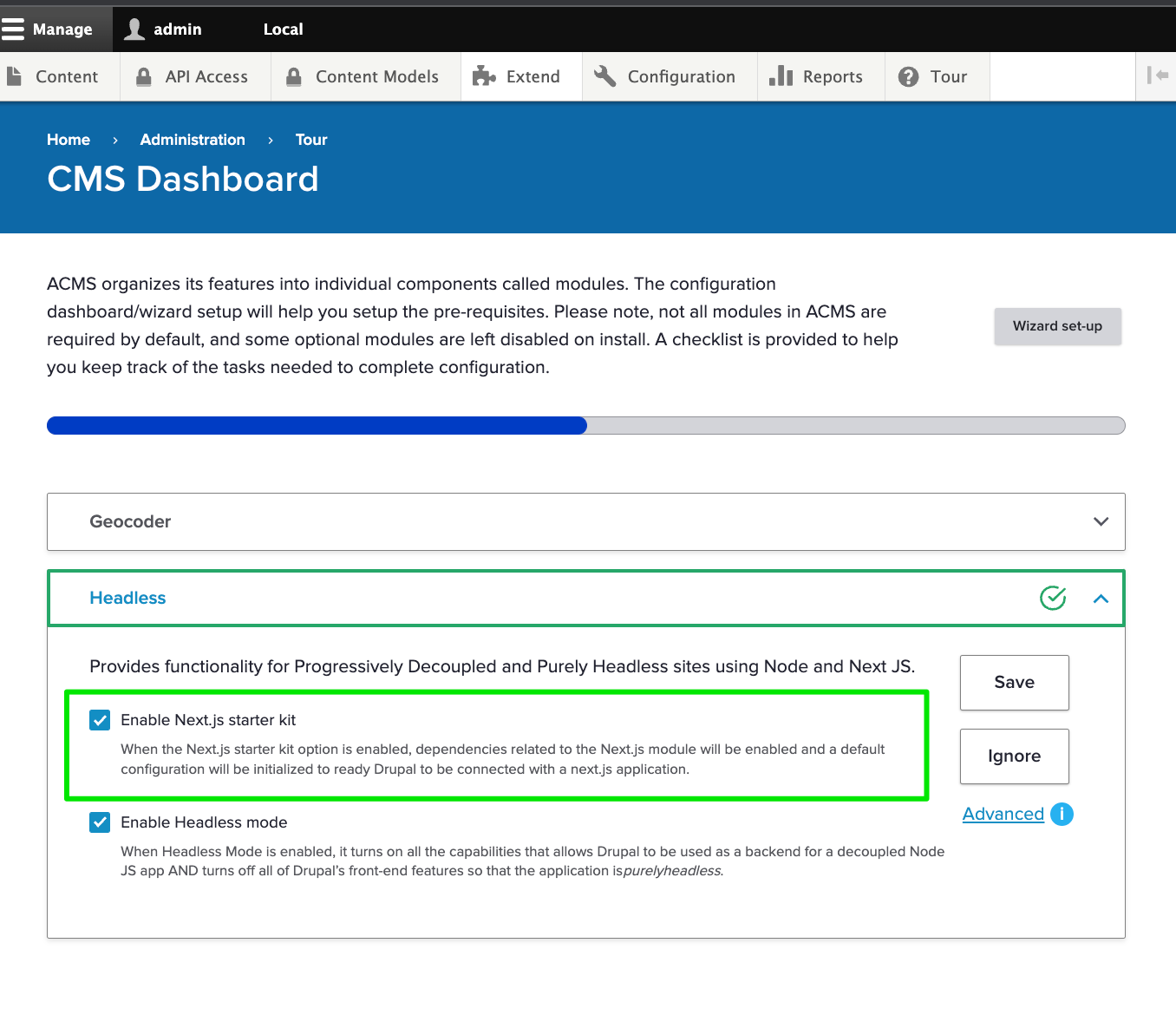
Get Started with Acquia CMS Headless
If you’re a developer building with Acquia’s headless CMS, the headless API dashboard makes working with Acquia CMS easier than ever. Try it out now!
Visit dev.acquia.com for more information.
Building the best Drupal websites starts with the best Drupal tooling. Nearly all modern Drupal websites are built using a “local environment” which gives developers a place to create exciting new features without affecting the production environment.
Getting a local environment configured and using it to perform daily tasks often requires a plethora of custom scripts and tools built by a DevOps guru. Tools like Drush and Lando make this process exponentially easier, but there is often still a need for custom scripts to simplify the lives of developers. The less time a developer spends on maintaining a local, the more time they can spend developing world-class web experiences.
As the Drupal practice at Bounteous has grown, so has our tooling. What was once a hodgepodge of custom, client-specific bash scripts, have evolved into reusable, pluggable tooling that can transfer from project to project - all built on Acquia’s Build and Launch Tool (BLT).
BLT is a Drupal-specific extensible toolset designed to help you build, test, and deploy your code. It provides a vast array of commands to get you up and running quickly, including commands to configure your local, sync databases, or even run post-deployment tasks like config import. The majority of the BLT can be configured via a single YAML file, allowing you to hit the ground running on any sized Drupal project.
Compatibility with Drupal Sites
BLT can be installed via composer (a tool used to manage 3rd party PHP libraries) and it operates in a similar fashion to Drush. When installed, you are provided a new CLI tool at vendor/bin/blt which is used to trigger BLT commands. This CLI tool requires that your system be able to run PHP scripts, which is also needed for Composer and Drush commands. BLT frequently invokes Drush commands to complete its tasks.
BLT comes configured “for Acquia” out of the box, but it doesn’t require an Acquia subscription to be used. At Bounteous, we use BLT for various clients and side projects, including Drupal sites hosted on custom infrastructure or by other Drupal providers like Pantheon. BLT’s flexibility and pluggability make it the perfect tool for any Drupal site hosted on any platform.
However, where BLT really shines is when it is used in conjunction with Acquia hosting. BLT’s default settings.php file comes baked with Drupal hosting best practices - including memcache and config split settings. It will also recognize when the tool is being used on Acquia hosting and automatically include the appropriate settings needed to connect to the platform. This means configuring your Drupal site for Acquia is as simple as configuring BLT!
Acquia BLT Plugins
BLT is built on Robo, a customizable and extensible PHP task runner. New commands can be easily installed via 3rd party packages, or through your own project’s configuration - blt recipes:blt:command:init will configure this for you. We have implemented custom BLT commands for everything from Acquia Cloud Site Factory (ACSF) management to Acquia Cloud IDE configuration.
Acquia and the larger Drupal community maintain a plethora of plugins that extend and enhance the BLT toolset. There are numerous integrations with local environment tools such as Lando, DDEV, and DrupalVM. Acquia also provides a number of plugins that offer better integrations with Acquia products. For example, there is a plugin for ACSF which provides commands to initialize and validate required settings files.
Acquia keeps a list of plugins in their knowledge base which you can find here.
Installation & Configuration of Acquia Build and Launch Tool
Installing BLT is as simple and easy as installing Drupal’s contrib modules. We won’t cover the initial set-up of a new Drupal codebase (drupal.org has helpful guides on this), but assuming you have an existing codebase, BLT can be easily installed via composer.
composer require acquia/blt
During the initial installation of BLT, a YAML configuration file will be generated in your project root at blt/blt.yml. This file contains important metadata about the project and options that drive much of the behavior of the tool. The following is a snippet from the BLT configuration that drives the bounteous.com website. These settings are used in many places throughout the tool, and give us some basic information about the name of the project.
project:
 machine_name: bounteous
 human_name: 'Bounteous.com'
 # Used for enforcing correct git commit msg syntax.
 prefix: BCE
BLT Local Environment Setup
To work on a Drupal website, most developers use a “local environment” such as Lando or DrupalVm. Most of the common local environments in use by the Drupal community have a corresponding BLT plugin that can be leveraged to quickly configure and boot your local. These plugins are optional but are often handy when working on the initial configuration of a process. In the case of Lando, Mike Madison maintains a composer package that will perform the configuration (including adding a lando blt command) for us.
composer require --dev mikemadison13/blt-lando -W
blt recipes:vm:lando
Once your local environment is configured and booted, you can begin the setup of your Drupal site. There are a few different strategies we can take to set up Drupal with BLT. For existing sites, we typically sync the database from our staging environment to our local environment. BLT also supports installing a fresh site from existing config or from an install profile. The following is the local environment configuration for bounteous.com which we use to sync the database from our dev environment (the @bounteous.dev drush alias) to a local Lando environment.
# This will be used as the local domain for all developers.
 local:
   hostname: '${project.machine_name}.lndo.site'

# Sync db strategy
# drush sql-sync @bounteous.dev @self
# Valid values are install, sync, import.
setup:
  strategy: sync
drush:
# Set our source db.
  aliases:
    remote: 'bounteous.dev'
# optionally disable sanitizing data.
  sanitize: false
This configuration is used during the blt setup and blt sync commands.
BLT Frontend Compilation
No Drupal setup is complete without a frontend build process! BLT offers command hooks that allow you to execute custom commands at various points in the setup process. In the case of frontend hooks, they offer a way to execute our npm commands inside of our theme directly. Bounteous.com uses npm to compile the theme, but we can also use any other CLI tool here such as gulp. We can also specify the directory to run these commands in so that we don’t need to worry about execution context.
command-hooks:
 frontend-reqs:
   dir: ${docroot}/themes/custom/bounteous
   command: 'npm ci'
 frontend-assets:
   dir: ${docroot}/themes/custom/bounteous
   command: 'npm run build'
This configuration is triggered during the blt frontend command.
Drupal Setup
Once you have your local environment running and your blt.yml configuration set, it’s time to run the setup process! This will make any final tweaks to the codebase needed to bootstrap and install Drupal including:
- Running composer install.
- Creating a local settings.php file that points drupal to the appropriate database.
- Running frontend tasks via
blt frontend. - Running a database sync or running a site:install command.
This process can be triggered via the setup command:
blt setupOnce setup has been successfully run, a developer will have a functioning local Drupal site!
Quick & Painless
Acquia BLT offers a quick, painless way to run and maintain a Drupal environment.
What was once the wild west of Drupal DevOps scripts has settled and matured into Acquia’s Build and Launch Tool. BLT offers many commands out of the box that allow us to get up and running quickly on a project. Its configuration and installation are dead simple, its internals are well thought out and easily customizable. BLT has been an integral part of many Bounteous Drupal builds.
For more information on BLT, check out the following:
Drupal 10 will be arriving summer of 2022. Much like the update from Drupal 8 to Drupal 9, this update will be a smooth transition for any well-built and maintained Drupal site. Since Drupal 8, the maintainers of Drupal have implemented a predictable approach to releasing new versions of the CMS. This benefits everyone that builds, maintains, or manages a Drupal site by giving us a clear path for updates from one major version to another.
In many cases, this update is trivial for developers and can be performed with a few simple steps. For site administrators and content creators, it's a seamless transition that brings in new features and enhancements that makes managing Drupal sites easier and faster.
The first beta version of Drupal 10 will be released alongside a beta version of Drupal 9 (either 9.4 or 9.5, depending on Drupal 10's readiness). The release of these together is intentional and reveals the commonality between these two major versions of Drupal. When Drupal 10 drops, it will essentially be the same as the last minor version of Drupal 9, with a few key differences that will benefit site managers and developers.
Deprecated Code Removed
Drupal core code and libraries that have been identified as "deprecated" in Drupal 9 will be removed. Throughout the life of Drupal 9, improvements have been made to the code that runs the framework. When an enhancement is made in the code, there's likely some other code that can be retired.
That retiring code can't be immediately removed as it may break functionality in a site's custom code or contributed modules, so this code is marked as deprecated to communicate that it's being removed in the next major version of Drupal. This gives developers ample time to update their code to be compatible with Drupal 10.
An example of deprecated code in Drupal core in Drupal 9 is the class "NodeAddAccessCheck." This helps determine if a user has permission to add a new Drupal node (content entity) to the site. This is being removed in favor of "EntityCreateAccessCheck" which performs the same function but is used to check for permissions to add any entity type rather than just nodes. This streamlines the codebase and makes writing code that needs to check user permissions more consistent.
Another type of deprecation that Drupal needs to account for is when external code and libraries Drupal uses are going end of life. Drupal leverages the Symfony framework "under the hood" to provide a lot of functionality that's common to almost every website—things like managing cookies, handling and routing incoming requests, and services. This gives us a great starting point for building Drupal core rather than having to reinvent the wheel for each of these components. Drupal 9 uses Symfony version 4, which is slated to go end of life in November 2023. Drupal 10 will use Symfony version 6, which brings the latest enhancements of Symfony to Drupal and will help to keep the system secure.
Some of these may seem like trivial updates to Drupal 10, but these improvements help with site security, performance, and consistency from page to page in the admin UI. Together this makes Drupal 10 easier for content creators and site administrators to carry out their work on the site.
Changes to Some Drupal Defaults
When installing Drupal for a new website application, there are a lot of settings that implement the out-of-the-box look and functionality of the site. When installing a new site in Drupal 9 with the standard installation profile, we are greeted with this frontpage on the site:
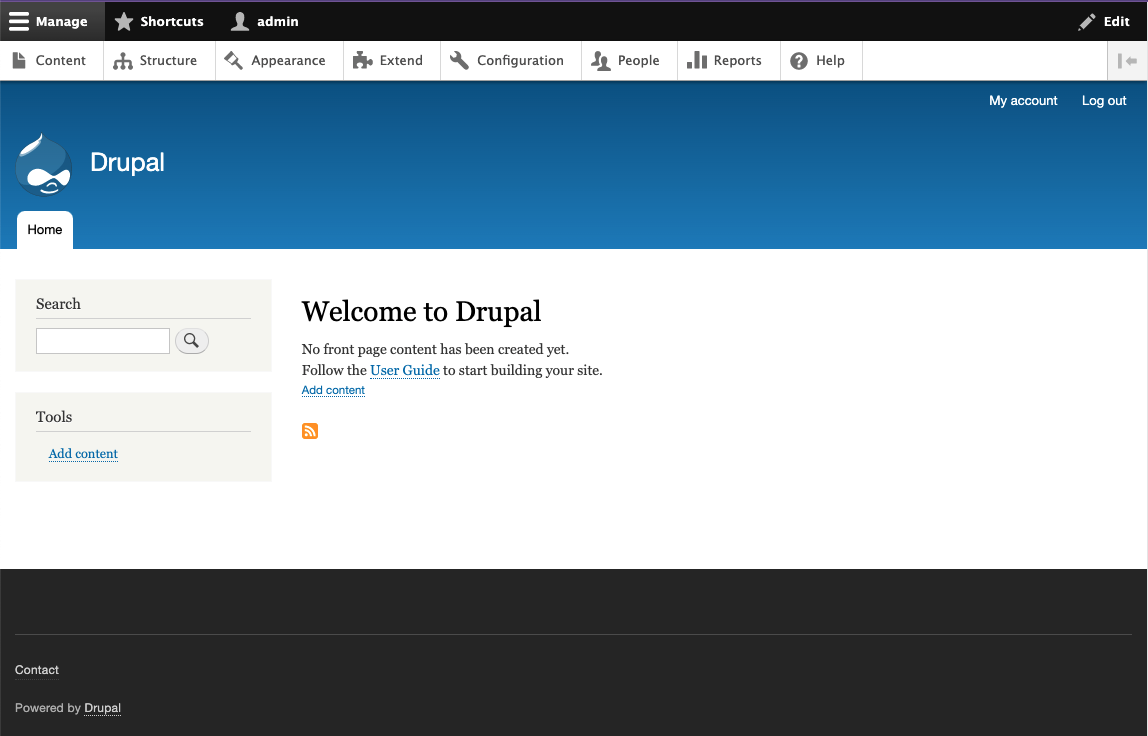
This familiar face is the default theme, Bartik, for the site.
The default front-end theme for Drupal 10 is now Olivero which is described as "A clean, accessible, and flexible Drupal front-end theme." It was originally introduced as an experimental theme to Drupal core in version 8.8. The Olivero theme has been available as a stable theme since Drupal version 9.3.
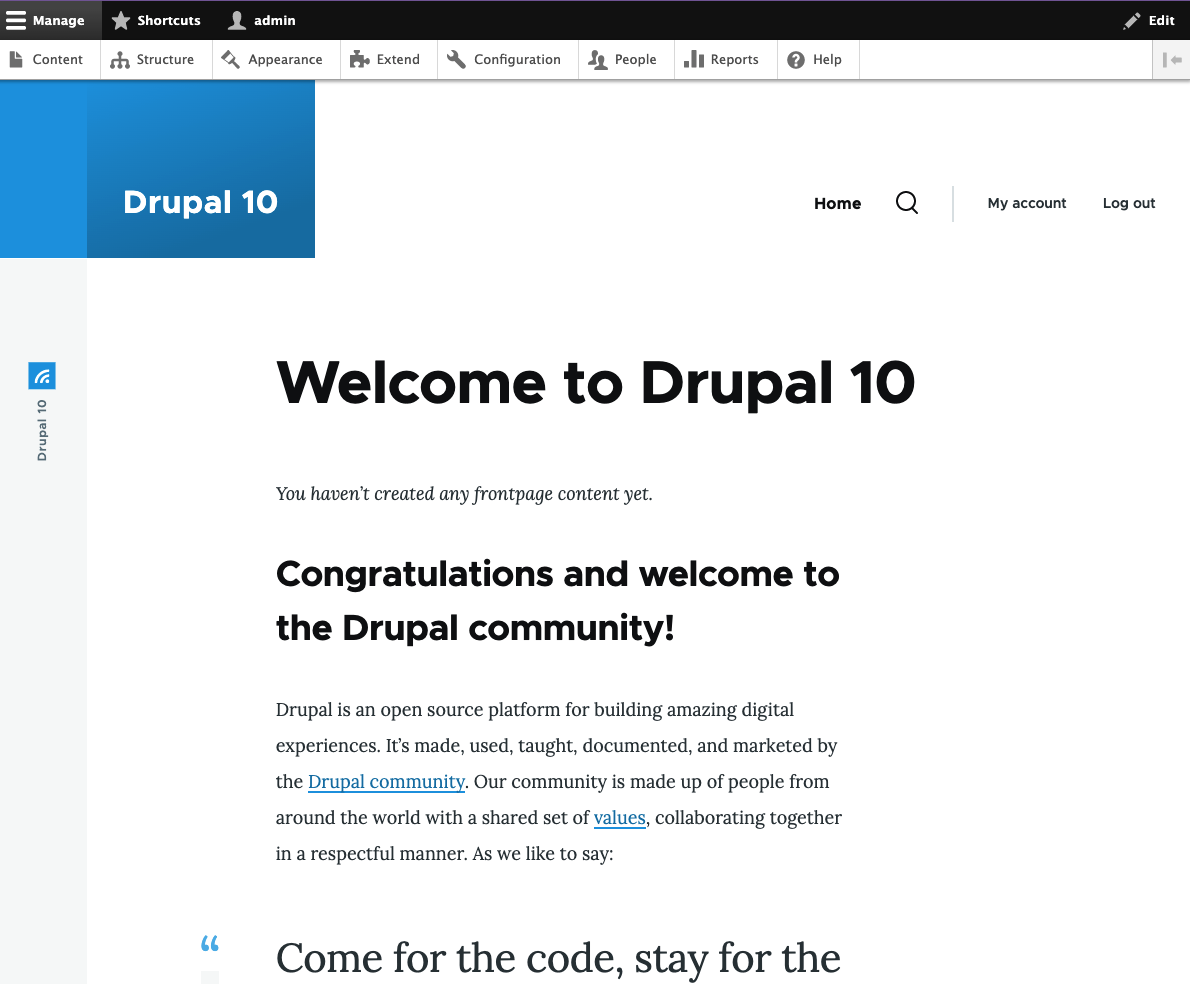
Another visual change to Drupal is a new administration theme, Claro, which is replacing the older Seven theme.
Here is the old Seven administration theme:
Here is the refreshed Claro theme:
The new default themes in Drupal 10 will provide a better experience for content managers of Drupal sites. Content managers and site administrators will be able to more easily find and do the work they need to do in the back end of their Drupal sites.
Removing Some Core Modules
Drupal 10 core will say goodbye to a few modules that are redundant or not widely used. These modules will be moved to the Contributed Module space for continuity. This move will help make Drupal's core leaner and easier to maintain. According to Drupal core discussions, these modules are likely to be removed from Drupal core:
- Aggregator - Gathers and displays syndicated content (RSS, RDF, and Atom feeds) from external sources.
- QuickEdit - In-place content editing.
- HAL - Serializes entities using Hypertext Application Language.
- Activity Tracker - Enables tracking of recent content for users.
- RDF - Adds metadata to pages to let other systems understand its attributes.
- Forum - Provides discussion forums.
Some of these core modules were enabled by default, but hardly ever used according to usage statistics and user surveys. Clearing these from Drupal core will help remove visual clutter and improve the content management experience for users.
In addition to some core modules being removed, some JavaScript dependencies will also be removed. The changes to the JavaScript that is shipped with core will help make core more secure and easier to maintain. The biggest change will be the removal of some uses of jQuery. jQuery has been a part of Drupal since Drupal 5 (released in 2007). The move to using vanilla JavaScript removes release risks that have come up in the past due to jQuery and jQuery UI's security and release processes.
Saying goodbye to QuickEdit will make Drupal 10 easier for content creators to manage. The QuickEdit module added a pencil icon next to any content field on the site. While this was a nice-to-have feature when it was first introduced in Drupal 7, its usefulness has diminished since the introduction of workflows with content revisions. Once content moderation workflows are added to a Drupal site, the inline editing experience of QuickEdit can't be used as it's not compatible with workflows.
Among the great improvements to the overall system, are some new features that content creators are going to enjoy.
New Editing Experiences
CK Editor 5 will be the default rich text (WYSIWYG) editor in Drupal 10. With it comes a lot of features that will improve the content editing experience. These include Autoformatting where you can add bold with **asterisks**, headings with #, inline code with 'text', code block with ''', and bulleted lists with *.
There are also improvements to the paste-from-document functionality. The new version of CK Editor touts the ability to remove the extraneous markup that comes from pasting from Word or Google Docs. It also automatically uploads images when pasting images from the clipboard, rather than simply adding it as an tag that points to a third-party site.
Drupal's popular page-building tool, Layout Builder is also slated to have improvements that will make managing content on the site better for content creators. The full details of these improvements are not yet available. I hope and suspect that a new layout editing experience will include a modal rather than sticking to the small sidebar that we have today.
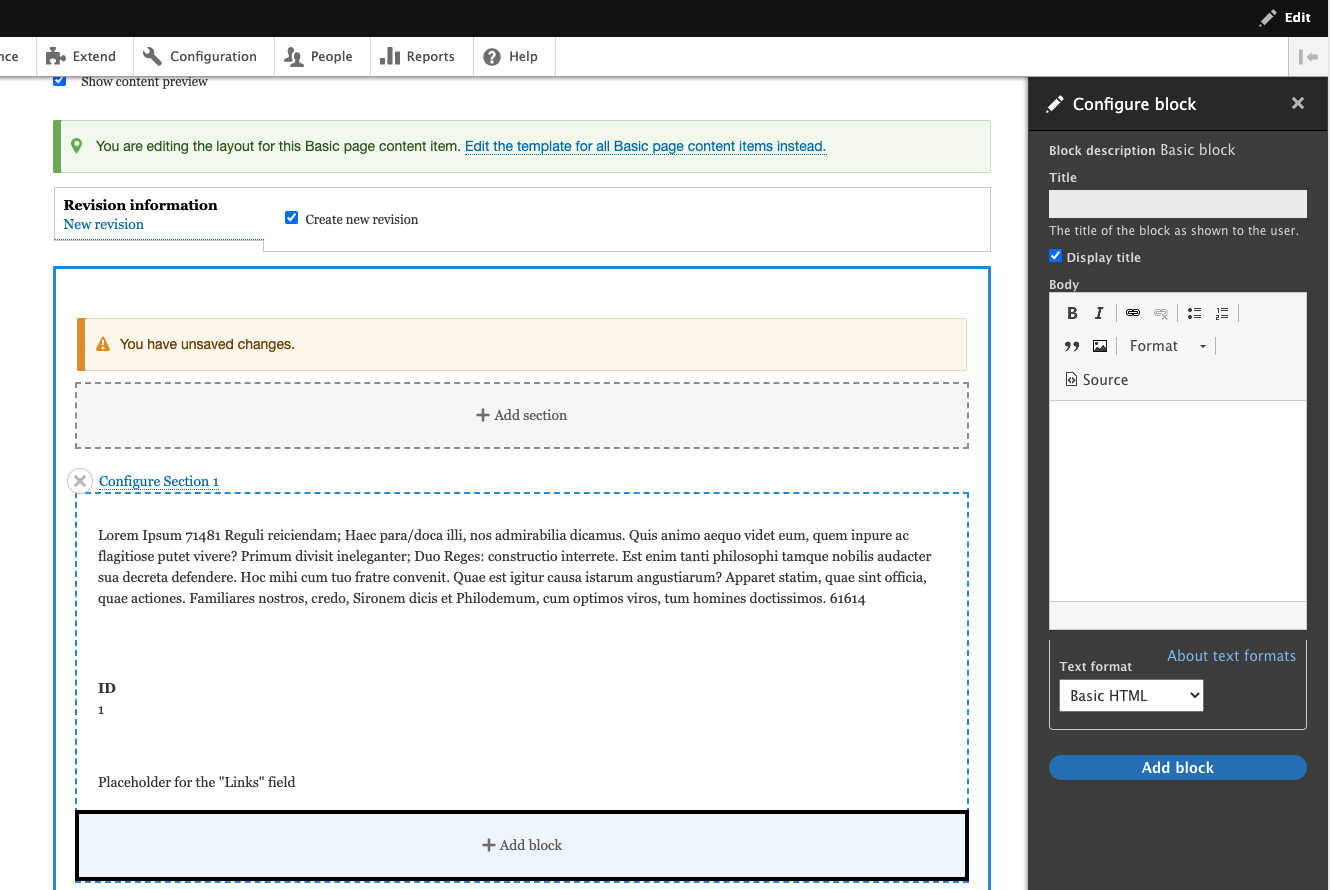
Editing large blocks of text in the sidebar can be cumbersome and confusing, especially when there are more than just a few fields to edit. Improvements to this experience will make managing layouts much easier.
Other enhancements to Layout Builder could include improvements to the interface itself. For some, the Layout Builder interface is clunky, and pending feature requests ask for better ways to move and manage blocks that are placed within Layout Builder.
Foundation for Future Improvements
The release of Drupal 10 clears the path for additional improvements to Drupal that will be built over the next few months and years. Keeping Drupal up-to-date with the latest, fastest, and most secure open source libraries and components give Drupal developers the ability to continually innovate and bring new features to Drupal.
With the emergence of composable experiences and the further intertwining of web and social media in marketing, Drupal 10 continues to pave the way for some great user experiences into the future.
Drupal code reviews are an important part of the software development process. If you've recently started working with Drupal or you are looking to improve your codebase and processes, you may be wondering what you should consider when reviewing changes to your Drupal codebase. We'll describe how to get the most out of your Drupal code reviews by providing a checklist of important steps and criteria for you to return to and reference as you open and review new pull requests.
Creating A Pull Request
A well-formatted and qualified pull request helps streamline the code review process. It's also a good point for an author to pause and consider the change they've made. Before submitting a pull request, the author should consider the change from the perspective of other team members, such as the designer, the reviewer, and the QA team. Reflecting on the change can offer additional insight into the problem as well as reduce cycle time as the change moves through different stages in the development process. Consider if the change meets the requirements in the most efficient manner.
Before Opening A Pull Request
The code review process begins before the pull request is even opened. The author should review the requirements and ensure the change appropriately addresses them. A developer doesn't need to be as thorough as the QA team members but a basic level of testing should be applied, including verification in multiple browsers to catch inconsistencies.
Additionally, this is a good time to help out future developers on the project. Make sure the change meets any coding standards that have been established, is well commented on, and the commits show a clear story. The Coder project provides a set of rules for PHP_CodeSniffer to check and apply Drupal coding standards automatically.
▢ Sync the latest changes from the develop branch
▢ Make sure the change meets the documented requirements
▢ Perform appropriate testing and review in multiple browsers
▢ Run a test build to make sure the project builds correctly
▢ Run any linting or standards tools set up for the project
▢ Ensure that commits have useful messages
Opening A Pull Request
The pull request will set the stage for the reviewer. When opening a new pull request, set the reviewer up for success. Provide any relevant information to establish the context of the change. You don't need to copy and paste the ticket description but provide enough information for the reviewer to understand the change (and maybe a link to the full description). If your commit messages are clear and your repository automatically includes commits in the description, this will help provide a starting point.
Additionally, review the diff before opening the pull request. It's important to make sure no unexpected or unintended changes were included in the change. Formatting differences between IDEs are a common issue. These should be resolved before opening the pull request. When making changes to Drupal's configuration, make sure you didn't accidentally capture incorrect values. If you're using config splits, double-check that split config has been applied to the default and vice-versa.
▢ Review the diff to make sure only intended changes were included
▢ Write a useful pull request description including context, questions, or discussion points
Reviewing With Empathy
First and foremost, a code review is about feedback. It's a learning opportunity for both the author and the reviewer. When it goes well, we all become better developers and the codebase becomes stronger as a result. Keep this in mind when reviewing code and review with empathy. In general, assume good intentions.
The advice included in the section is applicable to all code reviews, not just Drupal reviews. For a deeper dive into positive code reviews, check out these resources:
For The Author
Authors should approach the review as a discussion. Pull requests are an opportunity to discuss your change with other developers on the team. Explain why your approach was used and reference edge cases or other considerations that were factors in the solution. In turn, listen to the reviewer's comments and consider how they might alter your approach.
Remember, you are not your code. Suggestions are meant to be constructive and helpful. Try not to take comments personally. Code reviews are a great way to grow your knowledge and learn new patterns and considerations when developing software.
For The Reviewer
Reviewers should approach the review as a discussion. Code reviews are an opportunity to discuss a solution among peers. Many developers assume the reviewer has absolute authority over the change—try to avoid this trap. Instead, ask open questions to facilitate discussion. Offer explanations for your suggestions and include examples. If you disagree with the approach, pause and consider if your solution is better or just different. Remember you can learn as much from the author as they can learn from you.
Remember, your words have power. Try to stay humble and keep your ego in check while reviewing code. Consider how your comments might be taken, particularly if they are only offered in impersonal text on a pull request. Don't request changes directly unless there is a convincing argument for a different approach. Give kudos as well as critiques.
Ultimately, stay humble and take your time. Make sure you understand the goal of the change and the approach the author chose to take. Consider the change from multiple directions. Acknowledge your shortcomings and note when an author has done something interesting or clever (plus, this can also help fight imposter syndrome on the team!).
Performing A Review
Code review is also a technical discussion of the change. It's important to understand the common pitfalls in order to keep the codebase in good shape. Performing a technical review of the code helps address architecture issues and may reduce bugs before they become a problem.
General Approach
In general, the goal of a code review is to facilitate discussion of changes and make sure the development team is creating the best solution possible. As such, there are a lot of components to consider when reviewing a change. During the code review, we want to understand what the change is accomplishing, verify that the change is doing what it's intended to do, and fits in with the overall architecture.
▢ Do you understand the solution (does the solution "make sense")?
▢ Does the solution accomplish the goal?
▢ Does the change include any unrelated functionality?
▢ Does the solution support the overall project strategy?
▢ Do commits contain appropriate information (ticket number, description of change, additional context)?
Drupal Way
Drupal provides a toolkit for content-based website development. Each tool has an intended usage and sometimes more than one tool may be used to solve a problem. Some of these solutions will be better than others and the best solution may not always be obvious.
Consider the requirements and the intended use of a given system API, configuration, or application layer. The solution should make use of the correct APIs and occur in the correct part of the application. For example, is any front-end work implemented within the theme? Is shared business logic created as a service? Make sure the solution makes use of existing functionality where possible, usually in order by priority: Drupal core, contrib modules, custom code.
▢ Does the solution make use of existing functionality?
▢ Does the solution make the best use of Drupal's tools?
▢ Is the solution implemented in the appropriate application layer?
▢ Does the solution support a content management strategy?
Security
Drupal is a generally secure CMS and extensive efforts have been made by the community to support out-of-the-box security. However, any time custom code or community-contributed features may be involved, the security of the customizations should be considered. The change should make use of the appropriate features provided by Drupal to maintain the security of your application. Reference Writing Secure Code on Drupal.org for more information.
▢ Are Drupal's APIs being used correctly?
▢ Do SQL queries use the Database API?
▢ Are the text APIs such as t() applied to safely escape text and other scripting attacks?
▢ Is content rendered through Twig whenever possible? (Twig automatically escapes rendered content)
▢ Are permissions and access controls implemented properly?
▢ If a new entity or feature is implemented, does it have appropriate permissions applied?
▢ If a new permission is created, is it checked correctly?
▢ If JSON:API or other APIs are implemented, do API endpoints have appropriate access control and data filters in place?
API-first
Code should be written in a composable way using Drupal's API-first approach. Use services, plugins, etc. to create reusable functions that can be repurposed and edited easily. Drupal offers a powerful but complex dependency injection system. Make sure that functionality is accessed correctly to help keep the codebase DRY.
▢ Are the components of the solution appropriately (de-)coupled?
▢ Is dependency injection used correctly and are all dependencies necessary?
▢ Are new components abstracted to an interface, supporting dependency injection?
▢ Is the legacy hook system used when a more modern approach is available?
Documentation
Documentation is important for both future developers working on the project and existing developers who may need to reference a dependency while developing a separate feature. For architecture level changes, make sure patterns, strategies, and other important aspects are documented in an appropriate README. They may also be documented elsewhere but the codebase should at least contain a reference to external documentation.
Comments are also a key aspect of documentation. In particular, PHPDoc comments should be added to files, classes, functions, and properties to support IDEs that may automatically make this information available to developers. Make sure that complex code blocks have appropriate documentation to clarify the processes the code is following.
For example, complex algorithms or code flow conditions should include enough information that a new developer can understand the logic that was implemented. If the change applies a workaround or specific logic changed, reference appropriate documentation, such as a task ticket or external documentation link.
Drupal offers some specific opportunities to document functionality. For changes that don't include custom code, help text and README files should be included to document the functionality. When creating new content types and other entity bundles, include a useful description documenting the purpose of the new bundle. Any custom code should have appropriate descriptions, grouping, and dependencies listed in the module's info file.
▢ Are PHPDoc comments added to each file, class, method, and property?
▢ Are PHPDoc comments correctly formatted and complete (include all necessary properties)?
▢ Are complex code blocks explained with appropriate comments?
▢ Do workarounds or specific logic changes reference appropriate documentation?
▢ Are new variables or configuration values documented in the Drupal UI via help text and descriptions or in a README file included with the module?
▢ Do new modules have appropriate values in the .info.yml file?
▢ Do new modules include a README, if necessary, describing aspects of the module?
Code Style and Standards
Code should follow PHP and Drupal coding standards as well as any team- or project-specific standards the team has agreed upon. Following code standards help with code readability and integration. Code style and standards should generally be enforceable via automated analysis tools such as PHP_CodeSniffer.
Drupal.org provides a helpful guide for configuring this tool under Installing Code Sniffer. Usually, these should be run via Git hooks as well as validated by the CI/CD pipeline at appropriate stages but it's important to make sure that these tools were run correctly. Additionally, confirm that no unexpected but valid formatting changes have accidentally been applied. Examples include a change in indentation or quote style through an entire file.
▢ Does the code generally follow code style conventions established by the team?
▢ Are variables, functions, classes, etc. named appropriately?
▢ Did the automated validation tools run correctly? Did they note any errors?
▢ Does the change include any unexpected formatting changes?
Improve Your Codebase & Processes
For those working with Drupal and looking to improve their codebase and processes, this technical guide is the perfect starting point for your team. Whether you were wondering what you should consider when reviewing changes to your Drupal codebase or how you can make the most out of your Drupal code reviews, this guide provides you with an understanding of how to create useful pull requests and perform code reviews in a way that improves your team, as well as your codebase.
Please feel free to return to this guide as a reference for important review points as you review changes to your Drupal project. Try integrating these guidelines into your code review process to facilitate healthy conversations amongst your development team. By following these important checkpoints, your Drupal codebase will be more secure, more efficient, and easier to work with.

Looking for a way to distinguish yourself among the many Drupal developers out there? Look no further than the Acquia Triple Certification. Representing excellence across Drupal and Acquia, the Drupal Certification exams are for developers, front-end specialists, and back-end specialists that want to demonstrate their advanced expertise.
From "Drupal Grand Master" to "Triple Certified"
Since 2015, Acquia has been using the term "Drupal Grand Master" to acknowledge those who completed Drupal Certification exams for developer, front-end specialist, and back-end specialist.
With help from the Drupal community, Acquia decided to rename this high level of qualification to "Acquia Triple Certified Drupal Expert" or the shortened version, "Triple Certified." This change was made to reflect more inclusive language. Dries Buytaert, Co-Founder and CTO of Acquia said, "The words we use matter. They make a big difference toward eliminating subtle forms of racism, sexism, and more in the technology industry." The technology industry and Drupal are making huge strides towards improving diversity and inclusion within the open source community.
In 2022, Acquia renamed its highest level of Drupal certification, formerly "Drupal Grand Master," to reflect more inclusive language. Learn more about this name change here.
What Is Drupal?
Drupal is one of the leading open source Content Management Systems (CMS) and one of the largest open source communities in the world. Founded back in 2000 by Dries Buytaert as a chat platform for college students, today it stands alone as the most flexible, adaptable system on the market, enabling anyone to create advanced websites and applications.
Based on Drupal’s latest stats, 1.5 million sites, 38 percent of Fortune 50 companies, and more than 23,000 developers use Drupal every day to power the sites we interact with regularly. Bounteous has been using Drupal to build websites for customers since 2009.
The Establishment of the Drupal Certification Program
Just as mentorship is ingrained into the DNA of the Drupal community, it was a driving factor in establishing the "Acquia Triple Certification," formerly "Drupal Grand Master Certification," program. Buytaert saw the need to provide a valuable distinction among the community and thus launched the Acquia certification program in 2014. While extremely resource-intensive to create a global certification program, Buytaert says, "We believe that effort is worth it, given the overall positive effect on our community."
Regularly relied upon for guidance and expertise, Acquia Triple Certified Drupal Experts relish the honor to further the Drupal community. As of 2022, Bounteous has 13 Acquia Triple Certified Drupal Credentials, 8 Acquia Triple Certified Drupal Experts, and over 100 developer certifications—the most of any organization in North America outside of Acquia.
Where does Acquia fit in?
Acquia delivers a cloud-based digital experience platform built on Drupal that enables organizations to build experiences that scale and is also led by Buytaert. A preferred partner of Bounteous, Acquia empowers brands to embrace innovation and create customer moments that truly matter.
Recently named a leader by both Gartner and Forrester, Acquia is committed to facilitating certification programs allowing developers to validate and promote their Drupal skills year after year.
Acquia Certifications
Getting certified is a great way to validate and promote your Drupal skills while helping you stand out from the crowd. Acquia is working towards making it easier to access free training to gain Triple Certification, as well as other Drupal and Acquia certifications. Learn more about how to get Acquia Certifications here.
Acquia Certified Site Builder
The Acquia Certified Drupal Site Builder is a credential intended for professionals who build Drupal sites using core and contributed modules. This exam is designed to validate the skills and knowledge of a Drupal Site Builder.
Acquia Certified Developer
The purpose of the Acquia Certified Developer exam is to validate the skills and knowledge of a Drupal developer in the areas of fundamental web concepts, site building, front-end development (theming), and back-end development (coding).
Acquia Certified Front End Specialist
The purpose of the Acquia Certified Front End Specialist exam is to validate the skills and knowledge of a Drupal developer in the area of front-end development (theming).
Acquia Certified Back End Specialist
The Acquia Certified Back End Specialist exam validates the skills and knowledge of a developer in the areas of building and implementing Drupal solutions using code (module development).
The Ultimate Triple Certified Achievement
To achieve the prestigious Acquia Triple Certification, a candidate must pass the developer, Front End, and Back End Acquia certification exams within a year. Each exam validates skills and knowledge in different areas from fundamental web development to Drupal Core API. This is no easy feat! It is the highest-ranking Drupal certification available, the triathlon of development, and requires expertise in multiple areas of focus.
Why Does This Matter to Me?
Whether you're a developer, a Drupal agency, or an Acquia customer, the Acquia Triple Certifications are a trusted benchmark in the industry. The real-world scenarios included in the exam ensure a breadth of prior experience that helps enhance development. Many companies even require Acquia Certification which speaks volumes to the respect this program has established.
We recommend all Acquia Triple Certified Drupal Experts add this credential to their LinkedIn profile under certifications, or if you already have "Drupal Grand Master" listed, make sure it is updated to reflect the new and inclusive language.
Ultimately, Triple Certified designation allows developers an edge in the development world and provides an enormous amount of credibility in the Drupal community. While no doubt a significant undertaking, the achievement is well worth the investment. With more knowledgeable and engaged developers bettering the community, Drupal’s power increases and in turn supports the companies that leverage Drupal for their digital experiences.
Let’s be honest, PHP is an old language, relatively speaking. It might not be as ancient as COBOL or Smalltalk, but it’s a dinosaur relative to the new generation of programming languages like Rust, Julia, or Typescript. Due to wide adoption and decades of maintaining legacy functionality, updating PHP to include newer features and runtime improvements takes significant time and consideration. The reality is this language is not going anywhere, and there are many benefits of upgrading to PHP 8.
PHP 8 includes improvements that show a clear desire to modernize, as well as capabilities of other popular languages that developers will appreciate. Thanks to PHP 8, Drupal 10 can now use tools that will enable continued growth and enhanced performance. Upgrading to PHP 8 will be beneficial to any site running on PHP–however, as a Drupal developer, I’m particularly excited about how this will impact Drupal 10. I’ll highlight some of the benefits that apply to many sites, but especially how it may apply to Drupal.
To make the most of your PHP upgrade, learn about all of the new and exciting features of this programming language.
Why Upgrade to PHP 8?
Before discussing the features of PHP 8, it’s important to understand why you will want to make this upgrade from PHP 7 to PHP 8. The short answer is that Drupal 10 is requiring a PHP upgrade to enforce requirements imposed by Symfony 6.
It’s also relevant to note that Drupal 10 specifically requires version 8.0.2, not version 8.1. For updates like Fibers and better JIT performance, be sure to use version 8.1 (as opposed to the minimum PHP version needed by Drupal 10). Conversations on this topic are still ongoing, so keep an eye out for updates as new versions of Drupal are released!
New Language Syntax
PHP 8 and 8.1 both introduced changes that can be generally split into three groups: language syntax, new functionality, and execution strategy improvements. Syntax changes give developers opportunities to write code that’s more expressive of what they are trying to do, often with fewer lines of code.
If we can create the functionality we want with syntax we like, that not only benefits the quality of the sites we build but also helps us with the speed at which we can write code. This article will cover some of the most exciting syntax changes, but you can check out the full list of changes for PHP 8 and PHP 8.1.
Help with NULL
Accessing data from within a deeply nested structure can be a hassle. Values at keys within a PHP array or object can be NULL, and they need to be checked for this case since this can cause runtime errors if not properly addressed. The isset function has helped with this for years, but with the advent of object-oriented programming in PHP 7, lots of data accessing is done via class methods, and those do not play well inside of an isset call.
PHP 8 has added a popular solution to this problem with the nullsafe operator: ?-> (See Figure 1). Many other languages already have this operator, and its addition to PHP will allow us to access data more efficiently.
$data = new stdclass;
$data->foo = NULL;

var_dump($data->foo);
// result: NULL

var_dump($data->foo?->stuff);
// result: NULL

var_dump($data->foo->stuff);
// result: ERROR
Figure 1: The Nullsafe Operator
PHP also added special type operators for making custom types that can allow for more specificity in type declarations. One such operator is the union type operator (See Figure 2). In the spirit of taking inspiration from others, this syntax is the same as in TypeScript and Haskell’s type systems. Thanks to this update, a function or class method can now explicitly state if an argument can be exclusively one of two or more types as a part of its declaration.
NULL can be included alongside types in a union type declaration, and when NULL isn't included it cannot be passed as a value to that argument. All of this helps developers better control cases with NULL values and helps reduce runtime errors and bugs.
function func(int|string $foo) {
    var_dump($foo);
}

func(5);
// result: 5

func('bar');
// result: 'bar'

func(NULL);
// result: ERROR
Figure 2: Union Type Operators
Match Statements
Switch statements have been a staple to PHP and several other languages for decades. PHP 8 includes an improved version of this age-old control structure: the match expression (See Figure 3).
Match expressions function similarly to switch statements, but they differ significantly from switch statements in that they are expressions used to resolve to a value, instead of a statement that operates as a control structure that runs lines of code. Because of this, setting the value of a variable with the return value of a match statement when it is declared is now possible.
$bar = 8.0;

$foo = match($bar) {
    8 => 'int 8',
    8.0 => 'float 8',
    '8.0' => 'string'
};

var_dump($foo);
// result: float 8
Figure 3: Match Statements
Pattern matching is an integral concept in many strongly typed languages, such as Rust, Haskell, and OCaml. The addition of match statements to PHP indicates the language is taking inspiration from other languages when making improvements. Though PHP match expressions aren't quite as powerful as similar syntax in other languages, this is still a huge leap forward in modernizing PHP.
The fact that they can return a value and don't need break statements should eliminate many unnecessary lines of code and allow for better readability. For switch statements, the default case was optional and could potentially lead to undesired cases if not handled properly. However, with match expressions, an error will be thrown when no default case is provided, naturally encouraging the creation of more secure code.
Pure Intersection Types
Pure intersection types were added in PHP 8.1 and they provide an interesting way of strengthening the object-oriented type system in PHP (See Figure 4). When an object that is being passed to a function needs to implement two or more specific interfaces, a pure type intersection operator can be used to combine those interfaces into one type.
Instead of having to create a new interface in a separate file, intersection types can be easily created when needed. Having more opportunities to create new types allows developers to be more expressive with their code and improves legibility, which can save time and effort over the long run.
class Bar implements Stringable, Countable {
    function __toString() {
        return 'this is an object';
    }

    function count(): int {
        return 0;
    }
}

class Foo {
    public function __construct(
        public Stringable&Countable $bar
    ) {}
}

$foo = new Foo(new Bar());

var_dump('toString: ' . $foo->bar);
// result: 'toString: this is an object'

var_dump('count: ' . count($foo->bar));
// result: 'count: 0'
Figure 4: Pure Intersection Types
New Functionality
Aside from syntax, new functionality has been introduced in PHP 8 and 8.1 that provides an opportunity for Drupal to improve drastically. Namely fibers and class attributes present new ways to enhance underlying code directly.
Fibers
Another way that PHP has differed from several other server-side languages is through the lack of native support for managing concurrency or suspend execution of code. Using callbacks can allow developers to write asynchronous code. However, there is no API enforced by the language for this functionality; it's managed entirely by other packages. The addition of the Fiber class in PHP 8.1 opens a new world of non-blocking code possibilities.
In the Drupal community, issue threads are getting traction as developers advocate for using fibers to make time-consuming tasks like cache rebuilds, queue runners, and automated cron runs more performant and easier to manage.
Despite some exciting use cases of fibers, we aren't likely to see them used extensively in the everyday development of Drupal. Even the PHP documentation states "Libraries will generally build further abstractions around Fibers, so there's no need to interact with them directly." Fibers are introduced through 8.1, so you might not see it in Drupal 10 core until 8.1 becomes the minimum version needed. PHP is striving to make up for lost time with fibers and we can expect to see revolutionary architectures in future applications thanks to their introduction in PHP 8.
Class Attributes
A huge improvement in Drupal 8 was the Plugin API, which includes a discovery system for finding plugin classes. PHP 8 class attributes can make this process even better. Several types of plugin discovery exist, such as Annotated Class Discovery. This discovery type makes use of a class annotation in a comment before a class definition.
Since class metadata is inside of a comment, a separate library provided by the Symfony framework called Doctrine is needed to parse and use class annotations. With class attributes, this functionality is now a native part of the language. Class attributes allow for much more flexibility in specifying metadata for a class, without the use of a third-party library.
Additionally, they can be used for tasks other than plugin discovery, since attributes can be placed on class methods as well. When used in that context, attributes can specify route handlers, event subscribers, and a whole range of other Drupal functionality. Other object-oriented languages like Java, C#, and even JavaScript have versions of class attributes. The addition of class attributes to PHP 8 is further proof that the language is striving to modernize and provide developers with tools to build better systems.
JIT Compilation
The maintainers of PHP might have added all kinds of new and cool syntax and functionality, but underneath it, all was still the same execution process of language parsing, AST creation, OPcode transpilation, OPcache, and execution inside a VM. Little had previously been done to enhance the step between the traditional Zend VM and the CPU, but with PHP 8 a new door has been opened.
As hardware has gotten exponentially more powerful over time, compilation has gotten quicker and quicker. Because of this Lua, Python, JavaScript, and other transpiled languages have made use of a Just-In-Time (JIT) compilation step that happens after a script has been queued for execution and before it is actually executed.
JIT compilers offer huge speed boosts since all optimization strategies that have been part of compilers, in general, can be applied to scripting languages as well. PHP 8 added a JIT compiler to the language, which will allow it to make huge strides in code performance in the same way that many other popular languages already benefit from.
While PHP will become much more performant with version 8, the web frameworks that use PHP won't see the same kind of speed boost. The limiting factors to server-side processing speed in Drupal will still be the same as they were before: database queries, bootstrapping on request, and other architectural constraints.
Benchmarks against other similar frameworks have shown only a 3-5 percent increase in page render speed, so the same can be safely assumed for Drupal. For functionality requiring complex processing that is written purely in PHP though, the JIT compiler will make a huge difference. Image processing and data analysis can now be reasonably implemented in PHP thanks to the new JIT compiler.
Switching to PHP 8
As always, teams will need to rigorously test their sites with new versions of PHP locally, as well as in higher-level environments afterward. Switching to PHP 8 is possible to do today under Drupal 9 and is fairly easy to do locally, especially if you’re using Lando and Drupal VM. Configuring the PHP version used by an environment in Acquia Cloud is also a relatively straightforward task.
Whether it’s using new syntax, experiencing the speed boosts of the JIT compiler, or trying out new features of the language, PHP 8 has many improvements for developers to be excited about. PHP is continually improving, and keeping up with its growth will make for a better Drupal experience, which in turn will make the life of developers easier as well. I recommend upgrading to PHP 8 and giving all of these new and modern features a try as soon as you can!
It’s been ten years since the release of Drupal 7. In that time, building experiences for the web and digital marketing needs have grown more complex. The Drupal platform has had to evolve to keep pace with market trends and other content management solutions. This concept of an evolving platform aligns perfectly with "Embrace Change," which is Principle 7 from Drupal’s Values and Principles. There’s a long shared saying in the community stating that, "The drop is always moving." Drupal (the drop) needs to grow to remain competitive and developers need to embrace these changes to take advantage of the latest features and functionality.
When it comes to embracing the latest Drupal offerings, as a community we still have a lot of work to do. Of the over 950K sites reported on the Drupal Usage Statics page for November 21, 2021, roughly 520K of those websites are running some version of Drupal 7. Drupal 8 support ended November 2, 2021, and after an extension due to COVID, Drupal 7 support will end in November of 2023. This means for organizations running any version less than Drupal 9, now is the time to be planning the next steps.
Why Migrate to Drupal 9?
Before jumping into the process of planning and executing a migration, it’s important to understand the value of this effort to your business. This is the perfect time for an organization to evaluate if it makes sense to continue investing in Drupal and understand what they’ll receive from their investment. There are a number of compelling reasons to invest in moving to Drupal 9, but here are some highlights!
Drupal Is API-First
The API-First initiative, introduced in Drupal 8, simplified using REST APIs to pull content out of Drupal and into other systems. This means fully decoupling or progressively decoupling is easier in modern Drupal. Additionally, as composable architectures grow in popularity, Drupal enables developers to quickly surface REST endpoints as JSON in core or GraphQL via contributed modules.
It’s also worth noting the Decoupled Menus initiative aims to prove the model for integrating JavaScript libraries with the RESTful Web Services API. The goals of this initiative are to make the JavaScript developer experience and the process of building decoupled experiences in Drupal rival competing content management platforms.
Drupal’s Continuous Innovation Model
Once you’ve migrated to Drupal 9, future updates (like Drupal 10) will be minor releases. This is due to introducing a continuous innovation model that aims to shorten release cycles, add new features and APIs, and simplify the upgrade path. This development model reduces the total cost of ownership and allows organizations to spend less time maintaining the platform and more time investing in features that will grow the business.
More in Core With Drupal
Panels in Drupal 7 have been replaced with Layout Builder. This enables site administrators to visually configure content in Drupal by node or content type. Acquia customers can take this a step further by using the Site Studio low-code page building tool. Other enhancements include a native media library that enables content authors to upload and reuse media assets, a modernized administrative theme, improved multilingual support, enhanced accessibility features which comply with WCAG 2.0 and ATAG 2.0, customizable workflow tools, and robust configuration management.
Where to Start With Your Migration?
Before any code is written or migrations are run, the first step to any successful platform upgrade should be putting together a plan and defining what success looks like. Many organizations will use these projects as an opportunity to make other enhancements to the website. For example, there may be content on your existing site that is out of date or doesn’t receive much traffic based on your analytics. You may manage a taxonomy structure that has grown unwieldy or content types that can be consolidated or removed altogether. In short, we want to ensure any incorrect assumptions, bad habits, or abandoned features don’t make their way into the new experience.
If it’s been a few years since any visual updates have been made, this could also be a great opportunity to update the look and feel of the website. Moving from PHPTemplate to TWIG and including Layout Builder in core opens up new theming possibilities for developers. This may also be the right time to modernize the look of your site and revisit the information architecture while simultaneously updating the theme layer. As mobile traffic has increased, optimizing for a mobile-first approach that prioritizes performance, responsive assets, and serving the best experience regardless of the device should be part of the implementation plan.
Before jumping in, it’s important to understand if there’s a migration path for any modules in use and identify alternative approaches where there are gaps. This process typically starts with taking inventory of the existing modules and content, verifying and documenting existing functionality, and identifying deprecated code. Though this can be done manually, the Migrate Accelerate tool can significantly streamline this effort for organizations using the Acquia platform. The Acquia solution will recommend Drupal 9 modules and patches based on Drupal 7 and tooling that helps automate the content migration process. There are also some helpful solutions like the static PHP analysis tool, drupal-check, and using the upgrade status module.
The outcomes of this evaluation may reveal that an automated migration may not be the best approach. If the content, information architecture, and designs are changing significantly, it may make more sense to rebuild your site in Drupal 9 instead of porting over lots of content that is no longer relevant. The best approach will vary, but it's important to identify the unique needs of your organization before jumping straight into migrating data.
Migrating to Drupal 9
Due to underlying architecture changes in Drupal 8 and 9, more work is required to migrate a Drupal 7 site. Moving will require migrating both content and configuration to a clean Drupal 9 website. Drupal 9 also uses Composer for PHP package management, which is a shift from managing projects in Drupal 7. You’ll want to be mindful to structure your composer files correctly, but there are some helpful existing composer project templates like the Drupal Recommended Project, opinionated build tools via Acquia BLT, and the Acquia CMS project for Acquia customers.
There are two approaches to migrating from Drupal 7 to 9, using the Migration UI or Drush. Using the Migration UI assumes you want to migrate everything and first requires enabling the core migration modules and any other required modules needed in the new experience. This includes installing and enabling the Migrate Upgrade, Migrate Plus, and Migrate Tools contributed modules.
To proceed with the UI approach, import the D7 database, visit the upgrade path, enter your credentials, and follow the on-screen instructions to run the migration. The core Migrate modules support most nodes, taxonomy, fields, users, content, and user roles. However, themes, custom modules, and views without a contrib migration path will need to be rebuilt. This also assumes the contributed modules used in Drupal 7 have a migration path to Drupal 9. Any modules without a clear upgrade path will require manual or custom migration.
For developers looking for greater configuration options, using Drush provides more flexibility to pick and choose your migrations. After importing the D7 database, you can run the following Drush command to get a list of the available migrations:
drush migrate:upgrade --legacy-db-url=mysql://root:root@localhost/drupal7db --legacy-root=drupal7site/docroot --configure-only
From there, you can run Drush migrate-import (or Drush mim) for the individual migrations you’d like to bring over to the Drupal 9 website. For example:
drush mim d7_user
Lastly, there is a lot of helpful documentation on this process on Drupal.org. There is also a running list of known issues which may be a helpful resource for troubleshooting migration issues. Depending on the amount of content that needs to be migrated and the complexity of the Drupal 7 site, developers should expect some level of trial and error to ensure all intended content was migrated successfully. Stripping down the Drupal 7 site to the bare essentials before starting this process can help greatly streamline this effort.
The Drupal Drop will Keep Moving
The Drupal project celebrated its 20th anniversary in January 2021. The web has changed significantly over that time as we’ve seen internet fads come and go. However, it’s a testament to the Drupal project leads and the developer community for continuing to push the platform forward so that it remains relevant today.
There are some exciting initiatives planned, including making Drupal easier for new users with the Easy out-of-the-box initiative, making it easier to find and install relevant modules with Project Browser, and simplifying the Drupal contribution process with GitLab Acceleration. For any organization evaluating a migration from Drupal 7, this should be the last significant upgrade needed to take advantage of all the new and exciting features now available in modern Drupal.
As the Drupal landscape continues to evolve, we have seen some great advancements in how we build and maintain Drupal websites. From the powerhouse of DrupalVM with Vagrant to the agile world of Lando and Docker, each solution has its own strengths—as well as some tradeoffs that can require some level of technical expertise to navigate. Here at Bounteous, we typically use a Sprint 0 to define and implement the toolset that will be used for the project. During this time, we evaluate the needs of the project, as well as any client requirements that may dictate one solution over another.
As we evaluate these options we consider things like maintainability and flexibility. In some cases, client restrictions prevent us from running any type of virtualization. With any solution, there will be some amount of overhead as we onboard developers and support ongoing development. When faced with virtualization restrictions, a natural solution is to create a custom LAMP or MAMP stack on each developer’s machine. This is often costly to maintain and requires a high investment to get started. Fortunately, there is a new option available, designed to give developers the flexibility of a virtualized environment without the technical cost or restrictions.
Enter Acquia Cloud IDE—a web-based development environment designed for Drupal. Depending on your Acquia subscription, your development team will be allocated a specific number of environments that can be created and destroyed on demand. When you create a new IDE, Acquia provides a container-based environment on cloud infrastructure that matches a standard Acquia Cloud server. Each IDE comes allocated with 4GB of memory, two CPUs, and 60GB of disk space. It also comes preinstalled with all the development tools you need for high-grade Drupal—including Composer, Drush, npm, and even ChromeDriver for running automated tests.
Once the environment has been provisioned, a developer is given a link to open their IDE and begin working. The IDE itself is based on Theia, an open-source web-based IDE developed by the Eclipse Foundation. The project is extremely active, with over 5000 commits, 90 pull requests, and five releases this year alone. These are all great signals of a strong project with great backing. The IDE itself is modular, highly customizable, and feels a lot like Visual Studio. It even allows you to load some of the Visual Studio code extensions you are familiar with (in .vsx form). Though you likely won’t need to add anything, Acquia does a good job of preconfiguring the IDE with all the things you need for a Drupal build.
On the first launch of your IDE, you are greeted with a “getting started” page that gives you multiple one-click setup buttons to make your life easier. The first button creates an SSH key in the IDE environment and associates the key with your Acquia account. This key can also be manually added to any external repositories such as Bitbucket or GitHub. Once your key has been added, you can use a second button to clone your Drupal codebase and database directly from your Acquia subscription. From here you have a fully functional, personal development environment and you are ready to write some code! The IDE gives you direct access to the CLI, and even provides a command to enable Xdebug.
Thoughts and Impressions
It’s pretty easy (and warranted) to be skeptical of a solution like this for a development environment. New IDEs and environments mean new ways of working and ultimately friction when it comes to accomplishing work. It’s extremely important for developers to have complete control over their development experience in order to maximize efficiency. I personally rely heavily on keybindings and shortcut commands to deal with some of the limitations my disability creates.
All things considered, I’ve found transitioning to cloud IDE to be mostly painless. I have been able to customize various shortcuts to match the keybindings I typically use (Shoutout to my dotfiles). I do miss some of the more intelligent features PHPStorm offers me like comment generation and fast file switching, but there is nothing that prevents me from writing solid code.
Skepticism included, I am extremely excited about this product and wish I could use it on some of my personal projects. The ability to have an on-demand development environment that takes little to no setup time is a game-changer. Even as someone with deep Unix and DevOps knowledge, I constantly find myself in battles with getting local environments to "just work." As much as I enjoy investigating and resolving issues that come up with Lando or DrupalVm, I’d much rather spend my time building amazing websites. Acquia Cloud IDE makes that possible.
Opportunities for Improvement
No solution is perfect, and running an IDE in a browser runs into some pretty expected problems. Some of the more complicated tasks like file browsing and terminal interaction require communication with the server. This can cause problems like console input lag or slow/finicky code completion. These problems can be exacerbated by unstable internet connections, leading to warranted frustration. This has been a pretty serious and ongoing issue that Acquia is working on fixing.
The other part I wish I had more control over is the setup process. While the IDE makes it easy to clone code directly from your Acquia environment, it doesn't easily allow you to clone from a BitBucket or GitHub repository. It would be great if there were some way to customize the welcome screen and button actions. My goal is to onboard developers as quickly and painlessly as possible, and it would be nice to have greater control over this process.
Final Thoughts
Acquia Cloud IDE has amazing potential and has already proven to be a valuable tool. We are a couple of weeks into using it on one of my clients, and we were able to successfully onboard 12 developers—for many of whom it was their first Drupal project. The ease of onboarding and consistency of environments across both Windows and OSX was a breath of fresh air. I’m excited to continue to use this tool on future projects!
Leading agency delivering transformative digital experiences on the Acquia Digital Experience Platform
Chicago — October 27, 2021 — Bounteous, a leading insights-driven digital experience consultancy, today announced its elevated status as Acquia Global Partner and also received recognition as one of Acquia’s first Practice Certified Partners. Bounteous is being honored as a top-performing partner following a year of record growth and transformational digital experience implementations.
The Acquia Partner Program recognizes companies committed to the highest standards of technical delivery on the Acquia Open Digital Experience Platform (DXP). Partners must not only make significant investments in training and business development, but also deliver high-quality implementations and contribute to Acquia Open DXP. Acquia's Global Level Partnership includes only their top dozen partners and is a highly distinguished group of leading digital agencies.
"This recognition marks our team's incredible growth and deep understanding of product value and familiarity with Acquia Drupal Cloud," said Seth Dobbs, CTO at Bounteous. "Our partnership with Acquia is the epitome of co-innovation. As partners, we believe that we're stronger together and we're thrilled to receive this outstanding achievement."
Bounteous worked closely with Acquia throughout the year to surface opportunities for growth—from product advancements and early adopter programs to joint prospecting, marketing, and deal partnering. These qualifications in addition to the team's ability to deliver transformative digital experiences on the Acquia DXP have earned the organization this distinct qualification.
"We're delighted to be able to award this recognition to Bounteous," said Peter Ford, VP of Global Channels, Partners & Alliances at Acquia. "Partnering with Bounteous to drive unmatched capabilities and digital transformation for our clients helps solidify our standing as the top digital experience platform in the industry. As part of the Acquia Partner Advisory Board, Bounteous continually contributes to new product testing and helps inform the products that makeup both the Acquia Marketing Cloud and Acquia Drupal Cloud. As we look to grow our offerings over time, we're excited to be able to count on partners like Bounteous to help us reach our goals."
About Bounteous
Founded in 2003 in Chicago, Bounteous is a leading digital experience consultancy that co-innovates with the world's most ambitious brands to create transformative digital experiences. With services in Strategy, Experience Design, Technology, Analytics, and Marketing, Bounteous elevates brand experiences and drives superior client outcomes. For more information, please visit www.bounteous.com. For more information about co-innovation, download the Co-Innovation Manifesto at co-innovation.com.
For the most up-to-date news, follow Bounteous on Twitter, LinkedIn, Facebook, and Instagram.
About Acquia
Acquia empowers the world’s most ambitious brands to create digital customer experiences that matter. With open source Drupal at its core, the Acquia Digital Experience Platform (DXP) enables marketers, developers and IT operations teams at thousands of global organizations to rapidly compose and deploy digital products and services that engage customers, enhance conversions and help businesses stand out. Learn more at https://www.acquia.com.
Drupal entered the market as a small content management framework in 2001. First created as a college project by Dries Buytaert to stay in touch with friends, the platform has become a flexible, enterprise-grade solution that powers some of the largest organizations.
I've been part of the Drupal community for over ten years, and it's been amazing to watch the growth of the platform, the vibrant community, and its adoption in the market. This open, API-first solution offers many features out-of-the-box, has a large and active community, and over 45,000 modules that add functionality to the core platform enabling teams to build digital solutions of any size.
Though many are familiar with Drupal, we often hear questions about where Acquia fits into the picture. If Drupal is an open-source platform that anyone can freely use, why do we need Acquia? What benefits does Acquia bring to the table that are not already freely available in the core Drupal platform? Why should we consider Acquia if we're already hosting Drupal internally?
Let's take a closer look at some of the solutions available through Acquia and why Acquia and Drupal together may be the right solution for your digital experience platform (DXP).
Enterprise Hosting Tuned for Drupal
Acquia is probably best known for its enterprise Drupal hosting capabilities. Acquia's high-availability hosting solution is tuned for Drupal and offers a scalable solution for hosting mission-critical websites on the Drupal platform. By default, a three-tier Drupal environment (development, staging, and production) with a drag-and-drop UI is included. Other features like search via Apache Solr, multiple caching layers, a global content delivery network, and Kubernetes-native environments are also available.
For organizations managing tens, hundreds, or thousands of Drupal instances, Site Factory is a powerful solution to build and govern those properties in a unified interface. There are also accelerators to migrate from other platforms or old versions of Drupal, a cloud-native development environment to onboard developers quickly, and CI/CD workflows available with Acquia Pipelines. All of this infrastructure is built on top of the scalable and battle-tested Amazon Web Services platform.
Acquia Content Management System
Drupal has configuration options that allow developers to take the core platform, compile the best community modules, and package those settings into an exportable distribution. Acquia CMS is a distribution of Drupal, which includes the best community modules curated by Acquia to enable teams to launch quickly on their platform.
In addition, Acquia CMS acts as an accelerator to remove some of the repetitive tasks development teams require on every project. Instead, that setup time can be repurposed and invested in building the platform to address business requirements.
Low-Code Page Building
Site Studio is a robust low-code page building solution built specifically for Drupal. Marketing teams can drag and drop components onto the Site Studio layout canvas and build out landing pages in Drupal without development or IT resources. These responsive components are highly configurable and can integrate with core Drupal features like Blocks and Views.
Developers can also create custom Site Studio components in other frontend solutions like React. After the Site Studio components have been defined, marketers and site builders can reuse these elements across the experience to create dynamic Drupal landing pages with localization.
Additionally, teams can utilize Acquia's UI Kit, which provides over 70 pre-built components to help accelerate the page building process. Bounteous is actively using Site Studio with about half a dozen clients, we've written about this product on our blog, and have even highlighted how it enabled our team to launch a new website in a little over a week.
Personalization at Scale
While there are many personalization solutions in the market, Acquia Personalization (formally Acquia Lift) is a no-code solution built to work with Drupal. Acquia Personalization lets teams pull content from Drupal and non-Drupal platforms via APIs to personalize your customers' frontend experience and use data from a unified profile to drive engagement.
Real-time segments can be created based on geography, device, source, past behavior, content interest, or any combination of segmentation criteria. Data can be personalized to the individual with A/B testing, refined over time, and integrated with any system with an API. Once configured, personalization programs can be launched in a no-code personalization UI without the need for IT support.
An Open Customer Data Platform
Acquia added its CDP offering in late 2019 with the acquisition of AgileOne. They have since renamed this solution to Acquia CDP, overhauled the UI to match other Acquia tools, and added forward-thinking features like machine learning models to the product.
Acquia CDP can be used to create a 360 profile with identity resolution to understand the actions and behaviors of every customer. Data can be consumed from any platform with an API, and custom dashboards can be made in their application or exported to other BI tools. In addition, innovative new features like machine learning fuzzy clustering can intelligently add each customer into multiple segments.
True Composable Architectures
While there are many tools available in the Acquia stack, there are thousands of MarTech solutions in the market. One of the most compelling features of the Drupal and Acquia offering is you're not bound by the tools only available in this ecosystem. For example, composable commerce solutions using the Acquia Commerce Framework can be utilized to manage landing pages and product data in Drupal, commerce in Elastic Path or Commerce Tools, and AI-driven product recommendations in Lucidworks.
This is just one example, but there is a lot of flexibility to compile the best solutions and pass data via APIs versus being locked into one platform. It's also worth noting we touched on the topic of creating Drupal platforms with interchangeable services in a recent webinar with Preston So. Picking the best tools for the job with Drupal and Acquia at the center of the stack opens the door to create flexible, feature-rich solutions using best-of-breed tools.
Why Acquia?
Is Acquia required to run Drupal? No. Our responsibility as consultants at Bounteous is to understand the needs of the client and make informed recommendations. As we've seen, there are many features available in the Drupal and Acquia offering, but that doesn't mean it's the right solution for every project.
That said, you can see the true power of Drupal as a platform when you combine it with the robust features and functionality available in the suite of Acquia products. With so many MarTech solutions out there, having products tuned to work with Drupal enables teams to get up and running quickly or pivot as the needs of the organization change.
If we've learned anything from this pandemic, it's that we need digital solutions that are as flexible as they are powerful. A recent customer experience study states 94 percent of organizations have changed their digital CX strategies in the past 18 months. Businesses require the capabilities to launch quickly, pivot gracefully, integrate seamlessly, and scale globally. Acquia is the leading solution for organizations to have those capabilities with Drupal and build their own open digital experience platforms.
In 2021, Acquia acquired Widen, a provider of digital asset management and product information management software. With Widen, Acquia extends its leadership in managing web applications. Widen solutions will make it simple for Acquia DXP users to add brand and product content to any digital customer experience and manage it at scale. The company's focus on managing content and the marketing workflow surrounding rich media and product information complements Acquia's and makes Widen an ideal fit.
We look forward to seeing how Acquia continues to invest in customers and the Acquia Open DXP.
Pages
About Drupal Sun
Drupal Sun is an Evolving Web project. It allows you to:
- Do full-text search on all the articles in Drupal Planet (thanks to Apache Solr)
- Facet based on tags, author, or feed
- Flip through articles quickly (with j/k or arrow keys) to find what you're interested in
- View the entire article text inline, or in the context of the site where it was created
See the blog post at Evolving Web
