

Upgrade Your Drupal Skills
We trained 1,000+ Drupal Developers over the last decade.
See Advanced Courses NAH, I know EnoughMultisite CMS vs Multiple Websites - Comparison, Advantages, Drawbacks
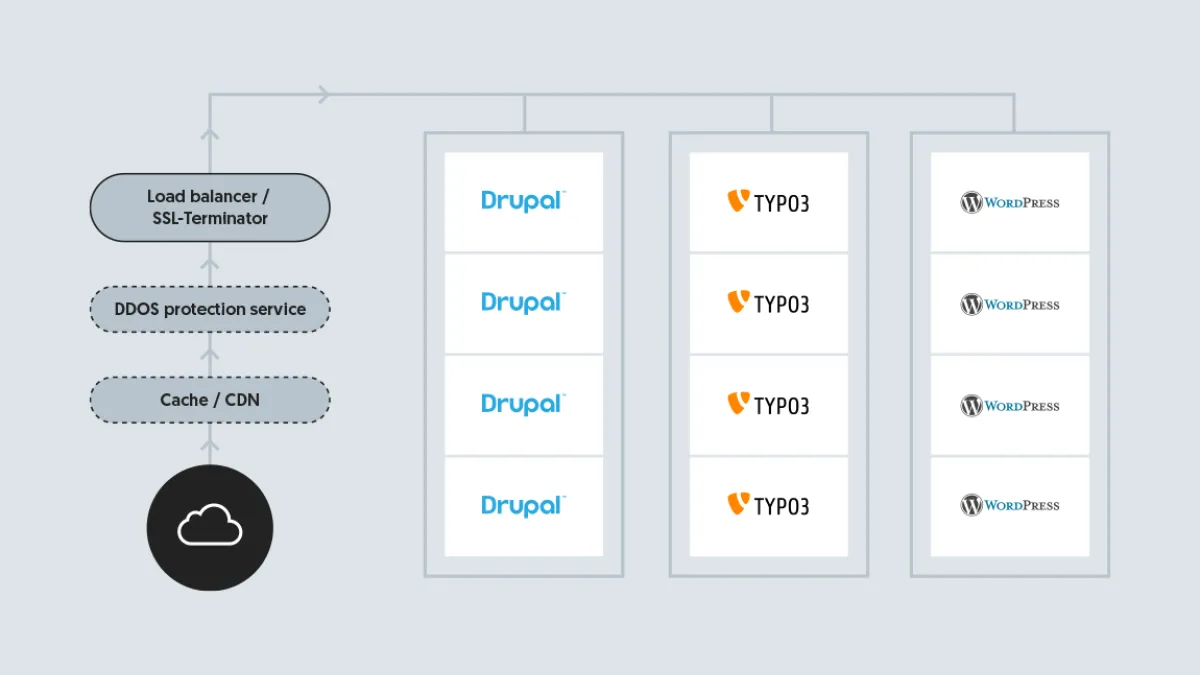
Multiple websites can be operated with a single multisite instance or as multiple individual websites. The two approaches are technologically different and have advantages and drawbacks. In the following we will compare both to allow decision makers take a informed decision how to best operate a fleet of websites. The comparison applies for Drupal, Wordpress, Typo3, and all other CMS systems that provide a multisite feature.
Technological differences between multisite and multiple websites
Many CMS systems offer multisite functionality. Prominent Open-Source CMS Systems that offer this feature are:
The idea behind multisite is simple: You install a single CMS instance and use it to serve content for different domain URLs.
All websites are run on the same source code in the same installation. In order to separate the content all websites use separate databases or have separate tables in the same database. For uploaded files all websites have separated folders.
The CMS is configured to use a different database and files folder based on the URL of each request. The following graphic shows a typical setup using this mechanism.
The alternative to multisite is operating multiple websites instances that re-use the same source code. The approach is also referred to as operating a website fleet.
With a website fleet all websites are installed individually, but the source code of the CMS is the same.
In most modern CMS systems code dependencies are managed with package managers. Drupal and Typo3 use Composer for this. In such a setup the CMS it self is also a dependency. Because all source code can be installed automatically it does not matter if it is installed on one or many web servers.
Operating multiple websites is a newer and more modern approach. The logic of separating websites is handled in the environment (with routing requests to separate instances) and not in the application (the CMS).
A typical setup with multiple websites is shown in the graphic below.